45
6 Capture 2
6.5 Importing and Exporting Audio Files
StudioLive
™
ARc Series
Owner’s Manual
6.5 Importing and Exporting Audio Files
6.5.1 Importing Audio Files into Capture
It is possible to import WAV and AIFF audio files into your Session.
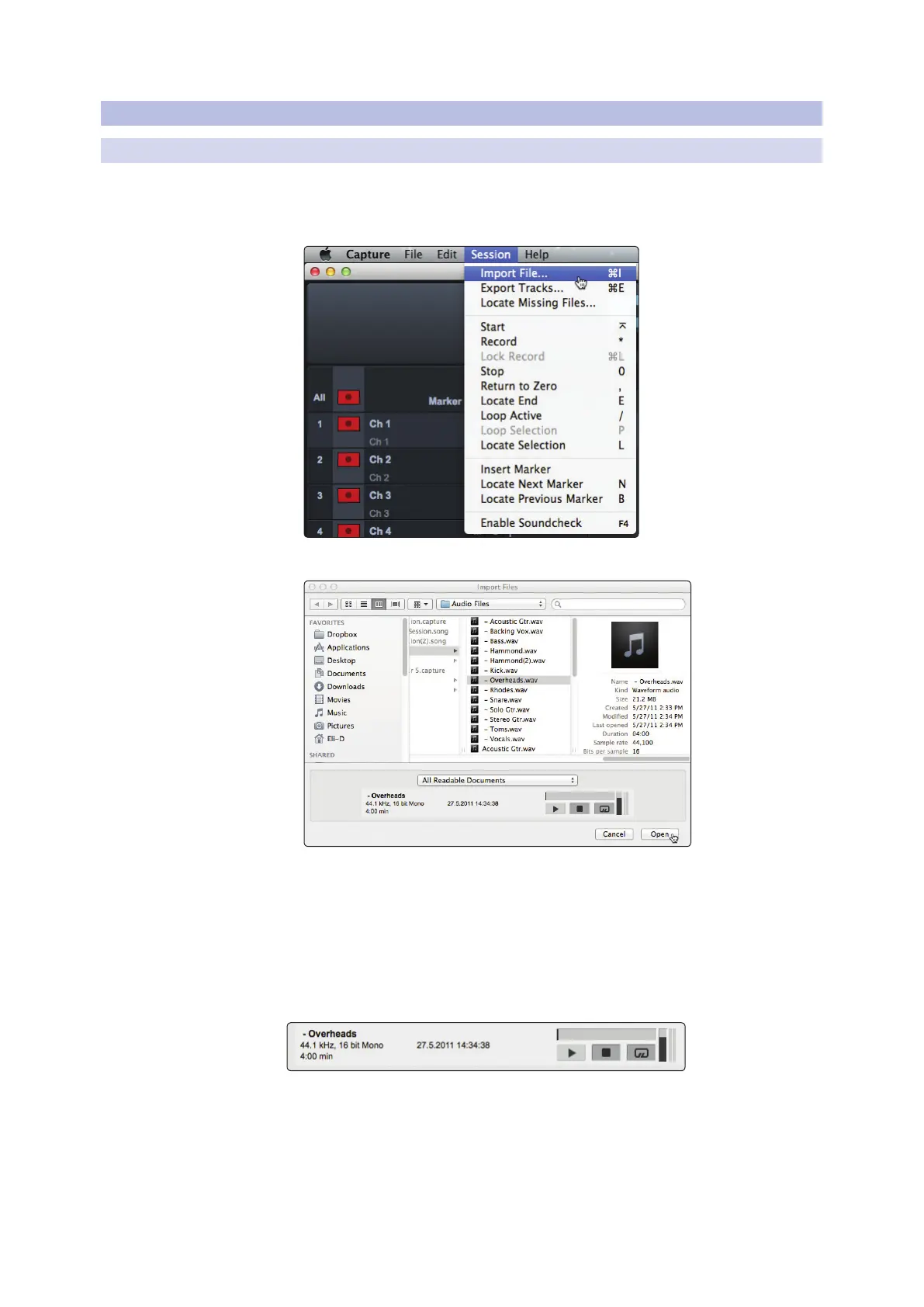
1. To import an audio file, select Import Audio File from the Session menu,
or [Ctrl]/[Cmd]+I on the keyboard, to open the Import File menu.
2. Browse to the desired file and click on it to select it.
3. Click on Open to import the file into your Session.
4. An audio event for the imported file will be created and placed on the currently
selected track in your Session, at the current playback-cursor position.
Power User Tip: When browsing for files in the Import File menu, it is possible to listen
to the audio files as you are browsing in the Preview Player. Click the Play button in the
Preview Player to play the currently selected audio file. Click the Stop button to stop
playback. Click the Loop button to loop the playback of the currently selected audio file.










 To Next Page