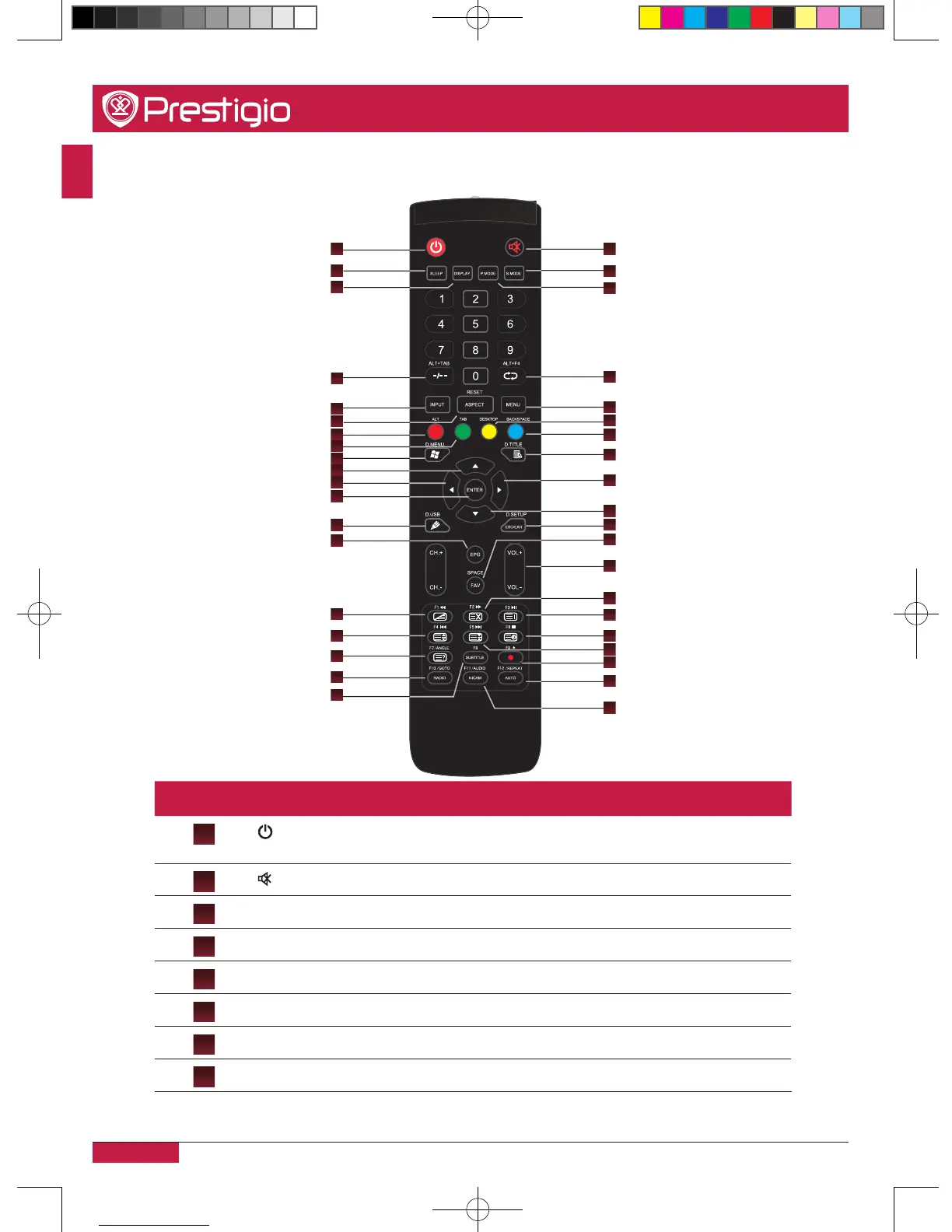
Remote control
1
3
4
2
6
5
7
8
10
14
15
17
20
21
24
26
27
29
30
33
32
36
38
39
9
11
12
13
16
18
19
22
23
25
28
31
34
37
35
Number Item Specification
1
•Press to POWER ON/OFF�
•Press and hold 5s to shut down�
2
•Mute ON/OFF�
3
SLEEP •Set the sleep time�
4
DISPLAY •Display the information of the current source�
5
P�MODE •Picture mode selection�
6
S�MODE •Sound Mode selection�
7
ALT+TAB •Window switch button of Internal PC programs�
8
ALT+F4 •Close the window of the internal PC programs�
PMB554H847,707,657_QSG_ EN_no TV.indd 12 2013/10/15 14:29:02



 To Next Page