Connected with other devices
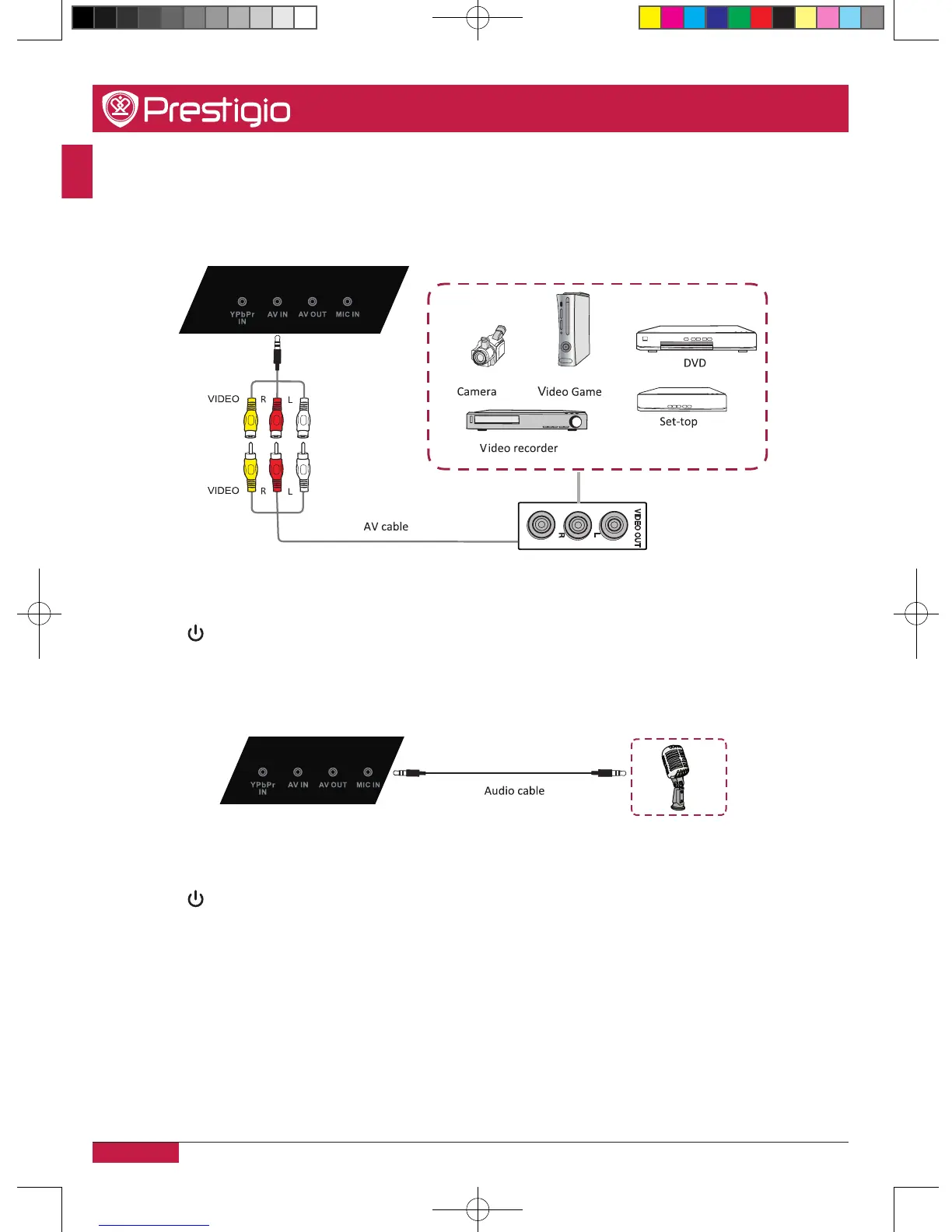
A/V connection
•AV IN
1� Connect a AV-IN cable with the external device’s with AV-OUT (Yellow is Video, Red is
Audio-R, White is Audio-L)�
2� Plug the POWER cord and switch it on from the rear panel�
3� Press to turn the power on�
4� Press INPUT switch to AV source�
•MIC IN
1� Use an Audio cable to connect the Microphone device to the MIC IN jack�
2� Plug the POWER cord and switch it on from the rear panel�
3� Press to turn the power on�
4� Press INPUT switch to PC source�
5� Setup the VGA-OUT or Multi-Screen in the internal computer�
PMB554H847,707,657_QSG_ EN_no TV.indd 18 2013/10/15 14:29:04



 To Next Page