9
Q-Logic Electronics
Symptoms:
The Q6 Edge powers on but the Q-Logic joystick allows no other function.
The Q-Logic joystick displays the message “System Lock.”
The batteries are fully charged.
All electrical components are properly connected.
Diagnosis:
The power chair is in System Lock mode.
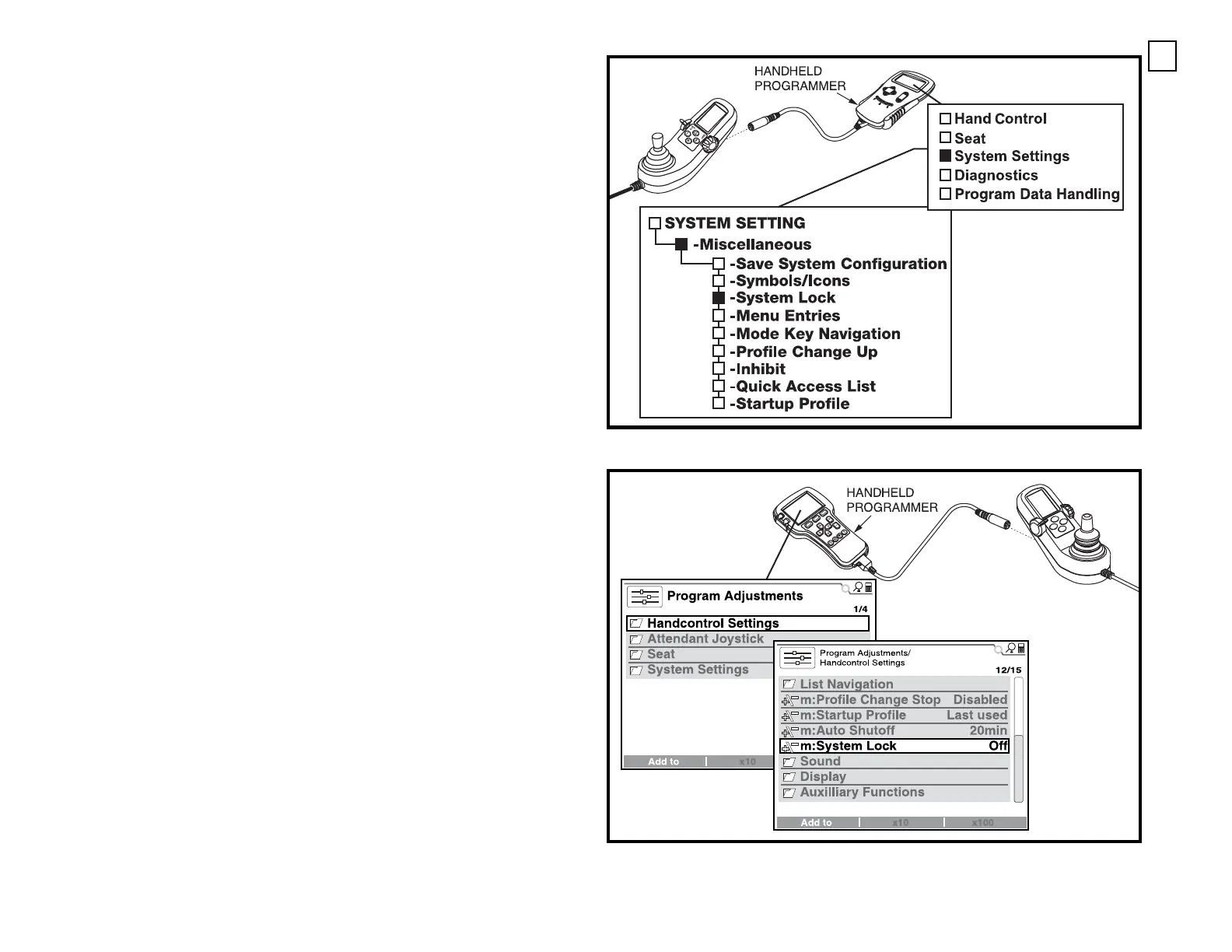
NOTE: System Lock must be enabled (ON) in order to lock out the Q-
Logic joystick. Refer to the programming text. See figure C or D.
Solution:
Use the following procedure to release the Q-Logic joystick from System
Lock mode:
1. Turn on the power to the Q-Logic joystick.
2. Deflect the joystick to the full forward position until a beep is heard.
3. Deflect the joystick to the full rearward position until a beep is heard.
4. Release the joystick. The LCD screen returns to normal.
To lock out the Q-Logic joystick:
Hold down the mode switch until the system shuts down, or select “System
Lock” in the AUX menu (if one is used).
Using the mode switch for System Lock:
1. Turn on the power to the Q-Logic joystick.
2. While the power is on, push and hold the mode lever forward until the
unit shuts off.
3. The display reads “System Lock.” After several seconds, the system will
power itself off.
NOTE: If the controller is a 2012 model or later, the handheld program-
mer’s menus may contain different or additional parameters than those
shown in these figures.
Figure C. System Lock Programming (Q-Logic or NE+, pre-2012)
Figure D. System Lock Programming (Q-Logic, or NE+, 2012 and beyond)




 To Next Page