General operating instructions
Page EN-19
Timer
When the countdown timer is run-
ning, all other appliance functions
are disabled.
No cooking process can be active for the
countdown timer to be used.
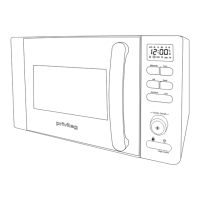
1. Briefly press the “Clock” sensor button
(17).
A signal will sound and “min” will appear
next to the time indicator
00:00
.
2. Use the rotary switch (20) to set the desired
time (max. 5 hours).
3. Press the “Start” sensor button (19).
The set time will be counted down and 5
beeps will sound once it has elapsed.
• To end the timer prematurely, briefly press
the “Pause/stop” sensor button
(15).
A beep will sound, the clock time will reap-
pear on the display, and the appliance will
be fully functional again.


 To Next Page
 Loading...