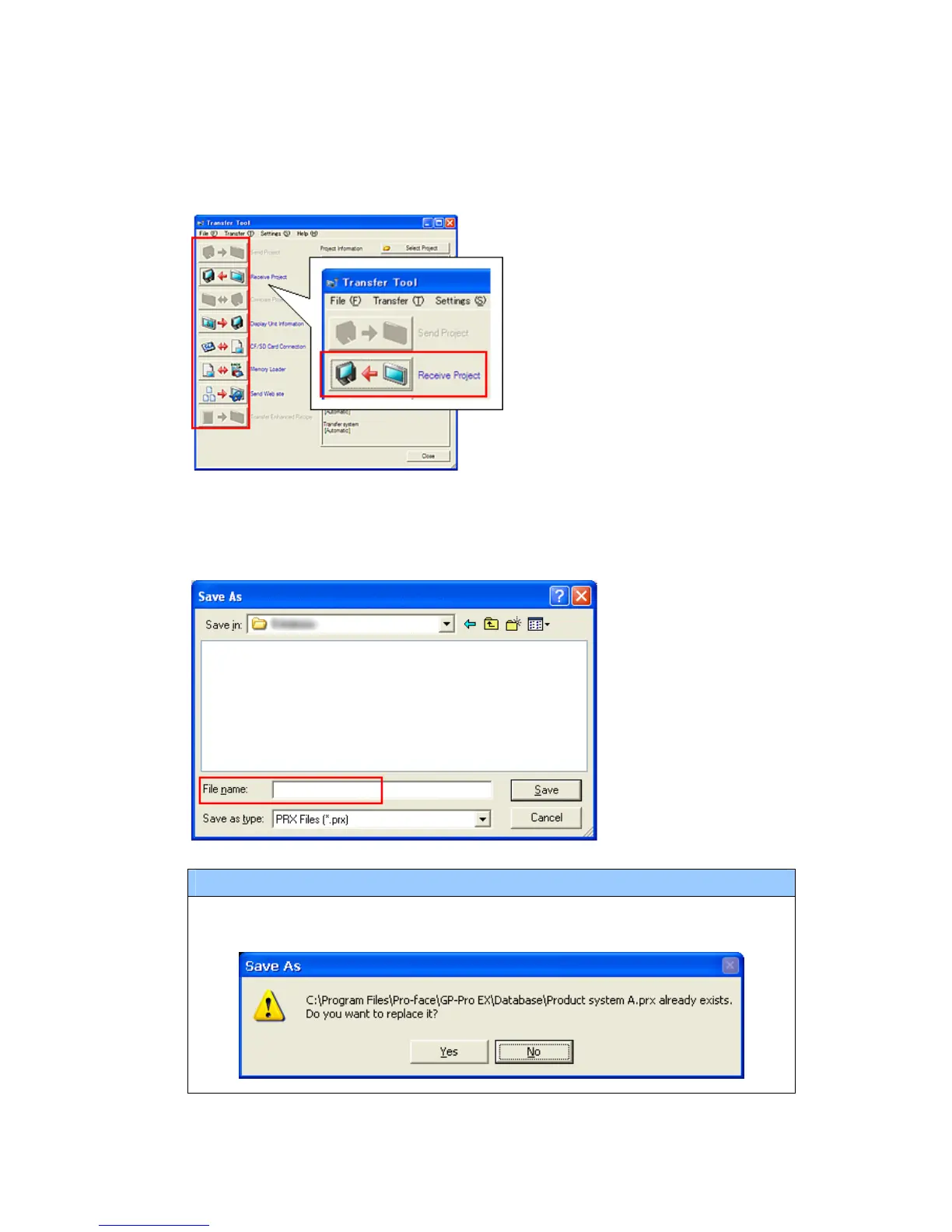
(4) Start GP-Pro EX Transfer Tool and click the [Receive Project] button.
(5) Click [Receive Project], and the following dialog box will appear. Specify a place to
save the received data in and a project file name, and then click [Save] to start
transfer.
NOTE
When a convert-to file exists, the window that confirms whether or not to
overwrite the file is displayed.
28/49






 To Next Page