10
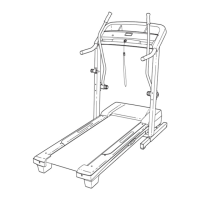
7. Identify the Right Base Cover (91) and the Left
Base Cover (88). Slide the Right Base Cover
onto the Right Upright (85) as shown. Slide the
Left Base Cover onto the Left Upright (84).
91
85
84
88
7
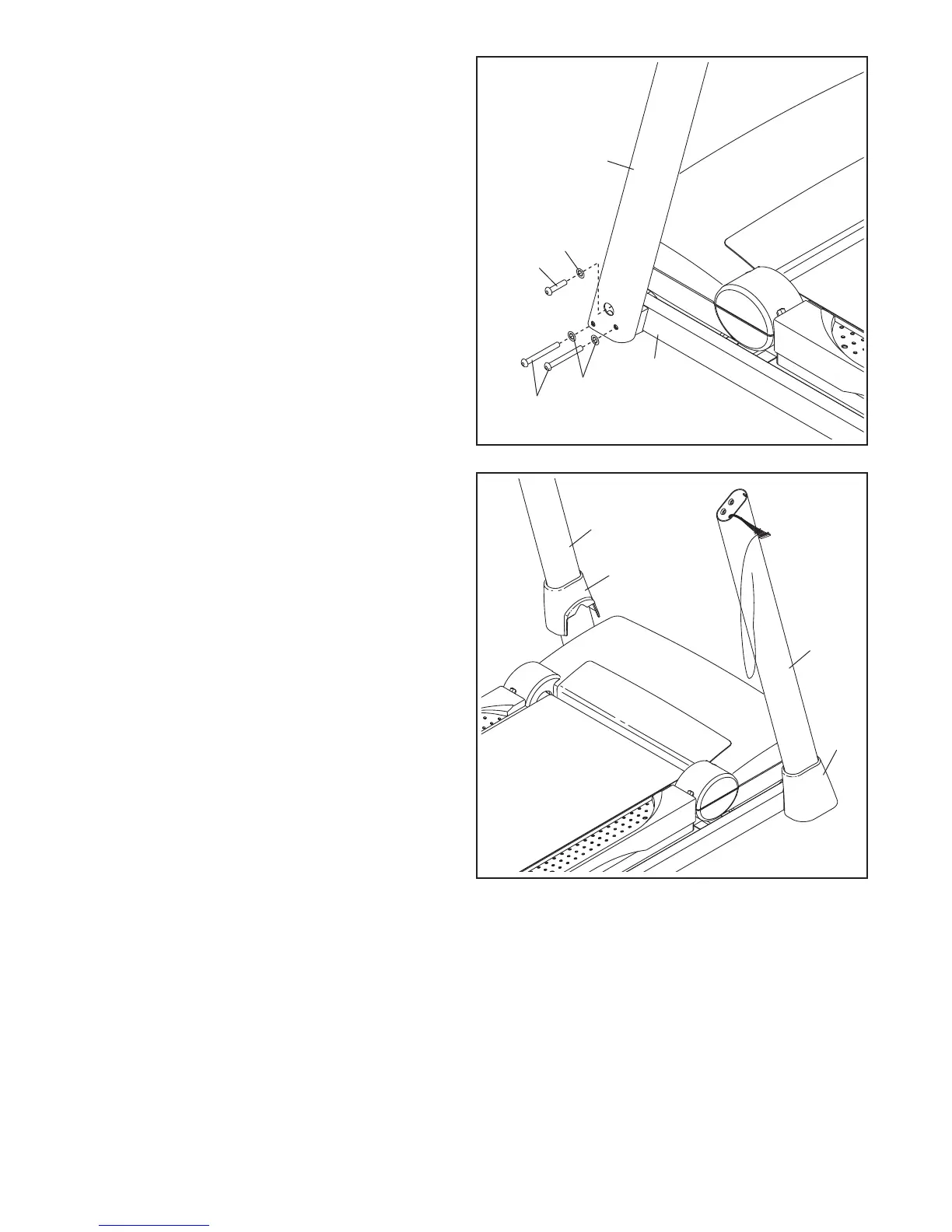
6. Hold the Left Upright (84) against the Base (95).
Insert two 3/8" x 4" Screws (7) with two 3/8"
Star Washers (11) and a 3/8" x 1 1/2" Screw
(14) with a 3/8" Star Washer (11) into the Left
Upright.
Partially tighten the 3/8" x 4" Screws (7) until the
heads of the Screws touch the Left Upright (84);
do not fully tighten the Screws yet. Partially
tighten the 3/8" x 1 1/2" Screw (14).
6
84
7
95
14
11
11







 To Next Page