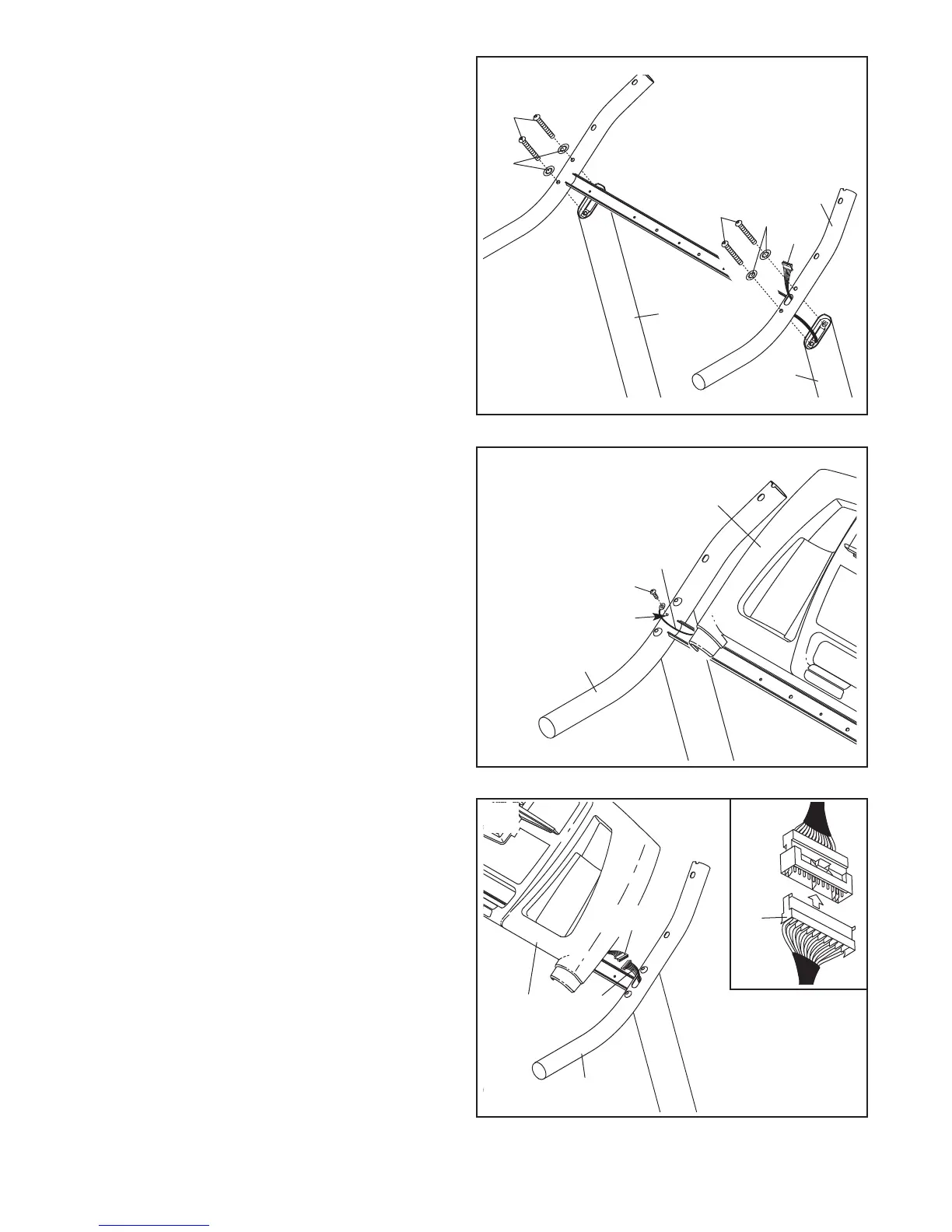
7. While the second person continues to hold the
console assembly, locate the wire harness un-
derneath the console assembly.
Connect the wire harness from the console as-
sembly to the
Upright Wire Harness (77)
.
Make
sure to connect the connectors properly (see
the inset drawing). The connectors should
slide together easily and snap into place. If
the connectors do not slide together easily and
snap into place, turn one connector and then try
again. IF THE CONNECTORS ARE NOT CON-
NECTED PROPERLY, THE CONSOLE MAY
BE DAMAGED WHEN THE POWER IS
TURNED ON. Then, insert the connectors down-
ward into the Handrail (20).
8
77
Console
Assembly
77
20
6. While a second person holds the console as-
sembly near the Handrail (20), attach the ground
wire to the indicated hole in the Handrail with a
Ground Screw (33).
20
Hole
Ground
Wire
Console
Assembly
33
6
7
Wire
5. Lower the treadmill frame (see HOW TO
LOWER THE TREADMILL FOR USE on page
1
9).
Have a second person hold the Handrail (20)
near the Uprights (84). Insert the Upright Wire
Harness (77) into the hole in the bottom of the
Handrail and out of the top as shown.
Next, set the Handrail (20) on the Uprights (84).
Do not let the Upright Wire Harness (77) fall
into the right Upright.
Attach the Handrail (20) with four Handrail Bolts
(64) and four Star Washers (8); start all four
Handrail Bolts and then firmly tighten them.
84
20
8
8
77
64
84
64
5






 To Next Page