EasyManua.ls Logo

Pro-Form 790 T - User Manual

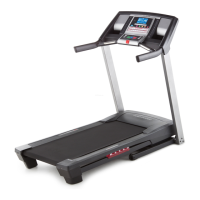
Pro-Form 790 T
36 pages
Print Icon
To Next Page IconTo Next Page
Loading...
Serial Number
Decal
Model No. PFTL81910.1
Serial No.
Write the serial number in the space
above for reference.
CAUTION
Read all precautions and instruc-
tions in this manual before using
this equipment. Save this manual
for future reference.
QUESTIONS?
If you have questions, or if parts are
damaged or missing, DO NOT CON-
TACT THE STORE; please contact
Customer Care.
IMPORTANT: Please register this
product (see the limited warranty
on the back cover of this manual)
before contacting Customer Care.
CALL TOLL-FREE:
1-888-533-1333
Mon.–Fri. 6 a.m.–6 p.m. MT
Sat. 8 a.m.–4 p.m. MT
ON THE WEB:
www.proformservice.com
USERʼS MANUAL
www.proform.com
Meijer.com

Questions and Answers

Pro-Form 790 T Specifications

General IconGeneral
BrandPro-Form
Model790 T
CategoryTreadmill
LanguageEnglish

Summary

Warning Decal Placement

Important Precautions

Before You Begin

Assembly

Operation and Adjustment

Console Operations

How to Turn On the Power

How to Use an Onboard Workout

How to Use an iFit Live Workout

The Information Mode

How to Use the Stereo Sound System

How to Fold and Move the Treadmill

Troubleshooting

Power Not Turning On

Steps to resolve issues where the treadmill does not power up.

Power Turns Off During Use

Troubleshooting steps for when the treadmill unexpectedly powers down.

Console Displays Not Functioning

Steps to fix malfunctioning console displays, including checking motor hood.

Walking Belt Slows When Walked On

Steps to address issues with the walking belt losing speed during use.

Walking Belt Off-Center or Slipping

Adjustments for an off-center or slipping walking belt using idler roller screws.

Exercise Guidelines

Suggested Stretches

Ordering Replacement Parts

Limited Warranty

Related product manuals