EasyManua.ls Logo

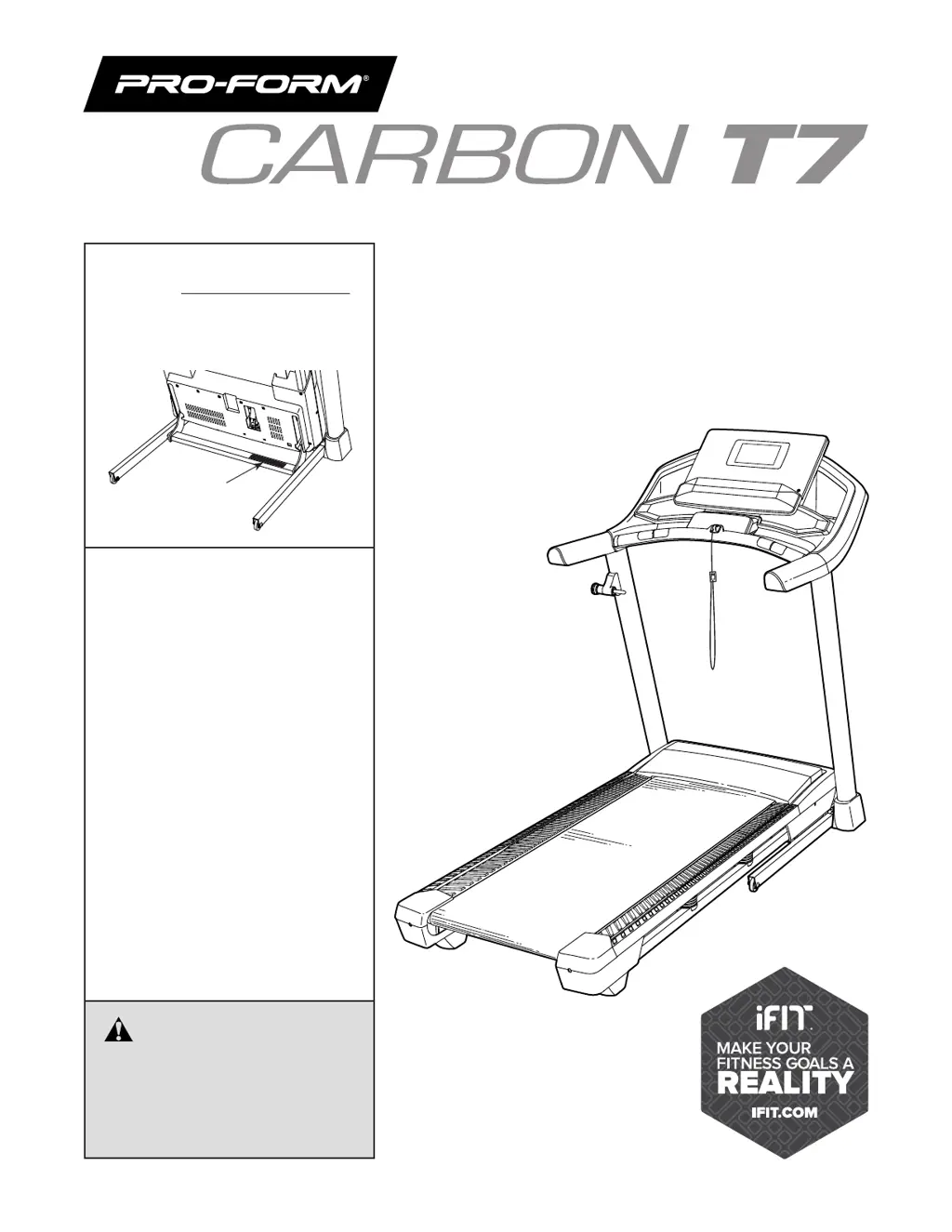
Pro-Form CARBON T7 - User Manual

Pro-Form CARBON T7
40 pages
Print Icon
To Next Page IconTo Next Page
Loading...
Model No. 831.23470.0
Serial No.
Write the serial number in the space
above for reference.
• Assembly
• Operation
• Maintenance
• Part List and Drawing
Sears, Roebuck and Co.
Hoffman Estates, IL 60179
Serial
Number
Decal
CAUTION
Read all precautions and
instructions in this manual before
using this equipment. Keep this
manual for future reference.
TREADMILL EXERCISER
User's Manual

Questions and Answers

  • I
    ihamptonAug 17, 2025
    What to do if Pro-Form Treadmill power turns off during use?
    • J
      Jason EdwardsAug 17, 2025
      If the power turns off during use, try these steps: First, check the power switch. If it has tripped, wait five minutes, then press it back in. Next, ensure the power cord is properly plugged in; if it is, unplug it, wait five minutes, and plug it back in. Finally, remove the key from the console and reinsert it.
  • T
    Tiffany Brown DDSAug 20, 2025
    How to fix Pro-Form CARBON T7 Treadmill walking belt slowing when walked on?
    • M
      markyatesAug 20, 2025
      If the walking belt slows down when you walk on your Pro-Form Treadmill, it might be overtightened. To fix this, remove the key and unplug the power cord. Then, use the hex key to turn both idler roller screws counterclockwise, 1/4 of a turn. Also, your treadmill has a walking belt coated with high-performance lubricant. Do not apply silicone spray or other substances to the walking belt or the walking platform unless instructed by an authorized service representative.
  • E
    Elizabeth LewisAug 22, 2025
    How to fix off-center or slipping walking belt on Pro-Form Treadmill?
    • A
      Adam HowardAug 22, 2025
      If the walking belt is off-center, first remove the key to turn the left idler roller screw clockwise 1/2 of a turn; if the walking belt has shifted to the right, turn the left idler roller screw counterclockwise 1/2 of a turn. If the walking belt slips when walked on, first unplug the power cord. Using the hex key, turn both idler roller screws clockwise, 1/4 of a turn.
  • C
    Crystal PhillipsAug 25, 2025
    How to troubleshoot Pro-Form CARBON T7 Treadmill not turning on?
    • T
      tgordonAug 26, 2025
      If your Pro-Form Treadmill isn't turning on, first ensure the power cord is plugged into a surge suppressor and that the surge suppressor is plugged into a properly grounded outlet. If you're using an AFCI-equipped outlet and the circuit breaker trips repeatedly, consider purchasing an arc filter. Finally, after plugging in the power cord, make sure the key is inserted into the console.
  • M
    Megan ScottAug 28, 2025
    What to do if Pro-Form CARBON T7 console displays don't function properly?
    • J
      joshuafrederickAug 28, 2025
      If the console of your Pro-Form Treadmill does not boot up properly, or if the console freezes and does not respond, reset the console to the factory default settings.
  • K
    kevin11Aug 31, 2025
    Why Pro-Form Treadmill will not connect to the wireless network?
    • C
      Christopher KennedyAug 31, 2025
      If your Pro-Form Treadmill won't connect to the wireless network, first ensure that the wireless settings on the console are correct. Also, verify that the settings for your wireless network are correct.
  • W
    wrightcameronSep 2, 2025
    How to fix Pro-Form Treadmill walking belt slipping?
    • J
      John GardnerSep 2, 2025
      To fix a slipping walking belt on your Pro-Form Treadmill, first remove the key and unplug the power cord. Then, using the hex key, turn both idler roller screws clockwise, 1/4 of a turn. Ensure the walking belt is correctly tightened, allowing you to lift each edge 2 to 3 inches off the platform. Keep the belt centered. Plug in the power cord, insert the key, and walk on the treadmill for a few minutes. Repeat until the belt is properly tightened.
  • L
    lori27Sep 5, 2025
    Why Pro-Form Treadmill power does not turn on?
    • J
      Jacob RyanSep 5, 2025
      If the power on your Pro-Form Treadmill does not turn on, first make sure that the key is inserted into the console. Also, check the power switch located on the treadmill frame near the power cord. If the switch has tripped, wait five minutes and then press it back in to reset it.
  • C
    Christian BerrySep 12, 2025
    What to do if Pro-Form CARBON T7 walking belt slows down when walked on?
    • W
      whiteheadmaxwellSep 12, 2025
      If the walking belt slows when walked on, it might be overtightened. To resolve this, remove the key and unplug the power cord. Use the hex key to turn both idler roller screws counterclockwise, 1/4 of a turn. The walking belt should be tightened enough to allow you to lift each edge 2 to 3 inches off the walking platform. Keep the walking belt centered. Plug in the power cord, insert the key, and walk on the treadmill for a few minutes. Repeat until the walking belt is properly tightened.
  • M
    Michael DiazSep 13, 2025
    How to center the walking belt on a Pro-Form Treadmill?
    • D
      Danny MasseySep 13, 2025
      To center the walking belt on your Pro-Form Treadmill, first remove the key and unplug the power cord. If the belt has shifted left, turn the left idler roller screw clockwise 1/2 turn. If it has shifted right, turn the left idler roller screw counterclockwise 1/2 turn. Avoid overtightening. Plug in the power cord, insert the key, and walk on the treadmill for a few minutes. Repeat until the belt is centered.

Summary

Warning Decal Placement

Treadmill Safety Warnings

Highlights critical safety warnings and cautions for treadmill operation and placement.

iFit Features and Benefits

Before You Begin

Assembly

How to Use the Treadmill

Power Cord Connection and Surge Protection

Guides on connecting the power cord, using a surge suppressor, and electrical safety.

Console Features and Operation

Turning On the Treadmill

Using the Touch Screen

Console Setup and Configuration

Manual Mode Operation

Starting, Speed, and Incline Adjustment

Instructions for starting the belt, adjusting speed, and changing incline in manual mode.

Monitoring Workout Metrics

Explains how to view workout data such as speed, calories, and heart rate.

Heart Rate Monitoring and Workout Completion

Map Workout Guide

Using Map and Custom Route Workouts

Instructions for selecting and performing map-based workouts and drawing custom routes.

Distance or Time Workout Guide

Changing Console Settings

Selecting Scheduled Workouts and Accessing Settings

Guide to selecting workouts from iFit schedule and navigating console settings menus.

Wireless Network Setup

Folding and Moving the Treadmill

Folding, Moving, and Unfolding Procedures

Comprehensive guide on safely folding, moving, and unfolding the treadmill.

Maintenance and Troubleshooting

Routine Maintenance Tasks

Instructions for cleaning and inspecting the treadmill for optimal performance.

Troubleshooting Power Issues

Solutions for common problems related to the treadmill's power supply and operation.

Troubleshooting Walking Belt Speed and Alignment

Troubleshooting Console Display and Network Issues

Exercise Guidelines and Intensity

Pro-Form CARBON T7 Specifications

General IconGeneral
Running Surface20" x 55"
Weight Capacity300 lbs
Motor2.75 CHP Mach Z™ Motor
Speed0-10 mph
Display7" High Contrast Display
FoldingSpaceSaver design with EasyLift Assist
Warranty10-Year Frame, 1-Year Parts & Labor
Product Weight203 lbs
Dimensions73.5" L x 35.2" W x 57.5" H

Related product manuals