EasyManua.ls Logo

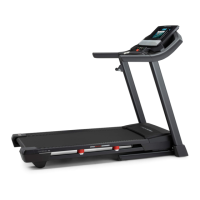
Pro-Form CITY T7 - User Manual

Pro-Form CITY T7
36 pages
Print Icon
To Next Page IconTo Next Page
Loading...
USER’S MANUAL
Model No. PFTL79620.1
Serial No.
Write the serial number in the space
above for reference.
CAUTION
Read all precautions and
instructions in this manual before
using this equipment. Save this
manual for future reference.
proform.com
ACTIVATE YOUR
WARRANTY
To register your product and
activate your warranty today, go
to my.proform.com.
CUSTOMER CARE
For service at any time, go to
support.proform.com.
Or call 1-888-533-1333
Mon.–Fri. 6 a.m.–6 p.m. MT
Sat. 8 a.m.–12 p.m. MT
Please do not contact the store.
Serial Number
Decal

Questions and Answers

Summary

Safety and General Information

Warning Decal Placement

Shows the location of warning decals and instructions for replacement if missing or illegible.

General Safety Warnings

Highlights critical safety warnings and precautions to prevent injury during operation.

Important Precautions

User Responsibility and Physician Consultation

Emphasizes owner responsibility for user information and advises physician consultation before starting.

Treadmill Usage and Environment

Details proper treadmill placement, environment, user weight limits, and attire.

Electrical Safety and Surge Protection

Stresses the importance of surge suppressors and proper electrical connections to prevent damage and injury.

Operation Safety Procedures

Covers safe operating practices like using the safety clip, holding handrails, and avoiding moving parts.

Detailed Operational Safety

Speed Adjustment and Heart Rate Monitoring

Guidance on adjusting speed safely and understanding heart rate monitor limitations.

Unattended Operation and Storage Safety

Precautions against leaving the treadmill unattended and ensuring safe storage procedures.

Maintenance and General Safety

Instructions for tightening parts, unplugging the unit for safety, and exercising caution.

Extended Service Plans

Preventive Maintenance Plans

Details on plans offering annual checks, unlimited repairs, and coverage for defects and wear.

Standard Service Plans

Information on plans covering parts and labor for manufacturer defects and wear and tear.

Before You Begin

Treadmill Overview and Identification

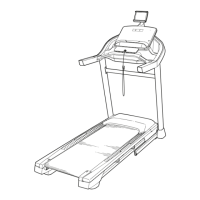
Introduces the ProForm City T7 treadmill and identifies its key components with a diagram.

Part Identification

Assembly Instructions

Assembly Requirements and Tools

Outlines assembly needs, including requiring two people, tools, and product registration.

Step 1: Product Registration

Guides users to register their product online or via phone to activate warranty and ensure support.

Treadmill Assembly Steps

Attaching Uprights to Base

Details on pivoting rear feet, raising uprights, and securing them to the base with screws.

Handrail and Upright Cap Installation

Instructions for pivoting handrails into position and securing them with screws and washers.

Latch and Final Tightening

Procedure for attaching the latch to the left upright and performing final tightening checks.

Connecting the Power Cord

Using a Surge Suppressor

Explains the necessity of surge suppressors (UL 1449 listed, 400V, 450 joules) for device protection.

Proper Grounding and Outlet Connection

Details on grounding the treadmill, using appropriate outlets, and avoiding circuit overload.

Console Features and Setup

Console Diagram and Overview

Diagram identifying console components and features like iFit connectivity and heart rate monitoring.

Console Functionality and Connectivity

Details on iFit integration, workout variety, manual mode controls, and audio system use.

Treadmill Operation Basics

Turning On the Treadmill

Step-by-step guide to powering on the treadmill, including key insertion and safety clip usage.

Using the Touch Screen Interface

Instructions on navigating the touch screen, typing, and using on-screen controls.

Initial Console Setup

Connecting to Wireless Network

Guidance on connecting the console to a wireless network for internet access and iFit features.

Customizing Settings and iFit Account

Steps for customizing units, time zone, and logging into or creating an iFit account.

Calibrating the Incline System

Procedure for calibrating the incline system to ensure accurate adjustments during workouts.

Using Workout Modes

Using the Manual Mode

Guides on starting, adjusting speed and incline, and monitoring workout progress.

Heart Rate Monitoring and Workout Completion

How to measure heart rate and finish workouts, including powering down the treadmill.

Map and Custom Workouts

Explains using pre-set map workouts and creating custom routes on the treadmill console.

Distance or Time Workouts

Instructions for adding and starting workouts scheduled via iFit.com.

Changing Console Settings

Accessing and Customizing Settings

Procedure to access settings, customize units, view machine info, and update firmware.

Connecting to a Wireless Network

Steps to enable Wi-Fi, connect to networks, and manage wireless connections for iFit.

Sound System, Cushioning, and Heart Rate Monitor

Using the Sound System and Cushioning

Instructions for using the sound system and adjusting the treadmill's cushioning for firmness.

Optional Chest Heart Rate Monitor

Explains the benefits of a chest heart rate monitor for achieving fitness goals.

FCC Information and Compliance

Digital Device Compliance

Details compliance with FCC rules for digital devices and potential interference issues.

Usage and Installation Guidelines

Precautions for using shielded cables and maintaining minimum distance from antennas for compliance.

Folding and Moving the Treadmill

Folding the Treadmill for Storage

Step-by-step guide on how to safely fold the treadmill into its storage position.

Moving the Treadmill Safely

Instructions for moving the folded treadmill, including lifting requirements and precautions.

Lowering Treadmill for Use

Procedure to safely unfold the treadmill from storage position back to its operational state.

Maintenance and Troubleshooting

Regular Treadmill Cleaning

Guidelines for cleaning the treadmill exterior and walking belt, emphasizing safety and proper methods.

Troubleshooting Power and Incline Issues

Solutions for common problems like the power not turning on or incline system malfunctions.

Walking Belt Adjustments

Addresses belt slowing, alignment, slipping issues, and proper lubrication.

Console Display Troubleshooting

Resetting the Console

Instructions for resetting the console to factory defaults, requiring two people and a paper clip.

Exercise Guidelines

Exercise Intensity and Training Zones

Guidance on determining proper exercise intensity using heart rate zones for fat burning and aerobic fitness.

Workout Structure and Frequency

Recommendations for warming up, training zone duration, cooling down, and workout frequency.

Parts List

Exploded Parts Diagrams

Exploded Drawing A

Diagram showing the assembly of the treadmill base, frame, and foot rails.

Exploded Drawing B

Diagram illustrating the assembly of the motor hood, motor, and controller components.

Exploded Drawing C

Diagram detailing the assembly of the uprights, handrails, and frame structure.

Exploded Drawing D

Diagram showing the assembly of the console and console base.

Ordering Replacement Parts

Limited Warranty Information

Summary

Safety and General Information

Warning Decal Placement

Shows the location of warning decals and instructions for replacement if missing or illegible.

General Safety Warnings

Highlights critical safety warnings and precautions to prevent injury during operation.

Important Precautions

User Responsibility and Physician Consultation

Emphasizes owner responsibility for user information and advises physician consultation before starting.

Treadmill Usage and Environment

Details proper treadmill placement, environment, user weight limits, and attire.

Electrical Safety and Surge Protection

Stresses the importance of surge suppressors and proper electrical connections to prevent damage and injury.

Operation Safety Procedures

Covers safe operating practices like using the safety clip, holding handrails, and avoiding moving parts.

Detailed Operational Safety

Speed Adjustment and Heart Rate Monitoring

Guidance on adjusting speed safely and understanding heart rate monitor limitations.

Unattended Operation and Storage Safety

Precautions against leaving the treadmill unattended and ensuring safe storage procedures.

Maintenance and General Safety

Instructions for tightening parts, unplugging the unit for safety, and exercising caution.

Extended Service Plans

Preventive Maintenance Plans

Details on plans offering annual checks, unlimited repairs, and coverage for defects and wear.

Standard Service Plans

Information on plans covering parts and labor for manufacturer defects and wear and tear.

Before You Begin

Treadmill Overview and Identification

Introduces the ProForm City T7 treadmill and identifies its key components with a diagram.

Part Identification

Assembly Instructions

Assembly Requirements and Tools

Outlines assembly needs, including requiring two people, tools, and product registration.

Step 1: Product Registration

Guides users to register their product online or via phone to activate warranty and ensure support.

Treadmill Assembly Steps

Attaching Uprights to Base

Details on pivoting rear feet, raising uprights, and securing them to the base with screws.

Handrail and Upright Cap Installation

Instructions for pivoting handrails into position and securing them with screws and washers.

Latch and Final Tightening

Procedure for attaching the latch to the left upright and performing final tightening checks.

Connecting the Power Cord

Using a Surge Suppressor

Explains the necessity of surge suppressors (UL 1449 listed, 400V, 450 joules) for device protection.

Proper Grounding and Outlet Connection

Details on grounding the treadmill, using appropriate outlets, and avoiding circuit overload.

Console Features and Setup

Console Diagram and Overview

Diagram identifying console components and features like iFit connectivity and heart rate monitoring.

Console Functionality and Connectivity

Details on iFit integration, workout variety, manual mode controls, and audio system use.

Treadmill Operation Basics

Turning On the Treadmill

Step-by-step guide to powering on the treadmill, including key insertion and safety clip usage.

Using the Touch Screen Interface

Instructions on navigating the touch screen, typing, and using on-screen controls.

Initial Console Setup

Connecting to Wireless Network

Guidance on connecting the console to a wireless network for internet access and iFit features.

Customizing Settings and iFit Account

Steps for customizing units, time zone, and logging into or creating an iFit account.

Calibrating the Incline System

Procedure for calibrating the incline system to ensure accurate adjustments during workouts.

Using Workout Modes

Using the Manual Mode

Guides on starting, adjusting speed and incline, and monitoring workout progress.

Heart Rate Monitoring and Workout Completion

How to measure heart rate and finish workouts, including powering down the treadmill.

Map and Custom Workouts

Explains using pre-set map workouts and creating custom routes on the treadmill console.

Distance or Time Workouts

Instructions for adding and starting workouts scheduled via iFit.com.

Changing Console Settings

Accessing and Customizing Settings

Procedure to access settings, customize units, view machine info, and update firmware.

Connecting to a Wireless Network

Steps to enable Wi-Fi, connect to networks, and manage wireless connections for iFit.

Sound System, Cushioning, and Heart Rate Monitor

Using the Sound System and Cushioning

Instructions for using the sound system and adjusting the treadmill's cushioning for firmness.

Optional Chest Heart Rate Monitor

Explains the benefits of a chest heart rate monitor for achieving fitness goals.

FCC Information and Compliance

Digital Device Compliance

Details compliance with FCC rules for digital devices and potential interference issues.

Usage and Installation Guidelines

Precautions for using shielded cables and maintaining minimum distance from antennas for compliance.

Folding and Moving the Treadmill

Folding the Treadmill for Storage

Step-by-step guide on how to safely fold the treadmill into its storage position.

Moving the Treadmill Safely

Instructions for moving the folded treadmill, including lifting requirements and precautions.

Lowering Treadmill for Use

Procedure to safely unfold the treadmill from storage position back to its operational state.

Maintenance and Troubleshooting

Regular Treadmill Cleaning

Guidelines for cleaning the treadmill exterior and walking belt, emphasizing safety and proper methods.

Troubleshooting Power and Incline Issues

Solutions for common problems like the power not turning on or incline system malfunctions.

Walking Belt Adjustments

Addresses belt slowing, alignment, slipping issues, and proper lubrication.

Console Display Troubleshooting

Resetting the Console

Instructions for resetting the console to factory defaults, requiring two people and a paper clip.

Exercise Guidelines

Exercise Intensity and Training Zones

Guidance on determining proper exercise intensity using heart rate zones for fat burning and aerobic fitness.

Workout Structure and Frequency

Recommendations for warming up, training zone duration, cooling down, and workout frequency.

Parts List

Exploded Parts Diagrams

Exploded Drawing A

Diagram showing the assembly of the treadmill base, frame, and foot rails.

Exploded Drawing B

Diagram illustrating the assembly of the motor hood, motor, and controller components.

Exploded Drawing C

Diagram detailing the assembly of the uprights, handrails, and frame structure.

Exploded Drawing D

Diagram showing the assembly of the console and console base.

Ordering Replacement Parts

Limited Warranty Information

Pro-Form CITY T7 Specifications

General IconGeneral
BrandPro-Form
ModelCITY T7
CategoryTreadmill
LanguageEnglish

Related product manuals