EasyManua.ls Logo

Pro-Form CITY L6 - User Manual

Pro-Form CITY L6
24 pages
Print Icon
To Next Page IconTo Next Page
Loading...
USER’S MANUAL
proformfitness.ca
Model No. PFTL28820C.0
Serial No.
Write the serial number in the space
above for reference.
To register your product and
activate your warranty today,
go to iconservice.ca.
Call toll-free 1-888-936-4266
Mon.–Fri. 7:30 a.m.–4:30 p.m. ET
(excluding holidays)
or email us at
customerservice@iconcanada.ca
Please do not contact the store.
ACTIVATE YOUR
WARRANTY
CUSTOMER CARE
Serial
Number
Decal
CAUTION
Read all precautions and
instructions in this manual before
using this equipment. Keep this
manual for future reference.

Questions and Answers

Summary

General Safety Caution

Pre-Use Safety Advice

Advises users to read all precautions before operating the treadmill.

Warning Decal Placement

Key Treadmill Safety Warnings

Highlights critical warnings for user safety, including hand/finger placement and child safety.

Important Precautions

User & Health Safety

Advises on physician consultation, user capabilities, and weight limits for safe operation.

Electrical & Environmental Safety

Covers safe placement, electrical connections, and surge protector requirements.

Before You Begin

Assembly Instructions

Console Setup and Activation

Console Activation Guide

Steps to activate the treadmill's console features using iFit.com.

Connecting the Treadmill

Power Cord and Surge Protection

Details on connecting the power cord using a surge suppressor and proper grounding for safety.

Console Overview

Powering On and Manual Mode

Treadmill Power-Up Procedure

Steps to turn on the treadmill, including key insertion and emergency stop safety.

Tracking Workout Progress

Connecting Devices

Tablet Holder and Heart Rate Monitor

Folding and Moving

Maintenance and Troubleshooting

Troubleshooting Power Issues

Solutions for common problems such as the power not turning on or turning off during use.

Walking Belt Troubleshooting

Belt Slowdown and Tightening

Addresses belt slowdown due to overtightening or surge suppressor issues, with adjustment steps.

Belt Alignment and Slipping

Guidance on centering the belt and fixing slippage by adjusting idler roller screws.

Exercise Guidelines

Summary

General Safety Caution

Pre-Use Safety Advice

Advises users to read all precautions before operating the treadmill.

Warning Decal Placement

Key Treadmill Safety Warnings

Highlights critical warnings for user safety, including hand/finger placement and child safety.

Important Precautions

User & Health Safety

Advises on physician consultation, user capabilities, and weight limits for safe operation.

Electrical & Environmental Safety

Covers safe placement, electrical connections, and surge protector requirements.

Before You Begin

Assembly Instructions

Console Setup and Activation

Console Activation Guide

Steps to activate the treadmill's console features using iFit.com.

Connecting the Treadmill

Power Cord and Surge Protection

Details on connecting the power cord using a surge suppressor and proper grounding for safety.

Console Overview

Powering On and Manual Mode

Treadmill Power-Up Procedure

Steps to turn on the treadmill, including key insertion and emergency stop safety.

Tracking Workout Progress

Connecting Devices

Tablet Holder and Heart Rate Monitor

Folding and Moving

Maintenance and Troubleshooting

Troubleshooting Power Issues

Solutions for common problems such as the power not turning on or turning off during use.

Walking Belt Troubleshooting

Belt Slowdown and Tightening

Addresses belt slowdown due to overtightening or surge suppressor issues, with adjustment steps.

Belt Alignment and Slipping

Guidance on centering the belt and fixing slippage by adjusting idler roller screws.

Exercise Guidelines

Overview

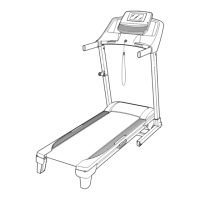
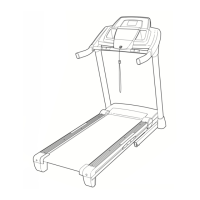
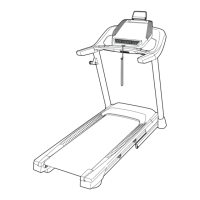
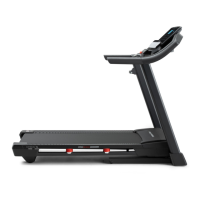
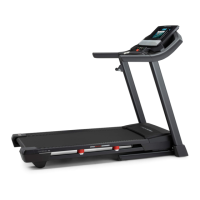
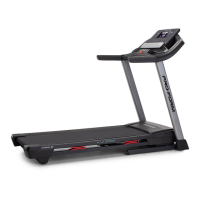
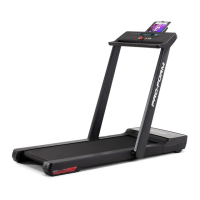
The provided document is a user manual for the PRO-FORM CITY L6 treadmill, Model No. PFTL28820C.0. This treadmill is designed for home use, offering a selection of features to enhance workouts.

Function Description

The PRO-FORM CITY L6 treadmill allows users to engage in walking and running exercises indoors. It provides a platform for cardiovascular workouts and fat burning, with adjustable speed settings. The console displays various workout information such as Calories burned, Calories per Hour, Distance (in miles or kilometers), Pace, Pulse (BPM), Speed (MPH or KPH), and Time elapsed. The treadmill supports both manual mode operation and integration with iFit®-Workouts at Home app for a more interactive and tracked workout experience.

Usage Features

  • Activation and Setup: Before use, the treadmill requires activation of its console features by plugging in the power cord, turning on the power, and then activating the console via iFit.com/activate using a smartphone, tablet, or computer.
  • Power On/Off: The treadmill is turned on by plugging in the power cord, pressing the power switch into the reset position, and inserting the safety key into the console. To turn off, the safety key should be removed, the power switch pressed to the off position, and the power cord unplugged.
  • Safety Key: A crucial safety feature, the safety key, when pulled from the console, causes the walking belt to slow to a stop. Users are instructed to always wear the clip attached to the safety key while operating the treadmill and to test the emergency stop procedure before each use.
  • Speed Adjustment: In manual mode, the walking belt speed can be adjusted using the Speed increase and decrease buttons, changing by 0.1 mph with each press or 0.5 mph when held down. Numbered Speed buttons allow for quick selection of specific speed settings, including decimal values (e.g., 3.5 mph by pressing '3' then '5').
  • Workout Tracking: The console displays real-time workout feedback. Users can cycle through different workout information displays using the Display button. A "Scan mode" is available to automatically cycle through all workout information. This mode can be customized to show only desired metrics.
  • Heart Rate Monitoring: The treadmill is compatible with Bluetooth Smart heart rate monitors, allowing continuous monitoring of heart rate during exercise. This feature helps users stay within their target heart rate zones for fat burning or aerobic exercise.
  • Tablet Holder: The console includes a tablet holder designed for most full-size tablets, enabling users to view content or use the iFit® app during their workout.
  • iFit® Integration: The treadmill supports Bluetooth connections to tablets running the iFit-Workouts at Home app. This allows users to record and track workout information, access guided workouts, and potentially listen to workout music or audiobooks through the console's sound system. Connecting a heart rate monitor to the console should be done before connecting a tablet if both are used.
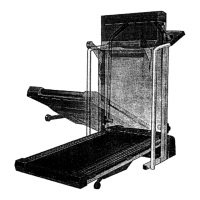
  • Folding and Moving: For storage or relocation, the treadmill can be folded into an upright position by pressing a lever on the Latch Frame and raising the uprights until they lock. To move, users firmly grasp the rear of the treadmill and raise it until it rolls on its wheels. Caution is advised to avoid pinching hands or fingers during folding and to use extreme caution when moving the treadmill over uneven surfaces. The console must be locked securely in the upright position when unfolding or using the treadmill.
  • Exercise Guidelines: The manual provides guidelines for exercise intensity, heart rate measurement, and workout structure, including warming up, training zone exercise, and cooling down. It emphasizes consulting a physician before starting any exercise program.

Maintenance Features

  • Regular Inspection: Regular maintenance is crucial for optimal performance and to reduce wear. Users should inspect and properly tighten all parts each time the treadmill is used and replace any worn parts immediately.
  • Cleaning: The treadmill should be regularly cleaned. This involves pressing the power switch to the off position, unplugging the power cord, and wiping exterior parts with a damp cloth and mild soap. It is important not to spray liquids directly onto the treadmill or allow them near the console to prevent damage.
  • Walking Belt Adjustment:
    • Tightness: If the walking belt slows when walked on, it might be overtightened. Users can loosen it by turning the idler roller screws counterclockwise. The correct tightness allows lifting each edge of the belt 2 to 3 inches off the walking platform.
    • Centering: If the walking belt is off-center, it can be adjusted using the hex key. If it shifts left, the left idler roller screw should be turned clockwise; if it shifts right, it should be turned counterclockwise.
    • Lubrication: The walking belt is coated with a high-performance lubricant. Users are explicitly warned not to apply silicone spray or other substances unless instructed by an authorized service representative, as this can cause deterioration and excessive wear.
  • Troubleshooting: The manual includes a troubleshooting section for common issues like the power not turning on or turning off during use, and the walking belt slowing or slipping. It provides step-by-step solutions for these problems.
  • Surge Suppressor: To protect the treadmill from electrical damage, users are instructed to always use a UL 1449 listed transient voltage surge suppressor with specific electrical ratings. Failure to use a proper surge suppressor can damage the control system and lead to serious injury.
  • Storage: When not in use, the treadmill should be kept indoors, away from moisture, dust, and direct sunlight. The safety key should be removed, the power switch turned off, and the power cord unplugged.

Pro-Form CITY L6 Specifications

General IconGeneral
Weight Capacity250 lbs
FoldableYes
Motor2.0 CHP
Incline0 - 10%
Running Surface16" x 50"
BluetoothYes

Related product manuals