
 Need help?
Do you have a question about the Pro-Form 105 CST and is the answer not in the manual?
Contact information and addresses for customer support in the UK and Australia.
Guidelines for the proper disposal and recycling of the electronic product.
Explains how to use heart rate zones for fat burning and aerobic exercise.
Provides recommendations for warming up, training zone exercise, and cooling down.
Offers advice on how often to exercise for optimal results.
Addresses issues with the walking belt being off-center or slipping.
Routine care and cleaning instructions for the treadmill.
General problem-solving steps for common treadmill issues.
Instructions for safely connecting the treadmill's power cord to an outlet.
Steps to unfold the treadmill from its storage position for use.
Explains various display screens like test modes, time, distance, contrast, and demo mode.
Instructions on how to select and configure which workout data is displayed in scan mode.
Instructions for using the thumb sensor or a compatible monitor to measure heart rate.
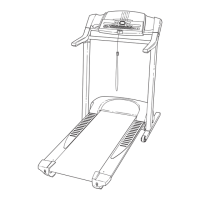
This document describes the PRO-FORM 105 CST treadmill, a fitness equipment designed for home use to facilitate effective workouts.
The PRO-FORM 105 CST treadmill allows users to engage in various exercise programs, including manual mode, onboard workouts, and connectivity with the iFit-Smart Cardio Equipment app. It is designed to help users burn fat, strengthen their cardiovascular system, and track their fitness progress. The treadmill features adjustable speed and incline settings to vary workout intensity. It also includes a thumb heart rate monitor and is compatible with BLUETOOTH Smart heart rate monitors for continuous heart rate tracking during exercise.
Getting Started: To begin, users must first ensure the treadmill is properly assembled and placed on a level surface with adequate clearance. The power cord should be plugged into an earthed circuit, and the power switch should be in the reset position. Before starting any exercise, the safety key must be inserted into the console, and the clip attached to the user's waistband. Users should always stand on the foot rails when starting or stopping the walking belt.
Manual Mode: In manual mode, users can control the speed of the walking belt using the Start button or Quick Speed buttons. Speed can be adjusted in small increments using the Speed increase and decrease buttons. To stop the walking belt, the Stop button should be pressed.
Onboard Workouts: The console offers a selection of pre-programmed onboard workouts designed for calorie burning and cardiovascular strengthening. Users can select a desired workout using the Calorie Workouts button. Once a workout is selected and started, the treadmill will automatically adjust its speed according to the workout's segments. Users can manually override speed settings if desired, but the treadmill will revert to the programmed speed at the start of the next segment.
Heart Rate Monitoring: The treadmill features a built-in thumb heart rate monitor. To use it, users place their thumb on the monitor while standing still on the foot rails. The console is also compatible with BLUETOOTH Smart heart rate monitors, which can be connected via the iFit Sync button. If both are used, the BLUETOOTH Smart monitor takes priority.
Console Display: The console displays various workout information such as calories burned, calories per hour, distance (in miles or kilometers), pace, pulse (BPM), speed (MPH or KPH), and elapsed time. Users can navigate through these displays using the Next Display button. A scan mode is available to cycle through workout information automatically. The unit of measurement (standard or metric) can be changed in the settings mode.
iFit Connectivity: The treadmill supports BLUETOOTH connections to tablets via the iFit-Smart Cardio Equipment app. Users can download and install the app on their iOS or Android tablet, then follow the instructions to set up an iFit account and connect the tablet to the console. This allows for recording and tracking workout information.
Incline Adjustment: The treadmill has two incline levels, which can be adjusted manually. Before changing the incline, the key should be removed, the power cord unplugged, and the treadmill folded into the storage position. Users then rotate both incline feet to the desired position, ensuring they are firmly in place before lowering the treadmill for use.
Folding and Moving: For storage or relocation, the treadmill can be folded. The key must be removed, and the power cord unplugged. Users should hold the metal frame (avoiding plastic foot rails) and raise it until the storage latch locks into place. To move the treadmill, users tilt it back to roll on its wheels, moving it carefully over even surfaces. To lower the treadmill for use, the upper end of the frame is pushed forward, the storage latch is pressed with a foot, and the frame is pulled toward the user, then allowed to lower to the floor.
Safety Precautions: Users are strongly advised to read all precautions and instructions in the manual before use. Key safety points include consulting a physician before starting an exercise program, especially if over 35 or with pre-existing health problems. The treadmill is for home use only and should not be used by children under 13 or pets. Users must wear appropriate athletic shoes, avoid loose clothing, and always use the safety clip. The treadmill should be placed on a level surface with adequate clearance and kept indoors, away from moisture and dust. The power cord should be earthed, and no other appliance should be on the same circuit. The walking belt should never be moved while the power is off, and the treadmill should not be operated if the power cord or plug is damaged.
Regular Maintenance: Regular maintenance is crucial for optimal performance and to reduce wear. Users should inspect and properly tighten all parts each time the treadmill is used, replacing any worn parts immediately.
Cleaning: The treadmill and walking belt should be kept clean and dry. Before cleaning, the power switch must be in the off position, and the power cord unplugged. Exterior parts can be wiped with a damp cloth and mild soap, then thoroughly dried. Liquids should not be sprayed directly onto the treadmill, especially the console.
Troubleshooting: The manual provides a troubleshooting guide for common issues such as the power not turning on, the power turning off during use, console displays remaining lit after key removal, console displays not functioning properly, and the walking belt slowing or slipping. For power issues, users should check the power cord connection, the power switch (resetting if tripped), and ensure the safety key is properly inserted. For walking belt issues, users are instructed to check for overtightening or misalignment. The manual details how to adjust the idler roller screws to center and tighten the walking belt. It also warns against applying silicone spray or other substances to the walking belt or platform unless instructed by an authorized service representative. For console display issues, users are guided to check the Reed Switch and Magnet alignment or to turn off the demo mode if the displays remain lit.
Service: If problems persist or if maintenance procedures beyond those described in the manual are needed, users are advised to contact an authorized service representative. The motor hood should not be removed unless instructed by a service representative. The power cord should always be unplugged before cleaning or performing maintenance.
 General
| Running Area | 20" x 60" |
|---|---|
| Speed | 0 – 12 MPH Digital Speed Control |
| Folding | Yes |
| Heart Rate Monitoring | Yes |
| iFit Compatibility | iFit® Enabled |




 To Next Page