EasyManua.ls Logo

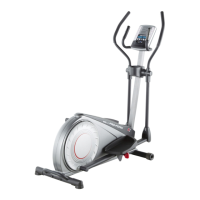
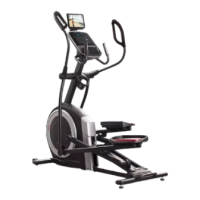
Pro-Form COACHLINK E9.0 - User Manual

Pro-Form COACHLINK E9.0
36 pages
Print Icon
To Next Page IconTo Next Page
Loading...
USER’S MANUAL
Serial Number
Decal
CAUTION
Read all precautions and
instructions in this manual before
using this equipment. Keep this
manual for future reference.
Model No. PFEL59718.0
Serial No.
Write the serial number in the space
above for reference.
proform.com
To register your product and
activate your warranty today,
go to my.proform.com.
For service at any time, go to
proformservice.com.
Or call 1-888-533-1333
Mon.–Fri. 6 a.m.–6 p.m. MT
Sat. 8 a.m.–12 p.m. MT
Please do not contact the store.
ACTIVATE YOUR
WARRANTY
CUSTOMER CARE
Question and Answer IconNeed help?

Do you have a question about the Pro-Form COACHLINK E9.0 and is the answer not in the manual?

Summary

Warning Decal Placement

Important Precautions

Extended Service Plans

Preventive Maintenance Plans

Details on annual checks and in-home repairs.

Standard Service Plans

Covers parts, labor, and wear and tear for up to 3 years.

Before You Begin

Part Identification Overview

Familiarize yourself with the labeled parts of the elliptical.

Part Identification Chart

Assembly - Initial Steps

Register Product Online

Register your product at my.proform.com for warranty and support.

Attach Rear Stabilizer

Secure the rear stabilizer to the frame using specified screws.

Assembly - Stabilizers and Arms

Attach Front Stabilizer

Secure the front stabilizer to the frame using specified screws.

Install Roller and Crank Arms

Grease and attach roller arms and crank arms to the frame.

Assembly - Upright and Wiring

Mount Upright and Connect Wires

Attach the upright and route console wires securely.

Assembly - Body and Pedal Arms

Install Upper Body Legs and Arms

Assemble the upper body legs and arms using provided hardware.

Attach Pedal Arms and Axles

Connect pedal arms to body legs and secure with axles and washers.

Assembly - Console Connection

Connect Console and Wires

Connect console wiring, ensuring proper fit to avoid damage.

Assembly - Console Covers and Tray

Install Console Covers and Tray

Attach front and rear console covers and accessory tray.

Assembly - Shields and Leg Covers

Mount Shield and Leg Covers

Install protective shield and leg covers around the upright.

Assembly - Final Steps

Attach Arm and Accessory Covers

Mount arm covers, tablet holder, and lower tray covers.

Activate Console Features

Activate the console to access exclusive features via iFit.com.

How to Use the Elliptical

Plugging in the Power Cord

Proper grounding and connection of the power cord for safety.

Elliptical Usage and Setup

Moving and Leveling the Elliptical

Procedures for safely moving and leveling the equipment.

Using the Tablet Holder

Instructions for securely inserting and positioning a tablet.

How to Exercise on the Elliptical

Mounting and Dismounting

Step-by-step guide for safely getting on and off the elliptical.

Console Overview and Features

Console Diagram

Labeled diagram of the console buttons and display.

Console Features Explained

Explains onboard workouts, manual mode, heart rate monitoring, and iFit connectivity.

Powering On and Manual Mode

Turning On the Power

Steps for powering on the elliptical and console calibration.

Using Manual Mode

Guide to starting manual workouts, adjusting resistance/incline.

Manual Mode Details

Understanding Display Metrics

Explanation of various workout data displayed on the console.

Scan Mode and Volume Control

Using scan mode to cycle through metrics and adjusting audio volume.

Manual Mode Operations

Measuring Heart Rate

How to use handgrip sensors and optional monitors for heart rate.

Finishing Exercise

Proper procedure for powering off and unplugging the elliptical.

Using Onboard Workouts

Selecting and Starting Workouts

Guide to choosing, starting, and progressing through onboard workouts.

Following Workout Progress

Understanding prompts, segment adjustments, and progress tracking.

Audio and Connectivity

Using the Sound System

How to connect and play audio through the console speakers.

Optional Chest Heart Rate Monitor

Information on purchasing and benefits of an optional heart rate monitor.

Connecting Tablet and Devices

Steps for connecting a tablet via iFit Bluetooth and pairing devices.

Console Settings and Device Management

Connecting Heart Rate Monitor

Procedure for pairing a Bluetooth heart rate monitor to the console.

Changing Console Settings

How to access and modify settings like calibration and units.

Console Settings - Display and Modes

Display Settings and Modes

Adjusting display contrast, testing components, and managing demo mode.

FCC Information

Compliance and Precautions

Details on FCC compliance and safe operating distances.

Maintenance and Troubleshooting

Routine Maintenance

Tips for cleaning and inspecting the elliptical for optimal performance.

Console Troubleshooting

Solutions for console not turning on or displaying heart rate.

Tablet Holder and Reed Switch Issues

Fixes for tablet holder stability and console feedback errors.

Drive Belt Adjustment

Exercise Guidelines

Exercise Intensity and Heart Rate

Using heart rate to determine fat burning and aerobic exercise zones.

Workout Structure Guidelines

Recommendations for warming up, training duration, and cooling down.

Exercise Frequency

Guidance on workout frequency for maintaining fitness.

Part List

Exploded Drawing A

Exploded Drawing B

Exploded Drawing C

Ordering Replacement Parts

Limited Warranty

Warranty Terms and Conditions

Details on product warranty coverage, limitations, and exclusions.

Summary

Warning Decal Placement

Important Precautions

Extended Service Plans

Preventive Maintenance Plans

Details on annual checks and in-home repairs.

Standard Service Plans

Covers parts, labor, and wear and tear for up to 3 years.

Before You Begin

Part Identification Overview

Familiarize yourself with the labeled parts of the elliptical.

Part Identification Chart

Assembly - Initial Steps

Register Product Online

Register your product at my.proform.com for warranty and support.

Attach Rear Stabilizer

Secure the rear stabilizer to the frame using specified screws.

Assembly - Stabilizers and Arms

Attach Front Stabilizer

Secure the front stabilizer to the frame using specified screws.

Install Roller and Crank Arms

Grease and attach roller arms and crank arms to the frame.

Assembly - Upright and Wiring

Mount Upright and Connect Wires

Attach the upright and route console wires securely.

Assembly - Body and Pedal Arms

Install Upper Body Legs and Arms

Assemble the upper body legs and arms using provided hardware.

Attach Pedal Arms and Axles

Connect pedal arms to body legs and secure with axles and washers.

Assembly - Console Connection

Connect Console and Wires

Connect console wiring, ensuring proper fit to avoid damage.

Assembly - Console Covers and Tray

Install Console Covers and Tray

Attach front and rear console covers and accessory tray.

Assembly - Shields and Leg Covers

Mount Shield and Leg Covers

Install protective shield and leg covers around the upright.

Assembly - Final Steps

Attach Arm and Accessory Covers

Mount arm covers, tablet holder, and lower tray covers.

Activate Console Features

Activate the console to access exclusive features via iFit.com.

How to Use the Elliptical

Plugging in the Power Cord

Proper grounding and connection of the power cord for safety.

Elliptical Usage and Setup

Moving and Leveling the Elliptical

Procedures for safely moving and leveling the equipment.

Using the Tablet Holder

Instructions for securely inserting and positioning a tablet.

How to Exercise on the Elliptical

Mounting and Dismounting

Step-by-step guide for safely getting on and off the elliptical.

Console Overview and Features

Console Diagram

Labeled diagram of the console buttons and display.

Console Features Explained

Explains onboard workouts, manual mode, heart rate monitoring, and iFit connectivity.

Powering On and Manual Mode

Turning On the Power

Steps for powering on the elliptical and console calibration.

Using Manual Mode

Guide to starting manual workouts, adjusting resistance/incline.

Manual Mode Details

Understanding Display Metrics

Explanation of various workout data displayed on the console.

Scan Mode and Volume Control

Using scan mode to cycle through metrics and adjusting audio volume.

Manual Mode Operations

Measuring Heart Rate

How to use handgrip sensors and optional monitors for heart rate.

Finishing Exercise

Proper procedure for powering off and unplugging the elliptical.

Using Onboard Workouts

Selecting and Starting Workouts

Guide to choosing, starting, and progressing through onboard workouts.

Following Workout Progress

Understanding prompts, segment adjustments, and progress tracking.

Audio and Connectivity

Using the Sound System

How to connect and play audio through the console speakers.

Optional Chest Heart Rate Monitor

Information on purchasing and benefits of an optional heart rate monitor.

Connecting Tablet and Devices

Steps for connecting a tablet via iFit Bluetooth and pairing devices.

Console Settings and Device Management

Connecting Heart Rate Monitor

Procedure for pairing a Bluetooth heart rate monitor to the console.

Changing Console Settings

How to access and modify settings like calibration and units.

Console Settings - Display and Modes

Display Settings and Modes

Adjusting display contrast, testing components, and managing demo mode.

FCC Information

Compliance and Precautions

Details on FCC compliance and safe operating distances.

Maintenance and Troubleshooting

Routine Maintenance

Tips for cleaning and inspecting the elliptical for optimal performance.

Console Troubleshooting

Solutions for console not turning on or displaying heart rate.

Tablet Holder and Reed Switch Issues

Fixes for tablet holder stability and console feedback errors.

Drive Belt Adjustment

Exercise Guidelines

Exercise Intensity and Heart Rate

Using heart rate to determine fat burning and aerobic exercise zones.

Workout Structure Guidelines

Recommendations for warming up, training duration, and cooling down.

Exercise Frequency

Guidance on workout frequency for maintaining fitness.

Part List

Exploded Drawing A

Exploded Drawing B

Exploded Drawing C

Ordering Replacement Parts

Limited Warranty

Warranty Terms and Conditions

Details on product warranty coverage, limitations, and exclusions.

Pro-Form COACHLINK E9.0 Specifications

General IconGeneral
BrandPro-Form
ModelCOACHLINK E9.0
CategoryElliptical Trainer
LanguageEnglish

Related product manuals