10
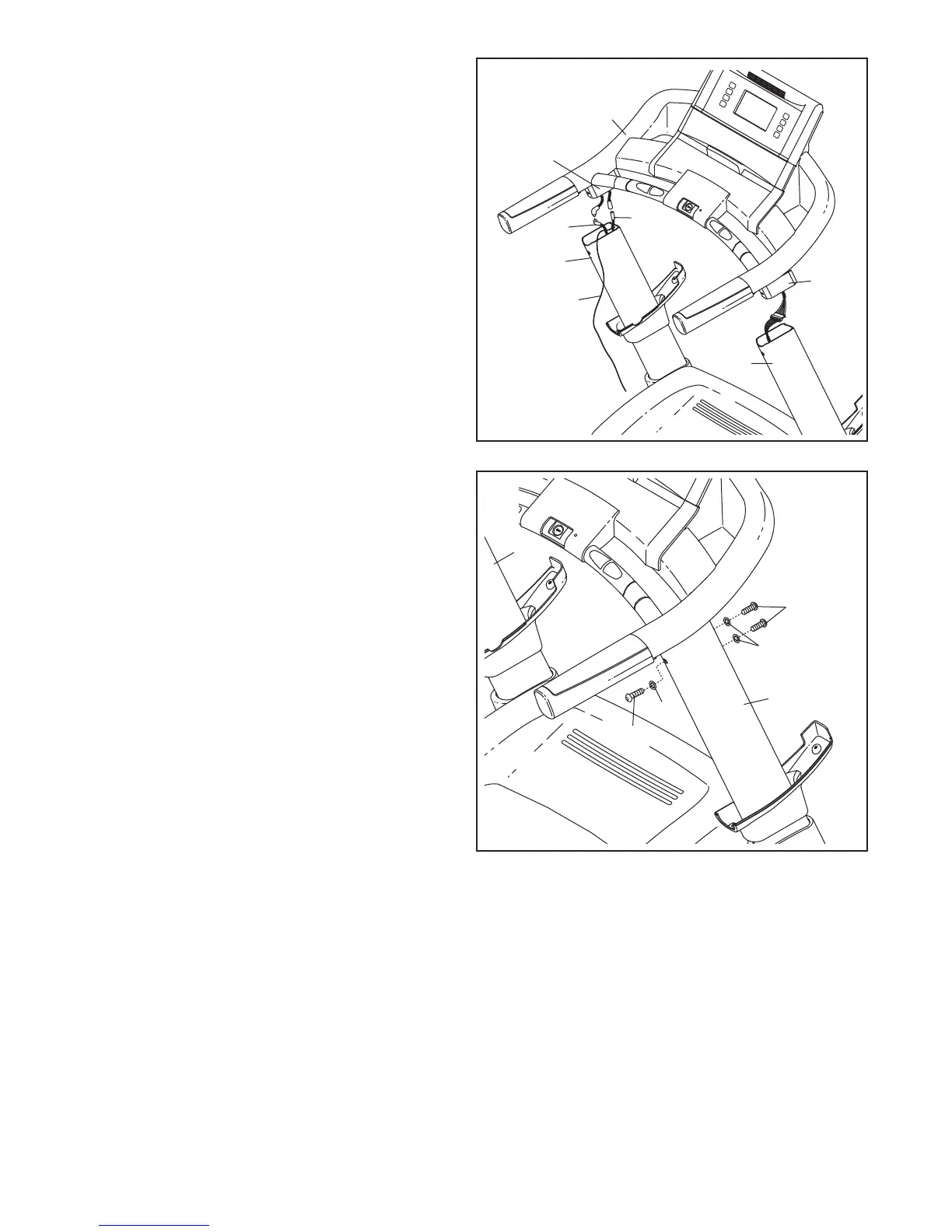
6. Connect the TV Cable (49) and the AV Cable
(97) to the cables extending from the console
assembly. Remove the wire tie from the TV
C
able and the AV Cable. Then, insert the con-
nectors down into the Left Upright (73).
Next, insert the brackets on the Handrails (99)
into the Uprights (73, 74). Make sure that no
wires are pinched.
49
73
9
7
6
74
99
7. Finger tighten three 3/8" x 1" Bolts (64) with
three 3/8" Star Washers (90) into the Right
Upright (74).
Repeat this step with the Left Upright (73).
Then, firmly tighten all six 3/8" x 1" Bolts (64).
73
74
64
64
90
90
7
99
Console
Assembly
Wire
Tie




 To Next Page