EasyManua.ls Logo

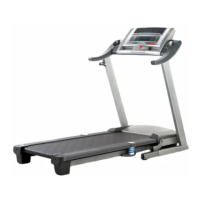
Pro-Form Perspective ES - User Manual

Pro-Form Perspective ES
40 pages
Print Icon
To Next Page IconTo Next Page
Loading...
USER'S MANUAL
CAUTION
Read all precautions and instruc-
tions in this manual before using
this equipment. Save this manual
for future reference.
Serial Number Decal
Model No. PFTL14008.0
Serial No.
Write the serial number in the space
above for reference.
QUESTIONS?
As a manufacturer, we are com-
mitted to providing complete cus-
tomer satisfaction. If you have
questions, or if parts are missing,
DO NOT CONTACT THE STORE;
please contact Customer Care.
IMPORTANT: You must note the
product model number and
serial number (see the drawing
above) before contacting us:
CALL TOLL-FREE:
1-888-533-1333
Mon.–Fri. 6 a.m.–6 p.m. MT
Sat. 8 a.m.–4 p.m. MT
ON THE WEB:
www.proformservice.com
www.proform.com

Questions and Answers

  • W
    William BatesAug 16, 2025
    How to fix Pro-Form Perspective ES power turning off during use?
    • H
      hawkinsjohnAug 16, 2025
      If your Pro-Form Treadmill turns off during use, try these steps: * Check the reset/off circuit breaker. * Ensure the power cord is securely plugged in; unplug it, wait five minutes, then plug it back in. * Remove and reinsert the key from the console. If these steps don't resolve the issue, further assistance may be needed.
  • M
    Michael FarmerAug 19, 2025
    How to fix Pro-Form Treadmill that the power does not turn on?
    • R
      Robin SmithSep 12, 2025
      If your Pro-Form Treadmill isn't turning on, check the following: * Ensure the power cord is plugged into a surge suppressor and the surge suppressor is plugged into a grounded outlet. * Confirm the key is inserted into the console. * Check the reset/off circuit breaker on the treadmill frame near the power cord. If the switch protrudes, wait five minutes, then press the switch to reset it.
  • T
    Teresa DavidsonAug 22, 2025
    Why does Pro-Form Perspective ES Treadmill walking belt slows when walked on?
    • J
      johnsonjasonAug 22, 2025
      If the walking belt on your Pro-Form Treadmill slows down when you walk on it: 1. Use a single-outlet surge suppressor meeting the specified requirements. 2. If the belt is too tight, remove the key and unplug the power cord. Use the hex key to turn both idler roller bolts counterclockwise 1/4 of a turn. 3. Ensure the walking belt is properly tightened, allowing you to lift each edge slightly. Plug in the power cord, insert the key, and run the treadmill for a few minutes. 4. Repeat the process until the walking belt is correctly tightened.
  • P
    Peggy SmithAug 26, 2025
    How to fix Pro-Form Perspective ES Treadmill incline that does not change correctly?
    • C
      Cheryl SmithAug 26, 2025
      To recalibrate the incline system on your Pro-Form Treadmill, insert the key into the console, press an Incline button, and while the incline is changing, remove the key. After a few seconds, re-insert the key.
  • A
    Anthony HamiltonAug 28, 2025
    What to do if Pro-Form Perspective ES walking belt is off-center?
    • S
      Shawn BeckAug 28, 2025
      If the walking belt on your Pro-Form Treadmill is off-center or slips, here’s what to do: * First, remove the key and unplug the power cord. * If the belt is shifted left, turn the left idler roller bolt clockwise 1/2 turn. If it's shifted right, turn the left bolt counterclockwise 1/2 turn. * If the belt slips, turn both idler roller bolts clockwise 1/4 turn. * The walking belt should be tightened correctly, so you can lift each edge 3 to 4 inches off the platform.
  • J
    Jamie StewartAug 31, 2025
    How to turn off demo mode on Pro-Form Perspective ES Treadmill?
    • A
      Anita CooperAug 31, 2025
      If the console displays on your Pro-Form Treadmill remain lit after removing the key, the console may be in display demo mode. To turn off the demo mode, hold down the Stop button for a few seconds. If the displays are still lit, see THE INFORMATION MODE on page 25 to turn off the demo mode.
  • C
    Clifford MitchellSep 3, 2025
    Why Pro-Form Perspective ES remote control does not function correctly?
    • L
      Leslie KnightSep 3, 2025
      If your Pro-Form Treadmill remote control isn't working correctly, make sure you're standing on the treadmill, holding the remote near the television, and pointing it directly at the console. If it still doesn't work, replace the batteries.
  • M
    Michael MackSep 6, 2025
    How to fix Pro-Form Perspective ES Treadmill television that is not receiving a signal?
    • F
      Faith PhillipsSep 6, 2025
      If the television on your Pro-Form Treadmill isn't receiving a signal: * Make sure the correct TV or AV source is selected. * Ensure the antenna cable, CATV cable, or audio/video wire harness is securely connected to the treadmill. * Scan for broadcast or cable signals. * If viewing antenna signals after February 17, 2009, ensure you have an antenna capable of receiving digital signals.
  • T
    Thomas GibsonSep 9, 2025
    What to do if Pro-Form Treadmill volume cannot be turned up?
    • R
      ronaldoconnellSep 9, 2025
      If the volume on your Pro-Form Treadmill cannot be turned up, it may have been adjusted with the remote control. Press the Volume increase or decrease button until the volume level is 80 percent. If there is no sound coming from the television, make sure the television audio is not muted. Also, make sure the audio wire is not plugged into the audio jack on the console.
  • P
    Paul McfarlandSep 12, 2025
    How to clean Pro-Form Treadmill television?
    • S
      Sheryl LamSep 12, 2025
      To clean the television on your Pro-Form Treadmill, unplug the power cord first. Then, wipe the television and screen using a soft cloth with a small amount of mild detergent.

Summary

Important Precautions

Pre-Operation Safety Guidelines

Lists essential safety rules for users and the operating environment.

Extended Safety Precautions

Operation and Electrical Safety

Covers specific safety points like electrical grounding, operation limits, and hazard warnings.

Grounding and Safety Instructions

Electrical Grounding Procedures

Provides diagrams and steps for proper electrical grounding of the equipment.

Assembly - Base Setup

Hardware and Initial Base Assembly

Lists assembly hardware and guides the first steps of attaching the treadmill base.

Assembly - Upright Installation

Attaching Vertical Uprights

Details the process of installing the left and right upright support structures.

Assembly - Console Mounting

Installing Upright Sleeves and Console

Covers attaching upright sleeves and connecting the main console assembly.

Assembly - Cable and Handrail Connections

Connecting Wires and Securing Handrails

Guides on connecting internal cables, handrails, and tightening structural bolts.

Assembly - Final Connections

Completing Component Integration

Covers final tightening and connecting AV/TV related components.

Operation and Power Management

Power Connection and Grounding

Explains proper power connection, grounding, and the importance of using a surge suppressor.

Using the Treadmill

Powering On the Treadmill

Details the steps to safely turn on the treadmill power and initiate operation.

Manual Mode Operation

Guides users on operating the treadmill in manual mode, adjusting speed and incline.

Manual Mode Operation Details

Preset Workout Programs

Custom Workout Programming

Custom Workout Usage

Folding and Moving the Treadmill

Folding for Storage

Provides step-by-step instructions for safely folding the treadmill for storage.

Moving the Treadmill

Guides on safely moving the folded treadmill using its wheels.

Unfolding the Treadmill

Lowering for Use Safely

Details the procedure for safely unfolding the treadmill from storage to its ready-to-use position.

Troubleshooting Power and Display Issues

Power Not Turning On

Offers solutions for the treadmill not powering up, including checking connections and breakers.

Console Display Problems

Addresses issues with console displays remaining lit or not functioning properly.

Troubleshooting Walking Belt Issues

Belt Speed and Alignment Problems

Provides solutions for the walking belt slowing down or being off-center or slipping.

Troubleshooting Incline and TV Reception

Incline Adjustment Issues

Offers solutions for problems with the treadmill's incline system not changing correctly.

Troubleshooting Remote, Audio, and Cleaning

Exercise Guidelines and Intensity

Pro-Form Perspective ES Specifications

General IconGeneral
BrandPro-Form
ModelPerspective ES
CategoryTreadmill
LanguageEnglish

Related product manuals