EasyManua.ls Logo

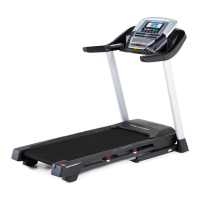
Pro-Form PRO 1800i - User Manual

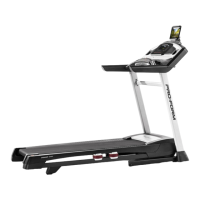
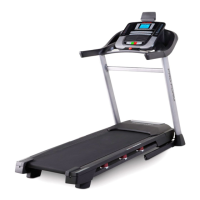
Pro-Form PRO 1800i
40 pages
Print Icon
To Next Page IconTo Next Page
Loading...
Serial Number
Decal
Model No. PFTL13017.0
Serial No.
Write the serial number in the space
above for reference.
CAUTION
Read all precautions and instruc-
tions in this manual before using
this equipment. Save this manual
for future reference.
proform.com
USER’S MANUAL
ACTIVATE YOUR
WARRANTY
To register your product and
activate your warranty today,
go to my.proform.com.
CUSTOMER CARE
For service at any time, go to
proformservice.com.
Or call 1-888-533-1333
Mon.–Fri. 6 a.m.–6 p.m. MT
Sat. 8 a.m.–12 p.m. MT
Please do not contact the store.

Questions and Answers

  • A
    Ashley CarrollAug 8, 2025
    What to do if Pro-Form PRO 1800i Treadmill power turns off during use?
    • D
      Denise AyalaAug 8, 2025
      If your Pro-Form Treadmill turns off during use, there are a few things you can check. First, if the switch has tripped, wait five minutes, and then press the switch back in. Also, ensure that the power cord is properly plugged in. If it is not, unplug it, wait five minutes, and then plug it back in. Another solution is to remove the key from the console and then reinsert it.
  • S
    Scott FergusonAug 14, 2025
    How to fix Pro-Form PRO 1800i that does not turn on?
    • V
      Veronica SmallAug 14, 2025
      If your Pro-Form Treadmill does not turn on, check a few things. Ensure the power cord is plugged into a surge suppressor and that the surge suppressor is plugged into a properly grounded outlet. Also, make sure that the key is inserted into the console. If the switch has tripped, wait five minutes and then press the switch back in to reset it.
  • J
    Julie MiddletonAug 22, 2025
    Why Pro-Form PRO 1800i walking belt slows when walked on?
    • A
      Andrea MartinezAug 22, 2025
      There are several reasons why the walking belt on your Pro-Form Treadmill might slow down when you walk on it. Ensure you are using a surge suppressor that meets all the specifications. If the walking belt is overtightened, remove the key and unplug the power cord. Then, using the hex key, turn both idler roller screws counterclockwise, 1/4 of a turn.
  • C
    Christopher PollardAug 29, 2025
    What to do if Pro-Form PRO 1800i Treadmill walking belt is off-center or slips?
    • J
      jessescottAug 29, 2025
      If the walking belt on your Pro-Form Treadmill is off-center, first remove the key and unplug the power cord. If the walking belt has shifted to the left, use the hex key to turn the left idler roller screw clockwise 1/2 of a turn; if the walking belt has shifted to the right, turn the left idler roller screw counterclockwise 1/2 of a turn. If the walking belt slips when walked on, first remove the key and unplug the power cord. Using the hex key, turn both idler roller screws clockwise, 1/4 of a turn.

Summary

WARNING DECAL PLACEMENT

IMPORTANT PRECAUTIONS

EXTENDED SERVICE PLANS

PREVENTIVE MAINTENANCE PLANS

Details on service plans including annual maintenance and in-home repairs.

STANDARD SERVICE PLANS

Details on service plans covering parts and labor for manufacturer's defects and wear.

BEFORE YOU BEGIN

PART IDENTIFICATION CHART

ASSEMBLY

HEART RATE MONITOR OPERATION

HOW TO PUT ON THE HEART RATE MONITOR

Instructions for wearing the heart rate monitor correctly on the chest.

CARE AND MAINTENANCE

How to clean and store the heart rate monitor to ensure its longevity.

TROUBLESHOOTING

Common issues and solutions for the heart rate monitor not functioning properly.

HOW TO USE THE TREADMILL

HOW TO CONNECT THE POWER CORD

Guide on connecting the power cord safely and using a surge suppressor.

HOW TO TURN ON THE POWER

Steps to safely power on the treadmill, including key insertion and initial checks.

HOW TO USE THE MANUAL MODE

Instructions for operating the treadmill using manual speed and incline controls.

HOW TO USE AN ONBOARD WORKOUT

Guide on selecting and starting pre-programmed workouts on the console.

FEATURES OF THE CONSOLE

CONNECTING BLUETOOTH DEVICES

HOW TO CONNECT YOUR TABLET TO THE CONSOLE

Steps to download the app, set up an account, and connect your tablet via Bluetooth.

HOW TO CONNECT YOUR HEART RATE MONITOR TO THE CONSOLE

Steps to connect a BLUETOOTH Smart heart rate monitor to the console for data display.

CONSOLE SETTINGS AND FEATURES

THE SETTINGS MODE

How to access and adjust console settings like units of measurement, display, and demo mode.

HOW TO USE THE SOUND SYSTEM

Instructions for connecting and using the console's audio playback system.

HOW TO USE THE TABLET HOLDER

Guide on how to properly insert and secure a tablet into the console's holder.

FCC INFORMATION

FOLDING AND MOVING THE TREADMILL

HOW TO FOLD THE TREADMILL

Detailed steps for folding the treadmill for storage, including safety precautions.

HOW TO MOVE THE TREADMILL

Instructions for safely moving the folded treadmill using its wheels.

HOW TO LOWER THE TREADMILL FOR USE

Steps to unfold the treadmill from storage position back to its ready-to-use state.

MAINTENANCE AND TROUBLESHOOTING

MAINTENANCE

Regular cleaning and inspection procedures to maintain optimal performance.

TROUBLESHOOTING

Solutions for common treadmill problems like power issues and operational faults.

EXERCISE GUIDELINES

EXERCISE INTENSITY

Guidance on determining proper exercise intensity using heart rate zones.

WORKOUT GUIDELINES

Recommendations for warming up, training zone exercise, and cooling down.

EXERCISE FREQUENCY

Advice on how often to exercise for optimal fitness maintenance and improvement.

SUGGESTED STRETCHES

PART LIST

ORDERING REPLACEMENT PARTS

LIMITED WARRANTY

Pro-Form PRO 1800i Specifications

General IconGeneral
Motor4.25 CHP Mach Z Commercial Pro Motor
Running Area22" x 60"
Display7" Backlit Display
FoldingYes
Dimensions79.5" L x 39.15" W x 71.4" H
Speed0 – 12 MPH
Speed Range0 to 12 MPH

Related product manuals