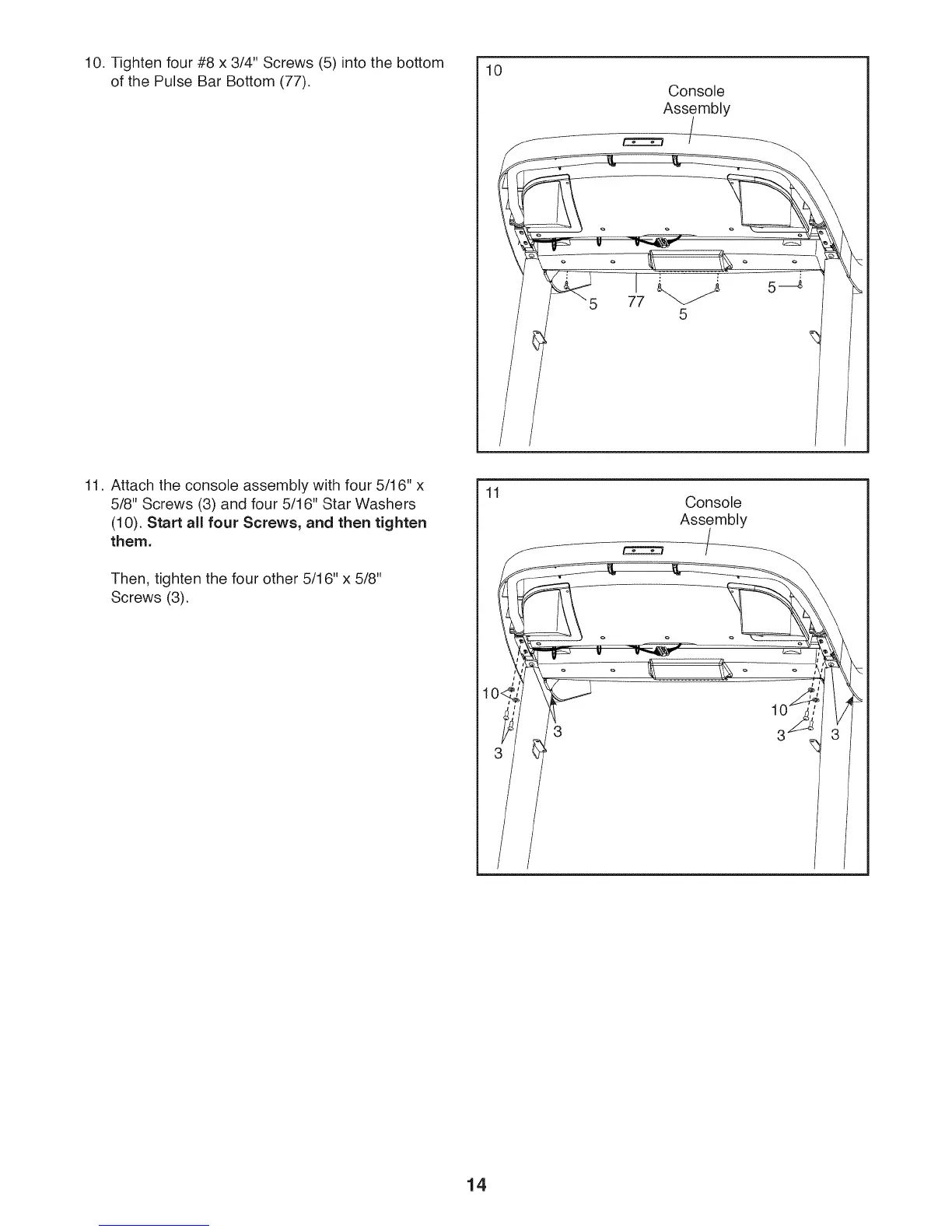
10. Tighten four #8 x 3/4" Screws (5) into the bottom
of the Pulse Bar Bottom (77).
10
Console
Assembly
77
5
11. Attach the console assembly with four 5/16" x
5/8" Screws (3) and four 5/16" Star Washers
(10). Start all four Screws, and then tighten
them.
Then, tighten the four other 5/16" x 5/8"
Screws (3).
11 Console
Assembly
14





 To Next Page