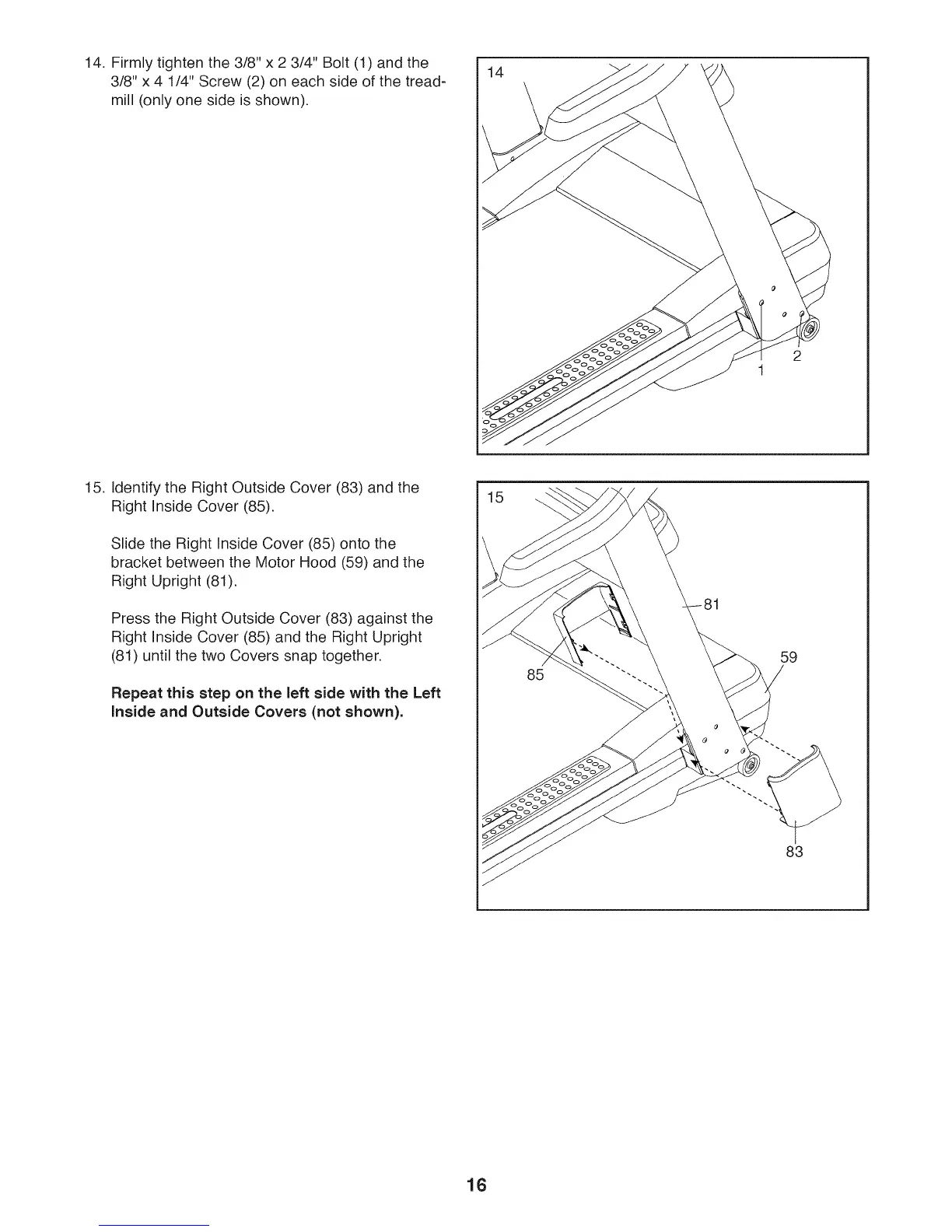
14. Firmly tighten the 3/8" x 2 3/4" Bolt (1) and the
3/8" x 4 1/4" Screw (2) on each side of the tread-
mill (only one side is shown).
14
15. Identify the Right Outside Cover (83) and the
Right Inside Cover (85).
Slide the Right Inside Cover (85) onto the
bracket between the Motor Hood (59) and the
Right Upright (81).
Press the Right Outside Cover (83) against the
Right Inside Cover (85) and the Right Upright
(81) until the two Covers snap together.
Repeat this step on the left side with the Left
inside and Outside Covers (not shown).
15
85
59
83
16






 To Next Page