15
59
28
101
39
90
63
92
14
15
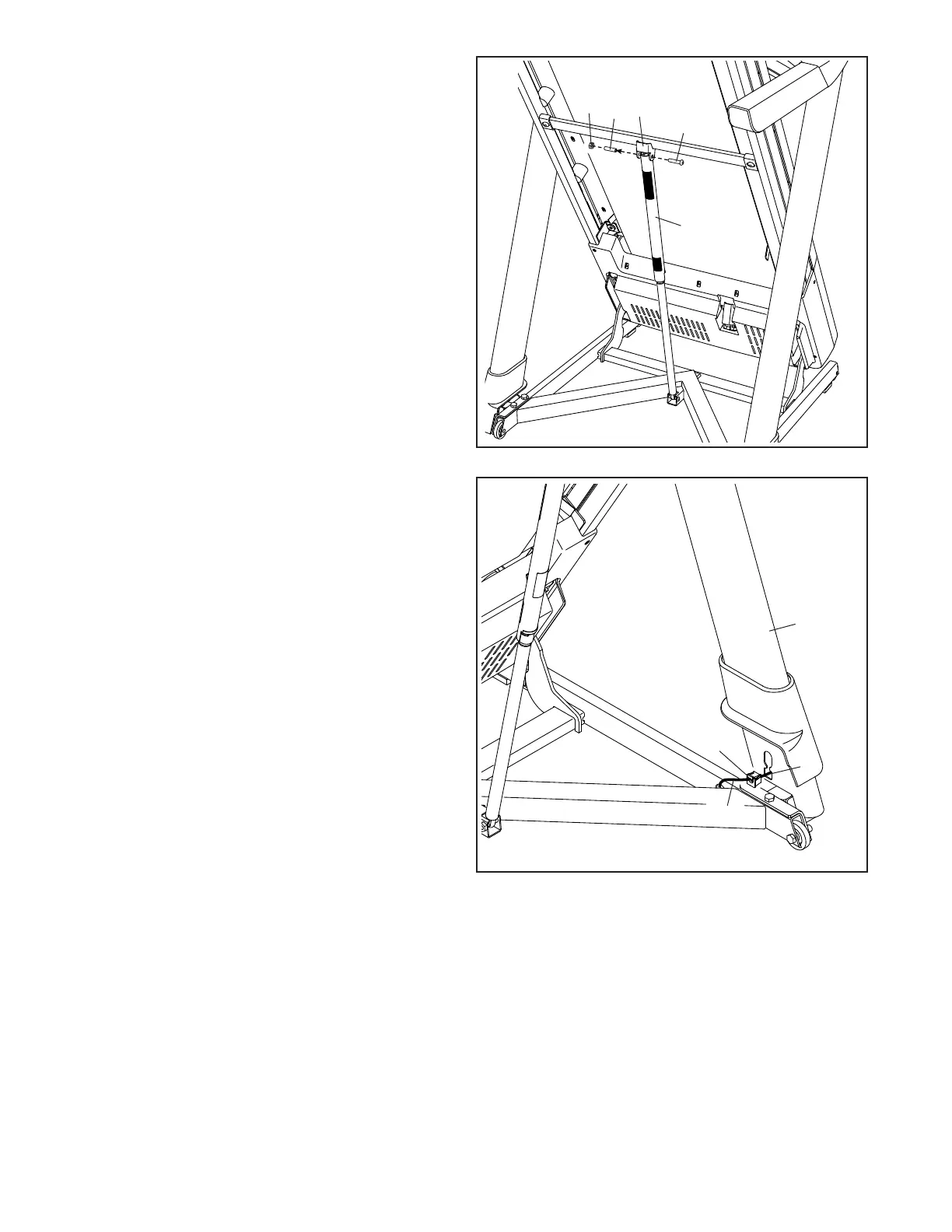
14. Remove the 5/16" Nut (39) and the 5/16" x
2 1/4" Bolt (28) from the bracket on the Latch
Crossbar (59).
Align the upper end of the Storage Latch (63)
with the bracket on the Latch Crossbar (59), and
insert the 5/16" x 2 1/4" Bolt (28) through the
bracket and the Storage Latch. This will push a
spacer (J) out of the Storage Latch; discard
the spacer.
Next, tighten the 5/16" Nut (39) onto the 5/16" x
2 1/4" Bolt (28); do not overtighten the Nut;
the Storage Latch (63) must be able to pivot.
15. Press the Grommet (101) attached to the Upright
Wire (90) into the square hole (K) in the bottom of
the Right Upright (92).
J
K











 To Next Page