EasyManua.ls Logo

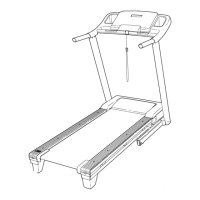
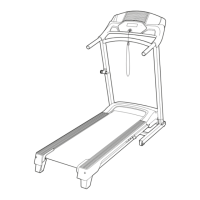
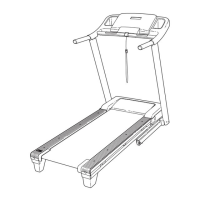
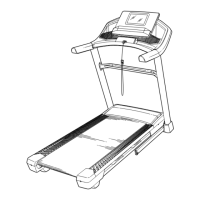
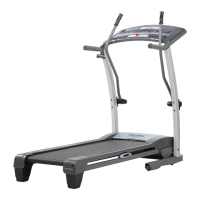
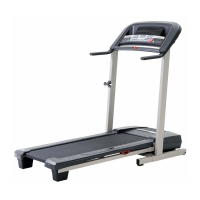
Pro-Form SPORT 3.0 - User Manual

Pro-Form SPORT 3.0
32 pages
Print Icon
To Next Page IconTo Next Page
Loading...
USER’S MANUAL
Model No. PFTL39920.2
Serial No.
Write the serial number in the space
above for reference.
CAUTION
Read all precautions and
instructions in this manual before
using this equipment. Save this
manual for future reference.
proform.com
ACTIVATE YOUR
WARRANTY
To register your product and
activate your warranty today, go
to my.proform.com.
CUSTOMER CARE
For service at any time, go to
support.proform.com.
Or call 1-888-533-1333
Mon.–Fri. 6 a.m.–6 p.m. MT
Sat. 8 a.m.–12 p.m. MT
Please do not contact the store.
Serial
Number
Decal

Other manuals for Pro-Form SPORT 3.0

Questions and Answers

Summary

WARNING DECAL PLACEMENT

Decal Location and Safety Alerts

Shows decal locations and associated safety warnings for operation.

IMPORTANT PRECAUTIONS

EXTENDED SERVICE PLANS

Preventive Maintenance Plans

Details plans covering annual checks, in-home repairs, and defect coverage.

Standard Service Plans

Covers in-home repairs, parts/labor, and wear/tear coverage for defined periods.

BEFORE YOU BEGIN

Treadmill Component Identification

Illustrates and labels the main components of the treadmill.

PART IDENTIFICATION CHART

ASSEMBLY GUIDE

Product Registration and Initial Setup

Register product online and ensure power cord is unplugged before assembly.

Attaching Uprights and Base

Connects the uprights to the treadmill base using specific screws.

Installing Handrail Bottoms and Trays

Attaches handrail bottoms and console trays to the main structure.

Mounting the Console Assembly

Secures the console assembly to the uprights using screws and washers.

Wiring and Handrail Assembly

Connects upright wires to the console and attaches handrail tops and bottoms.

Installing Upright Covers

Covers the uprights for a finished look and protection.

Attaching the Storage Latch

Installs the storage latch mechanism onto the treadmill upright.

Console Activation and Final Checks

Activates the console and ensures all parts are tightened.

CONNECTING THE POWER CORD

Using a Surge Suppressor

Explains the importance of surge suppressors and their specifications for safety.

CONSOLE OVERVIEW

Console Diagram and Features

Illustrates console layout and lists key features like speed, incline, and iFit.

OPERATING THE TREADMILL

Turning On Power and Using Manual Mode

Details how to power on the treadmill and use its manual control functions.

Monitoring Workout Progress

Explains how to view workout data like speed, distance, and calories on the display.

Finishing Exercise and Storage

Covers stopping the belt, zeroing incline, and preparing for storage.

USING ONBOARD WORKOUTS

Selecting and Running Workouts

Guides users on choosing and executing built-in workout programs.

USING IFIT WORKOUTS

iFit App Setup and Connection

Instructions for downloading, setting up the iFit app, and connecting to the console.

Starting and Controlling iFit Workouts

How to select, start, and manage iFit workouts with manual overrides.

Disconnecting iFit and Finishing

Steps to disconnect the smart device and end the iFit workout session.

CONNECTING A HEART RATE MONITOR

Pairing and Disconnecting Monitor

Details how to connect a Bluetooth Smart heart rate monitor to the console.

SETTINGS MODE OPERATIONS

Navigating and Adjusting Settings

Explains how to enter, navigate, and modify various console settings.

SOUND SYSTEM USAGE

Playing Music via Console

Instructions for connecting a device to play music through the console speakers.

OPTIONAL CHEST HEART RATE MONITOR

Benefits of Heart Rate Monitoring

Explains how a heart rate monitor aids in achieving fitness goals.

FCC COMPLIANCE INFORMATION

FOLDING AND MOVING THE TREADMILL

Folding Mechanism and Safety

Step-by-step guide on how to safely fold the treadmill for storage.

Transporting the Treadmill

Instructions on safely moving the folded treadmill using its wheels.

Lowering Treadmill for Use

Steps to unfold the treadmill from its storage position back to ready-to-use state.

MAINTENANCE AND TROUBLESHOOTING

Routine Cleaning and Care

Procedures for cleaning the treadmill and its walking belt.

Troubleshooting Power and Console Issues

Addresses issues like the treadmill not turning on or console displays remaining lit.

Troubleshooting Incline Functionality

Guides on recalibrating the incline system if it is not functioning correctly.

Troubleshooting Walking Belt Performance

Solutions for a walking belt that slows down or becomes misaligned.

EXERCISE GUIDELINES

Determining Optimal Exercise Intensity

Using heart rate zones to gauge intensity for fat burning and aerobic exercise.

Workout Structure and Frequency

Recommendations for warm-up, training duration, cool-down, and exercise frequency.

SUGGESTED STRETCHES

Essential Pre and Post-Exercise Stretches

Demonstrates correct form for basic stretches to improve flexibility and prevent injury.

PART LIST

EXPLODED DRAWING A

EXPLODED DRAWING B

EXPLODED DRAWING C

EXPLODED DRAWING D

ORDERING REPLACEMENT PARTS

Information for Part Orders

Details required information for ordering replacement parts, including model and key numbers.

LIMITED WARRANTY

Warranty Coverage and Limitations

Outlines the product's warranty terms, coverage, exclusions, and transferability.

Summary

WARNING DECAL PLACEMENT

Decal Location and Safety Alerts

Shows decal locations and associated safety warnings for operation.

IMPORTANT PRECAUTIONS

EXTENDED SERVICE PLANS

Preventive Maintenance Plans

Details plans covering annual checks, in-home repairs, and defect coverage.

Standard Service Plans

Covers in-home repairs, parts/labor, and wear/tear coverage for defined periods.

BEFORE YOU BEGIN

Treadmill Component Identification

Illustrates and labels the main components of the treadmill.

PART IDENTIFICATION CHART

ASSEMBLY GUIDE

Product Registration and Initial Setup

Register product online and ensure power cord is unplugged before assembly.

Attaching Uprights and Base

Connects the uprights to the treadmill base using specific screws.

Installing Handrail Bottoms and Trays

Attaches handrail bottoms and console trays to the main structure.

Mounting the Console Assembly

Secures the console assembly to the uprights using screws and washers.

Wiring and Handrail Assembly

Connects upright wires to the console and attaches handrail tops and bottoms.

Installing Upright Covers

Covers the uprights for a finished look and protection.

Attaching the Storage Latch

Installs the storage latch mechanism onto the treadmill upright.

Console Activation and Final Checks

Activates the console and ensures all parts are tightened.

CONNECTING THE POWER CORD

Using a Surge Suppressor

Explains the importance of surge suppressors and their specifications for safety.

CONSOLE OVERVIEW

Console Diagram and Features

Illustrates console layout and lists key features like speed, incline, and iFit.

OPERATING THE TREADMILL

Turning On Power and Using Manual Mode

Details how to power on the treadmill and use its manual control functions.

Monitoring Workout Progress

Explains how to view workout data like speed, distance, and calories on the display.

Finishing Exercise and Storage

Covers stopping the belt, zeroing incline, and preparing for storage.

USING ONBOARD WORKOUTS

Selecting and Running Workouts

Guides users on choosing and executing built-in workout programs.

USING IFIT WORKOUTS

iFit App Setup and Connection

Instructions for downloading, setting up the iFit app, and connecting to the console.

Starting and Controlling iFit Workouts

How to select, start, and manage iFit workouts with manual overrides.

Disconnecting iFit and Finishing

Steps to disconnect the smart device and end the iFit workout session.

CONNECTING A HEART RATE MONITOR

Pairing and Disconnecting Monitor

Details how to connect a Bluetooth Smart heart rate monitor to the console.

SETTINGS MODE OPERATIONS

Navigating and Adjusting Settings

Explains how to enter, navigate, and modify various console settings.

SOUND SYSTEM USAGE

Playing Music via Console

Instructions for connecting a device to play music through the console speakers.

OPTIONAL CHEST HEART RATE MONITOR

Benefits of Heart Rate Monitoring

Explains how a heart rate monitor aids in achieving fitness goals.

FCC COMPLIANCE INFORMATION

FOLDING AND MOVING THE TREADMILL

Folding Mechanism and Safety

Step-by-step guide on how to safely fold the treadmill for storage.

Transporting the Treadmill

Instructions on safely moving the folded treadmill using its wheels.

Lowering Treadmill for Use

Steps to unfold the treadmill from its storage position back to ready-to-use state.

MAINTENANCE AND TROUBLESHOOTING

Routine Cleaning and Care

Procedures for cleaning the treadmill and its walking belt.

Troubleshooting Power and Console Issues

Addresses issues like the treadmill not turning on or console displays remaining lit.

Troubleshooting Incline Functionality

Guides on recalibrating the incline system if it is not functioning correctly.

Troubleshooting Walking Belt Performance

Solutions for a walking belt that slows down or becomes misaligned.

EXERCISE GUIDELINES

Determining Optimal Exercise Intensity

Using heart rate zones to gauge intensity for fat burning and aerobic exercise.

Workout Structure and Frequency

Recommendations for warm-up, training duration, cool-down, and exercise frequency.

SUGGESTED STRETCHES

Essential Pre and Post-Exercise Stretches

Demonstrates correct form for basic stretches to improve flexibility and prevent injury.

PART LIST

EXPLODED DRAWING A

EXPLODED DRAWING B

EXPLODED DRAWING C

EXPLODED DRAWING D

ORDERING REPLACEMENT PARTS

Information for Part Orders

Details required information for ordering replacement parts, including model and key numbers.

LIMITED WARRANTY

Warranty Coverage and Limitations

Outlines the product's warranty terms, coverage, exclusions, and transferability.

Pro-Form SPORT 3.0 Specifications

General IconGeneral
FoldableYes
Running Area16" x 50" Tread Belt
Incline0-10%
Speed0-10 mph
Weight Capacity250 lbs
DisplayLCD

Related product manuals