©2022 Pro-Vision Solutions, LLC. Page 24 of 56
IMPORTANT! For the first installation of each different vehicle model variation, it is recommended to temporarily connect
the camera, without the mounting base assembly attached to the recording unit. Power the system on
and then hold the camera in the desired mounting location to observe the view to confirm it is satisfactory
before continuing.
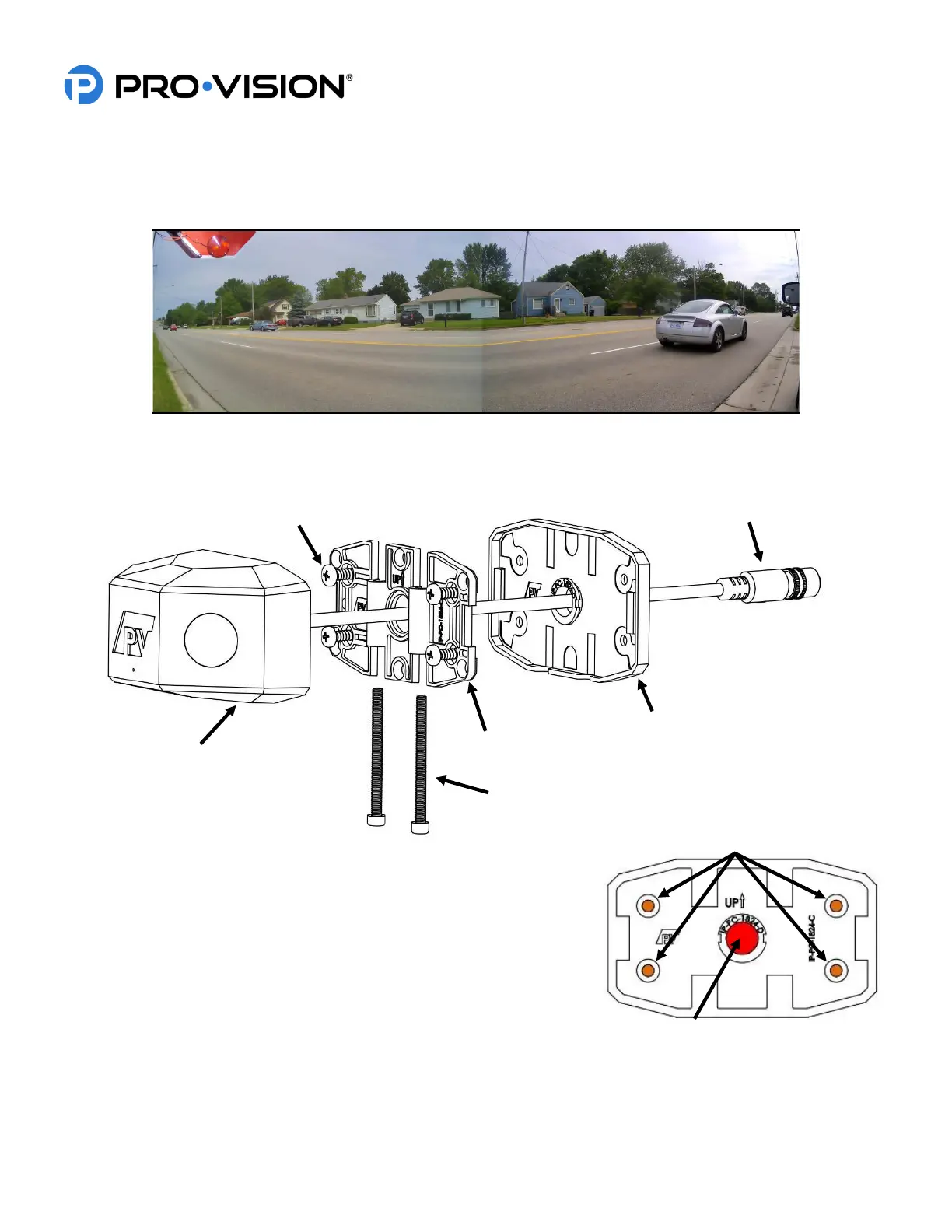
Shown above is a view from the stop-arm camera mounted forward of the stop-arm on a bus.
Note that the stop arm is partially in the view when open but not obstructing license plate capture
Installation:
1. Attach the camera mounting base to the rubber mounting gasket as
shown to the right. Hold the mounting base assembly to the desired
mounting location and ensure the base is parallel to the body lines on
the side of the bus. Mark the center of the four (4) camera base
mounting screw locations (shown in ORANGE) and the large center
cable hole (shown in RED).
2. Place the camera mounting base assembly aside and then verify that
there is clearance behind the four (4) marked mounting screw
locations, as well as clearance and access to behind the one (1)
large, marked cable hole location.
3. Drill a 1/2” diameter hole in the center marked location (shown in RED above). DO NOT DRILL THE OTHER
HOLES.



 To Next Page