©2022 Pro-Vision Solutions, LLC. Page 36 of 56
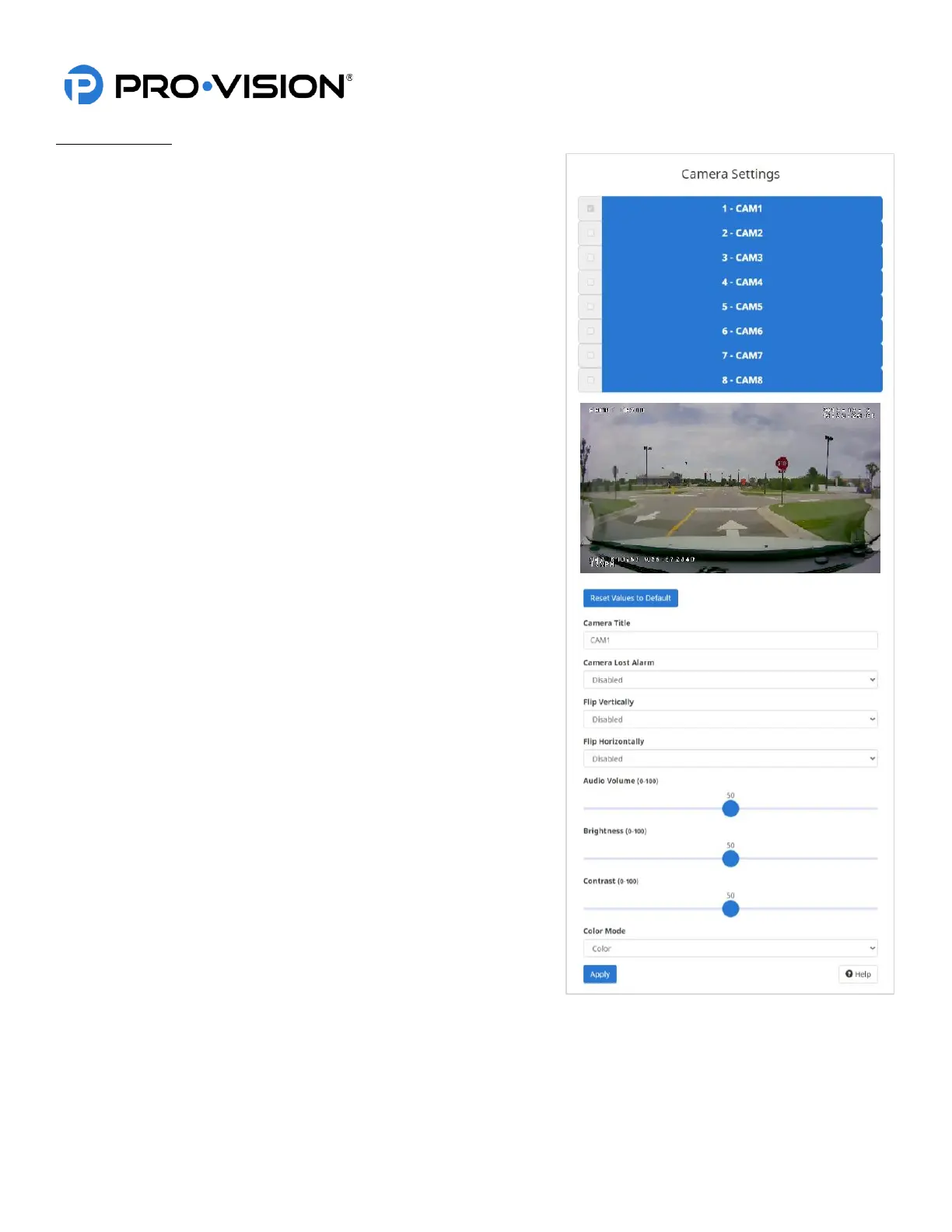
Camera Settings
Select the camera you want to adjust by clicking on one of the
numbered red buttons at the top of the screen.
Camera Title:
Enter a unique title for each camera to identify it in the upper left
corner of the video.
Camera Lost Alarm:
Enabling this option will cause the DVR to emit a loud "beep" if the
camera signal is lost.
Flip Vertically:
Enabling this option will cause the image to flip vertically.
Flip Horizontally:
Enabling this option will cause the image to flip horizontally.
Audio Volume:
This option allows the audio input volume of the specific camera to be
adjusted so that audio playback on the computer is even.
Brightness:
Adjust the brightness of the camera image (0-100) 50 default.
Contrast:
Adjust the contrast of the camera image (0-100) 50 default.
Color Mode:
Allows the user to change the color mode or make custom
corrections to the image color.



 To Next Page