©2022 Pro-Vision Solutions, LLC. Page 42 of 56
Static IP:
It is not recommended to change the static IP address on the DVR unit’s LAN connection unless it is necessary to connect
the LAN to an in-vehicle router or gateway.
MAC Address:
MAC addresses are unique numbers used to identify networked devices. The MAC address can be used to locate the
device on the network, if you intend to connect the device to your local network, it is recommended to record the MAC
address of each unit for future reference. If the device has been connected to the network, you can find it from a Windows
PC on the network by opening “command prompt” then using the command “arp -a” to view the current Address
Resolution Protocol (ARP) cache and then locating the devices MAC from the list of all devices on the network and
viewing its associated IP address.
4G LTE
If the device was purchased with the 4G modem, this page will show options and status for the 4G functions, it allows the
carrier selection and the enabling of the 4G service. If the device does not have a 4G modem, this page will display a
message indicating, “No Modem Found”.
Remote Activation
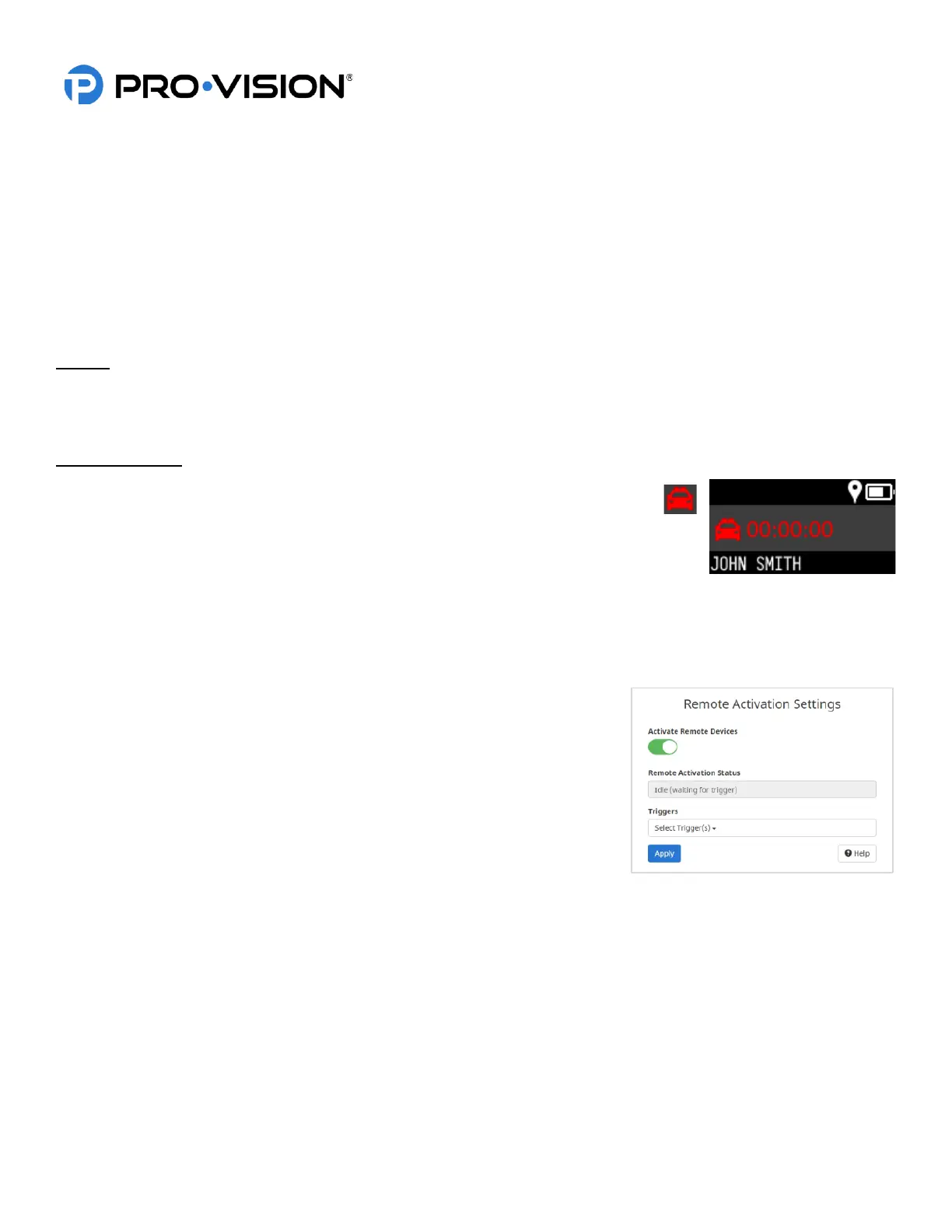
The PRO-VISION DVR-908 system has a radio that can transmit a signal that can
remotely start recording of a BODYCAM 4 device. The DVR and the BODYCAM must
each be configured to allow the remote activation function to work.
The DVR unit allows any of its connected triggers to be configured for remote activation. The
activation signal will begin broadcasting when the preset trigger on the DVR is enabled (such
as the level 1 lights).
Any BODYCAM 4 camera(s) that are within a 30 ft. (9M) range of the vehicle will be activated by the signal from the DVR
unit. When activated, the camera will display an icon to the left of recording time representing activation by the vehicle
DVR. When the camera is activated, it will follow the same sounds, LED states, and vibrations as when the camera is
manually activated by the user.
• When a BODYCAM 4 is activated by a signal, recording notifications will occur
the same as if the user has activated it manually; the LCD display will show an
indicator of the type of device that activated it.
• BODYCAM 4 cameras that are activated by the activation signal do not also
broadcast a signal. Only cameras in the proximity of the signal originator will
be activated.
• Remote activation only starts Event recording on the BODYCAM 4; Event
recording must be stopped manually on each device that was activated.
• Once a camera has been remotely activated by a signal, if that camera
manually ends the event, it will not become reactivated by that same signal.
• When the DVR is triggered, the signal continues broadcasting until the trigger is stopped. If a configured BODYCAM 4
enters the proximity of that DVR at any time while it is broadcasting, it will be activated.


 To Next Page
 Loading...