M-34-01-06 3/31/2016 14 DQ15D/T-DQ15D Manual
Configuration (Set-up)
1 To configure the DQ15D, press and
simultaneously and hold for approximately 6
seconds. The screen displays AC.0.
2 While the 0 is flashing, use to change this
to 11. Press SET. The control will be in the
configuration mode. While in this mode, the
screen displays the values of various configu-
ration settings. The first setting to display is
the U1 setting. See setting summary. By using
and keys, it is possible
to scroll through
the list of settings to those needing modifica-
tion.
Adjust
Configuration
Setting
1 To adjust a setting while in the Configuration
Mode, use and to bring the particular set-
ting into the view on the screen.
2 Press SET to change the value of the setting.
Once SET has been released, the display will
flash.
3 Use and to scroll through the options for
the selected setting.
4 After the option has been determined, press
SET once more to lock the new value into
memory.
5 After completing all changes to the configura-
tion of the control, the new configuration must
be saved. To save the new value, press and
simultaneously. This will cause the control to
store the new values internally and then reset
the unit.
Note: Switching off power to the unit before saving the new con-
figuration will cause all changes to be lost.
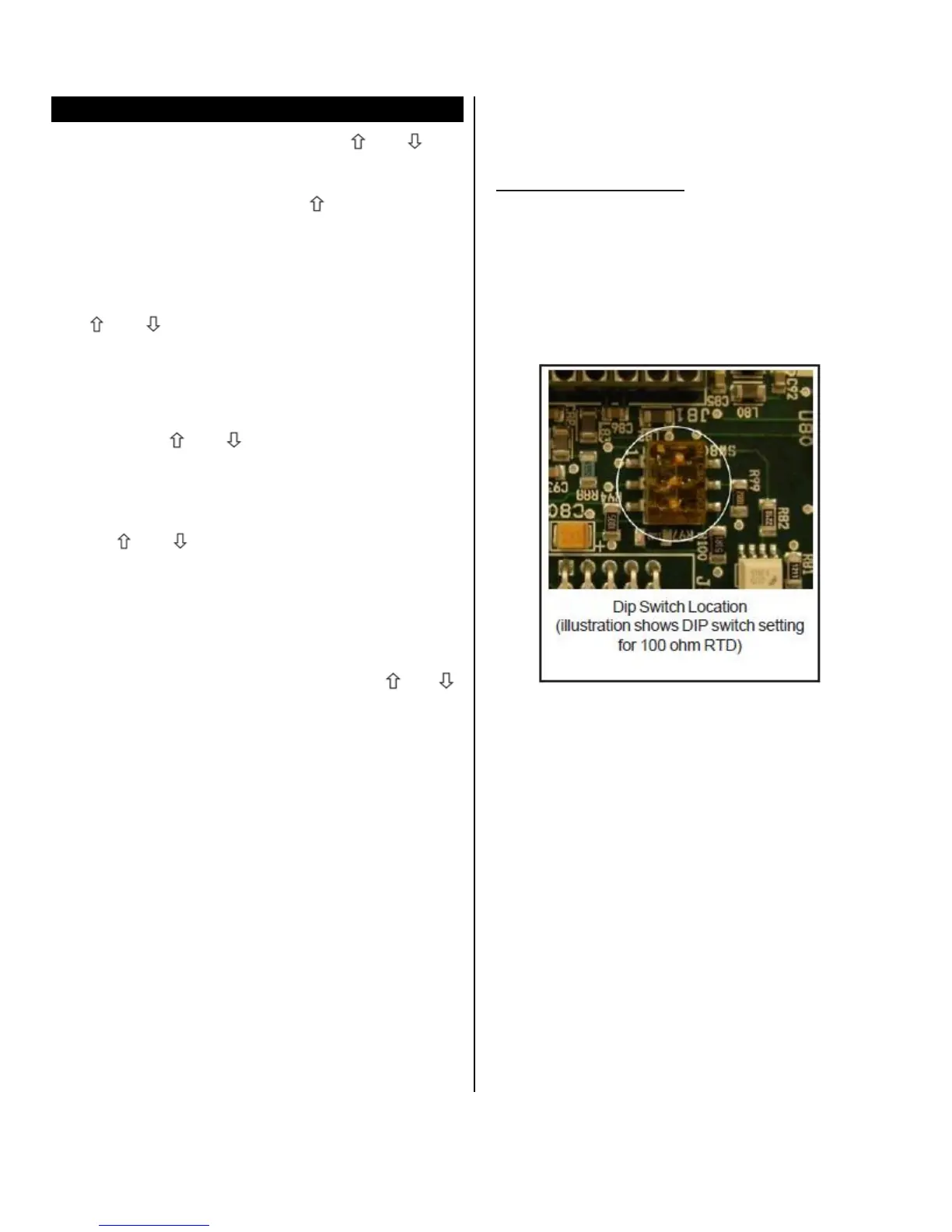
Sensor DIP Switch
When using the sensor 5416 or 5447 boards, an
on-board DIP
switc
h
must
also be configured.
Sw1 Sw2 Sw3 Type
OFF OFF OFF 1000 ohm RTD
ON OFF OFF 100 ohm RTD
OFF ON OFF voltage
OFF OFF ON current
OFF OFF OFF frequency


 To Next Page