M-34-01-06 3/31/2016 6 DQ15D/T-DQ15D Manual
2 Wire RTD Sensor Calibration
RTD devices are precision resistors whose resistance
value varies with temperature. DQ15D measures RTD
resistance and compares that value with a standard set
of values stored in memory. You can restore, update or
verify that this standard set of values is correct.
Equipment needed
Two
precision
resistors (tolerance
+/- 0.1% or better)
with a fixed value equal to the RTD nominal value
(i.e. 1000 ohms).
A suitable jumper cable to
facilitate changing
input
resistance.
Calibration
Procedure
1 Turn OFF all power.
2 Remove rear cover.
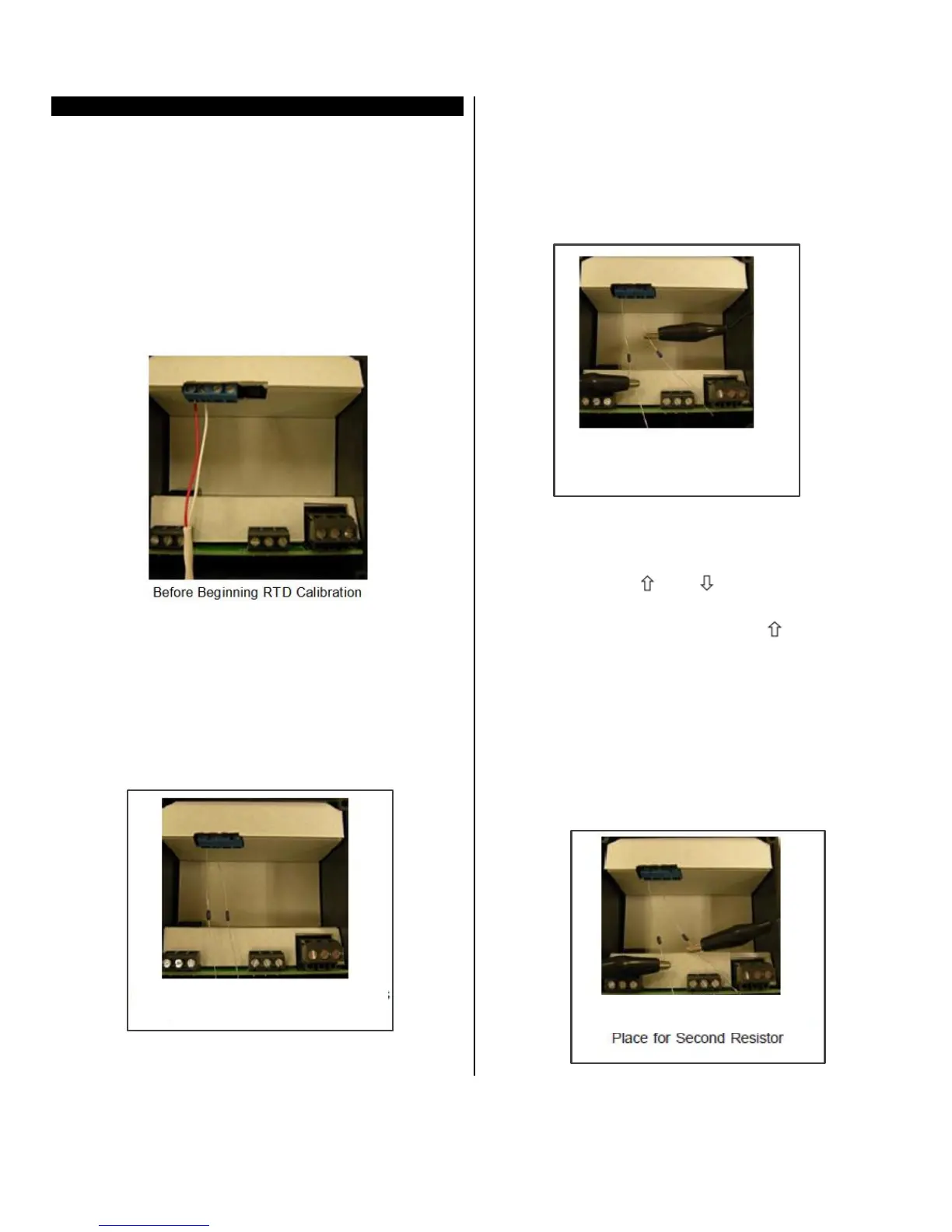
3 Ensure the 2 wire, 1000 ohm RTD sensor is con-
nected across terminals #1 AND #2 of the terminal
block before beginning.
4 Remove RTD sensor.
5 Install the precision resistors in place of the RTD,
as shown.
6 Install the jumper cable between the loose end of
one resistor and the fixed end of the other resistor
to establish an input value of a single resistor (i.e.
1000 ohms), as shown. Install the jumper cable
between the loose end of one resistor and the
fixed end of the other resistor to establish an input
value of a single resistor (i.e. 1000 ohms), as
shown.
7 Carefully restore power to the control, taking pre-
cautions not to make contact with any exposed
voltage sources.
8 Press and hold and simultaneously for ap-
proximately 6 seconds. The display will indicate
AC.0. while the 0 is flashing, use to change this
to 22. Press SET. The control screen displays
CAL1.
9 Press and hold SET for 1 second. HoLd displays
on the screen. Wait for CAL2 to display.
10 Proceed with caution to avoid SHOCK hazard.
Remove and relocate one end of the jumper cable
to the loose end of the second precision resistor
for the second resistance value (i.e. 2000 ohms),
as shown.


 To Next Page