*Due to occasional product upgrades, this manual is for reference only.
12
7.Maintenance
7.1. Work environment The best working environment temperature 25-30 degrees,
humidity above 50%
7.2. The ink Please try to use up the ink within 3 months after opening to avoid
spoilage.
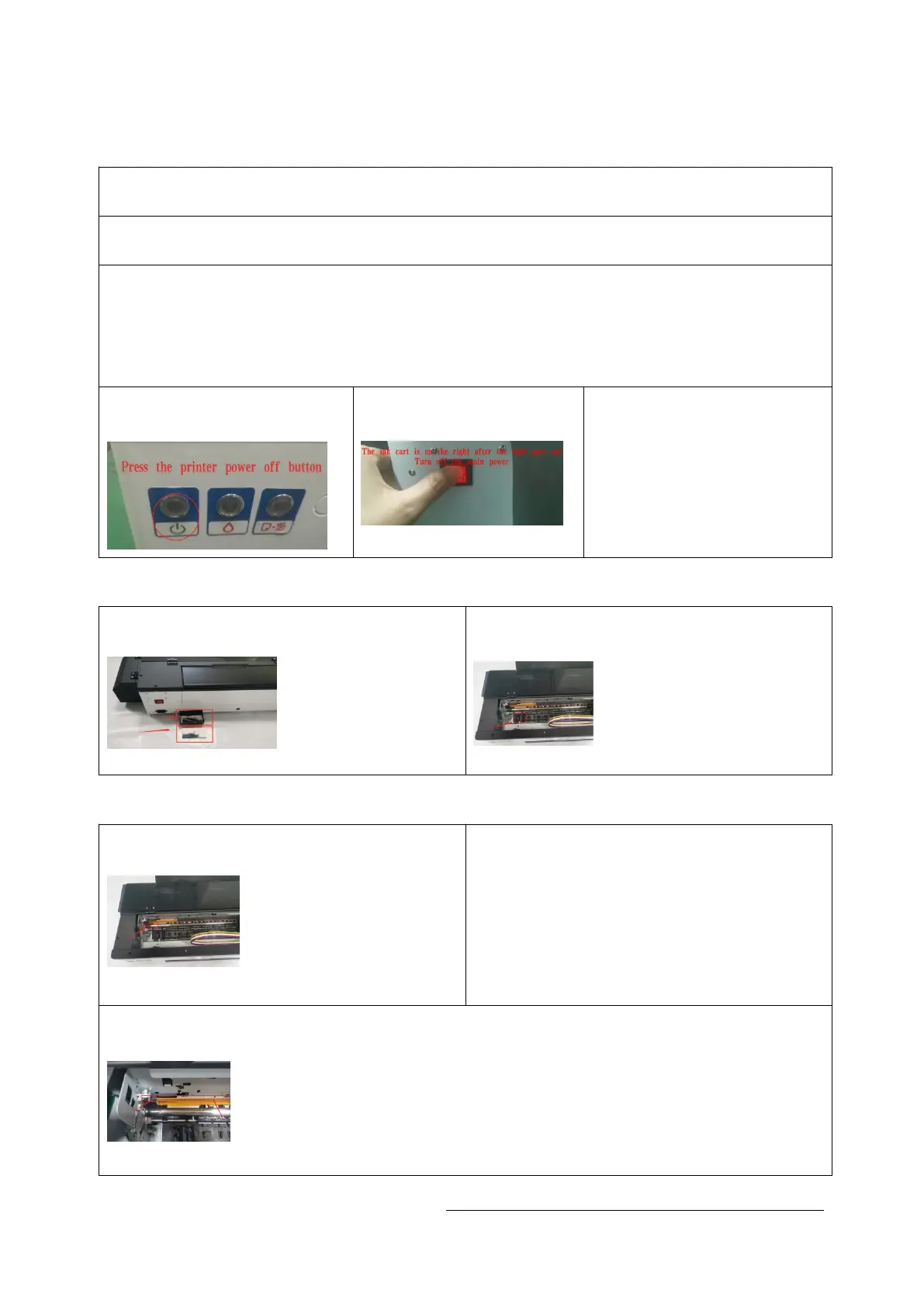
7.3. Shut down the device After the work is completed, please turn off the equipment
in the normal order, first turn off the printer with the button, then turn off
the main power supply, and keep the ink cartridge cart on the right side (this
is to make the print head and the waste ink pump fit closely to prevent the print
head from clogging) .
7.3.1 turn off the printer
with the button
7.3.2 turn off the main
power supply
7.3.3 keep the ink
cartridge cart on the
right side
7.4.clean the ink
7.4.1Regularly clean up the waste ink
cartridge and ink sponge
7.4.2 Clean and suck the ink on the left
side of the machine regularly
7.5.Cleaning guide rails and grating strips
7.5.1 Clean the black lubricating oil on
the ink car guide rail regularly
7.5.2 add new lubricating oil to keep the
ink car guide rail smooth.
7.5.3 Clean the grating strips regularly with alcohol and dust-free cloth to ensure
the printing accuracy.


 To Next Page