EasyManua.ls Logo

Procon A1M - User Manual

Procon A1M
96 pages
Print Icon
To Next Page IconTo Next Page
Loading...
• i •
Procon
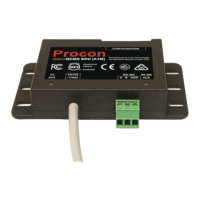
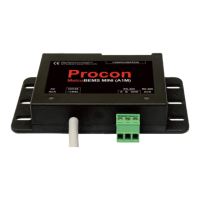
MelcoBEMS MINI (A1M)
FOR INSTALLERS
INSTALLATION MANUAL
Manual version 1.0.16
Firmware version 3.0.15
For safe and correct use, please read this installation manual thoroughly before installing the PROCON
MelcoBEMS MINI (A1M).
Question and Answer IconNeed help?

Do you have a question about the Procon A1M and is the answer not in the manual?

Summary

Preface and Safety

Safety Warnings

General safety precautions and warnings for safe operation and installation.

Operating Temperature

Specifies the environmental operating temperature range for the device.

Product Overview and Configuration

Product Overview

Describes the MelcoBEMS MINI (A1M) as a protocol converter for remote monitoring.

DIP Switch Configuration

Configures Node Address, Communication Settings, and Protocol Selection via DIP switches.

Deadband Mode Operation

Explains how the deadband feature controls unit operation based on temperature.

Installation and Communication

Modbus Connections

Details on establishing Modbus communication via RS-485 wiring.

Status LEDs

Interpretation of the AC ACK and RS-485 ACK status lights.

Modbus Data Reference

Modbus Tables - Air-To-Air Systems

Detailed register map for accessing data from Air-To-Air units.

Modbus Tables - Air-To-Water Systems

Detailed register map for accessing data from Air-To-Water units.

Modbus Tables - Lossnay Systems

Detailed register map for accessing data from Lossnay units.

Summary

Preface and Safety

Safety Warnings

General safety precautions and warnings for safe operation and installation.

Operating Temperature

Specifies the environmental operating temperature range for the device.

Product Overview and Configuration

Product Overview

Describes the MelcoBEMS MINI (A1M) as a protocol converter for remote monitoring.

DIP Switch Configuration

Configures Node Address, Communication Settings, and Protocol Selection via DIP switches.

Deadband Mode Operation

Explains how the deadband feature controls unit operation based on temperature.

Installation and Communication

Modbus Connections

Details on establishing Modbus communication via RS-485 wiring.

Status LEDs

Interpretation of the AC ACK and RS-485 ACK status lights.

Modbus Data Reference

Modbus Tables - Air-To-Air Systems

Detailed register map for accessing data from Air-To-Air units.

Modbus Tables - Air-To-Water Systems

Detailed register map for accessing data from Air-To-Water units.

Modbus Tables - Lossnay Systems

Detailed register map for accessing data from Lossnay units.

Procon A1M Specifications

General IconGeneral
BrandProcon
ModelA1M
CategoryMedia Converter
LanguageEnglish

Related product manuals