17
FIRMWARE UPDATE
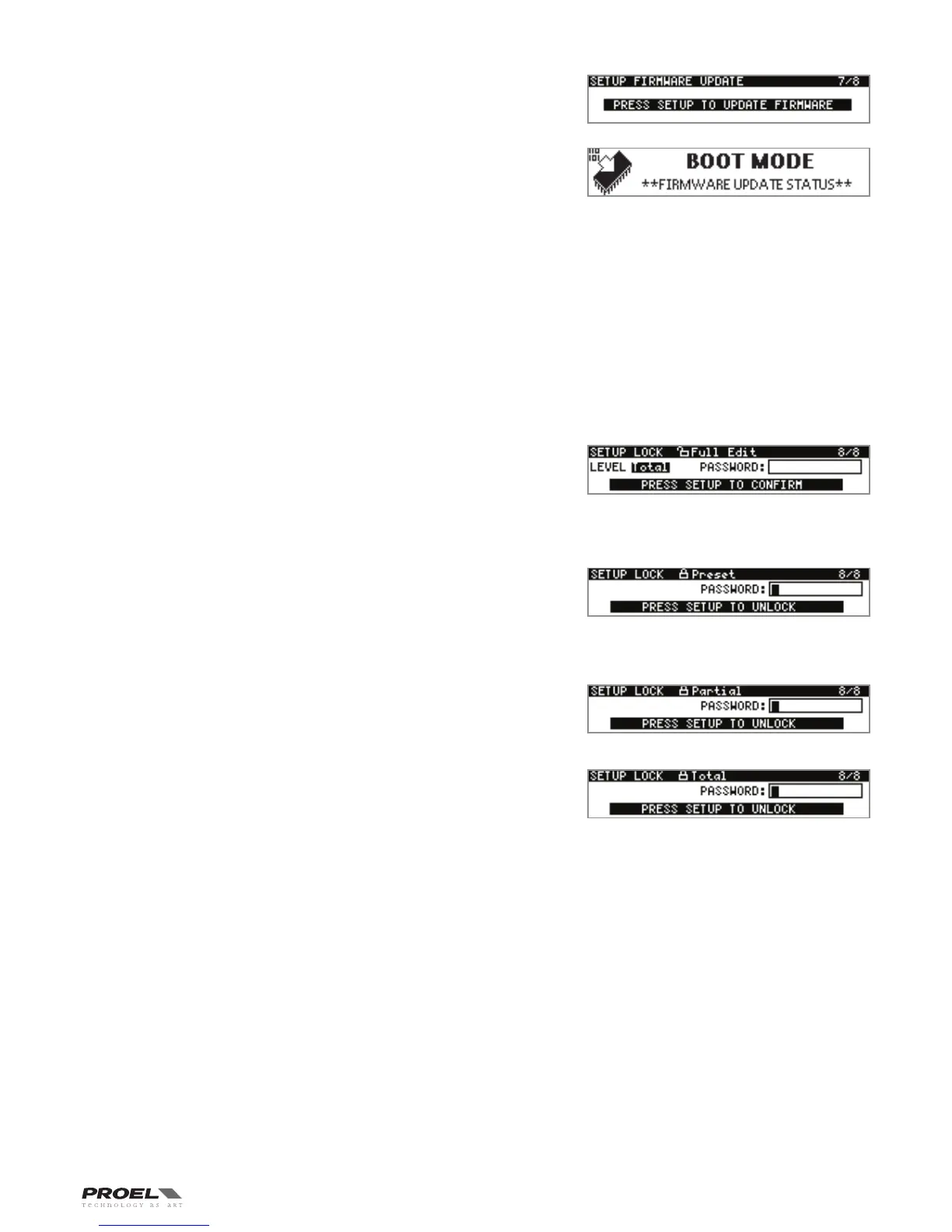
This page is where the PC260 Firmware can be updated from USB port. To
update the firmware a PC with PRONET software installed is required. Both the
firmware and the PRONET software can be downloaded from proel web site
(www.proel.com). In the PRONET documentation you can find the instruction
to update the firmware. Press ESC or PG UP/DW buttons to escape from this
page, press SETUP to proceed with the firmware update, the following screen
appears on the display:
Now the PC260 still waiting the PRONET program to send the firmware thru USB
port, if you want to escape from this procedure without update the firmware you
have only a solution: TURN OFF and TURN ON again the PC260.
LOCK
This page is where the PC260 can be locked or unlocked by the installer/operator. There are four LOCK levels available, indicated by
a padlock in the first line of the display:
FULL EDIT
PARTIAL LOCK
PRESET LOCK
TOTAL LOCK
For setting a different LOCK level, rotate the DATA knob to select the level, press the DATA knob to confirm the new level and then
input a password using again the DATA knob. Press SETUP again for confirming all data.
Press ESC or PG UP/DW buttons to escape from this page without changing the lock status.
FULL EDIT
This is the defult LOCK level when you turn on the PC260 for the first time
or when an operator performs a FULL SYSTEM RESET. All routing setting
sare available and all DSP input and output parameters are accessible and
adjustable (only input parameters for Factory and protected presets). Resulting
settings can be saved into any User Preset location for later recall. Editing can
be performed from the control panel or from a PC with PRONET software.
PRESET LOCK
This LOCK level allows only the USER Presets saved in the processor's memory
to be recalled. The only other parameter accessible is the inout and output
MUTE
This LOCK mode level can be used by installators who want to save a number
of different presets for the sound system and then lock any other parameter
except the preset recalling.
PARTIAL LOCK
Limited editing can be performed on Factory, Protected and User presets:
- INPUT parameters: DELAY, GEQ, PEQ, DEQ, DYN, mute and level;
- OUTPUT parameters: mute and TRIM level;
- SPL Management.
TOTAL LOCK
NO editing can be performed on the processor, including the preset recall.
Note: when the SPLM is activated the PC260 is forced in the TOTAL LOCK status.


 To Next Page