28
RTA
The PC260 processor has a built in 1/3 octave Real Time Analyzer, which is a useful tool for measuring the acoustic response of the
sound system in order to make the proper EQ adjustments.
This RTA is not a precise measurement system such as dedicated computer software, but it can be used to get a general overview of
the system's response in a not too much reverberant and noisy enviroment.
When you use an acoustic measurement gear remember always the following tips:
•Youhavetoxthesystemnotalineonthescreen.
•With theequalization you cannotcorrect abad room acoustic:if thevenue is tooreverberant atsome frequencies itremains
reverberant also after the equalization.
•Alwayslistenwithyourhear,donotblindfoldtrustanymeasurement.
•Agoodaudiosystemplacedinagoodenviromentrequiresonlylittleadjustments,usuallybycuttingfewdBsinsomefrequency
ranges. If you have to set exaggerated EQ, you probably have a noticeable acoustic problem and EQ'ing could not be the right cure.
•Acousticsmeasurementsarenotasimpleissueandrequireaspecicknowledge.
To make a RTA measurement you must have some additional equipment:
•Ameasurementmicrophone:forthiskindofmeasurementyoudon'tneedthebestmicrophoneavilable,asimpleandeconomic
class 2 microphone is sufficient.
•Amicrophonestand.
•AXLRbalancedcable(thelenghtdependsbythedistancebetweenthemeasurementmicandthePC260).
•Atrackwithapinknoiserecord:pinknoiseisaspecialrandomnoisewhereeachoctavecarriesanequalamountofnoisepower.
•Atrackoraselectionoftracksofyourpreferredsongs.
Connect the mic to the RTA MIC INPUT then place the mic on the stand at the centre of the venue. The distance between the speakers
and the measurement mic must be no longer than 10 meters (30 ft), otherwise you may not have a sufficient signal to noise ratio.
1) Play the pink noise on the audio system.
2) Turn up the volume to a reasonable level, avoiding to compress/limit any input/output in the PC260 (see the LED
indicators on the front panel).
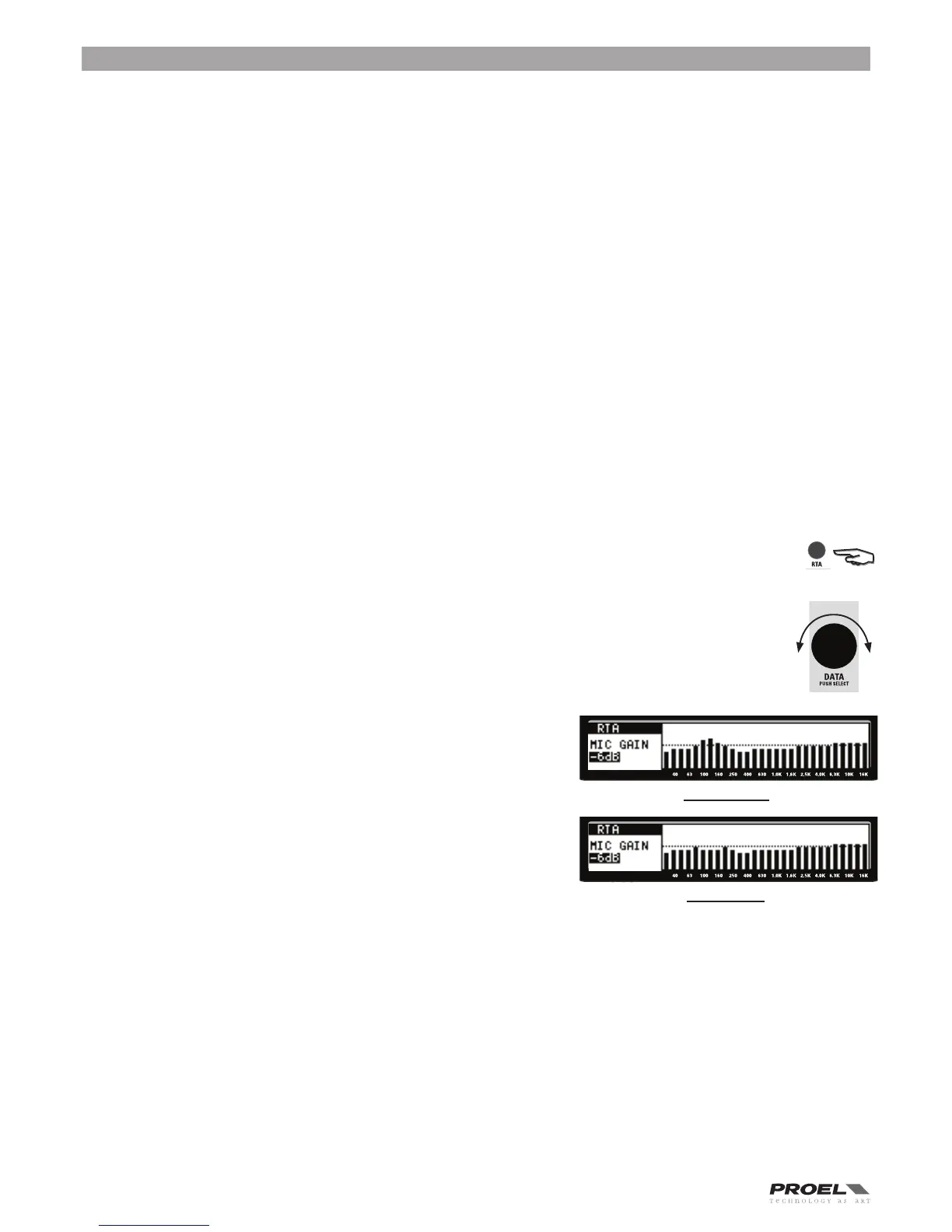
3) Press RTA, then using the DIAL knob adjust the mic input level to have a sufficient signal across the mid line. If the
audio system is right tuned, the RTA is aproximately linear with some bars above and some bars below the mid line.
4) If a noticeable misalignment is displayed you can try to adjust it using the input GEQ or PEQ.
5) After some adjustments you may be obtain a more linear RTA.
Often if the misalignement is under the 400 Hz and you cannot obtain any
adjustment, try to move the MIC in another position.
6) Once you are satisfied, turn off the pink noise and play you favorite songs.
By turning on and off the EQ section, listen the differences and if necessary
adjust the EQ settings. Always remember the first tip:
You have to fix the system not a line on the screen.
BEFORE EQ'ING
AFTER EQ'ING


 To Next Page