ENGLISH
Translation of the original German user manual 27
6.4 PID programming
The various programming options for the PID control are explained below.
6.4.1 Programming the temperature setting
During operation, the actual temperature of the boiler is displayed. The factory default is programmed to
93°C for coffee and 130°C for steam. Designation: t1 = coffee, St = steam
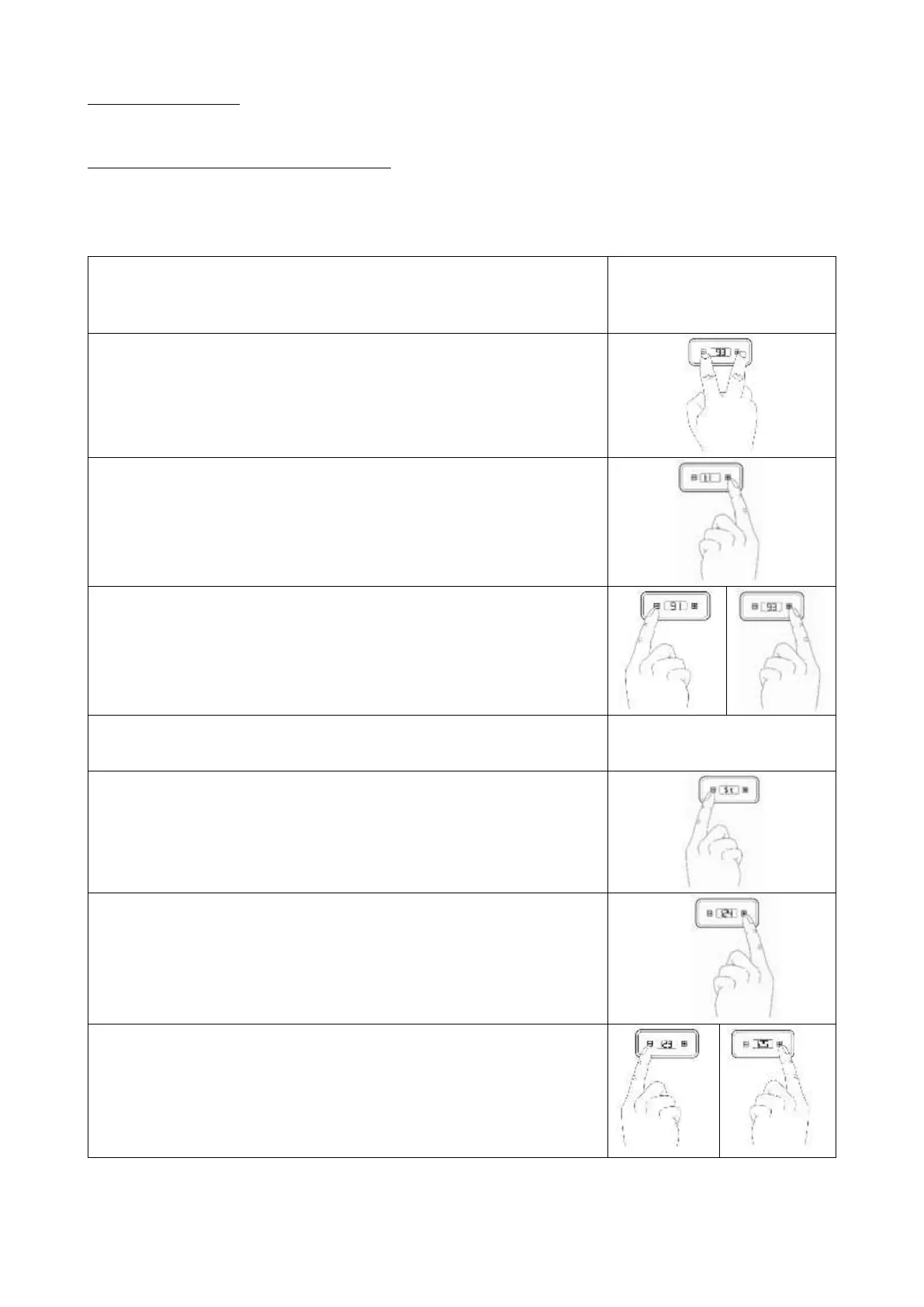
To adjust the temperature of the coffee boiler, please proceed as follows:
1. Switch on the device so that the boiler is activated. The
temperature of the boiler does not matter for programming. The
heater is off during the programming procedure.
2. Press + and - simultaneously until "t1" (coffee) appears on the
display.
3. Press + to enter the submenu of "t1" to adjust the temperature.
The currently set temperature is shown.
4. Press quickly
– to reduce or
+ to increase the temperature
5. Wait briefly after adjusting temperature, "t1" will appear.
6. Press - so that "St" (steam) is displayed. (steam) is displayed.
If you only want to change "St" and leave "t1" unchanged, press -
after point 2 to skip "t1" and go directly to "St".
7. Press + to enter the submenu of "St" to adjust the temperature.
The currently programmed temperature will be shown.
8. Press quickly
– to reduce or
+ to increase the temperature.



 To Next Page