14
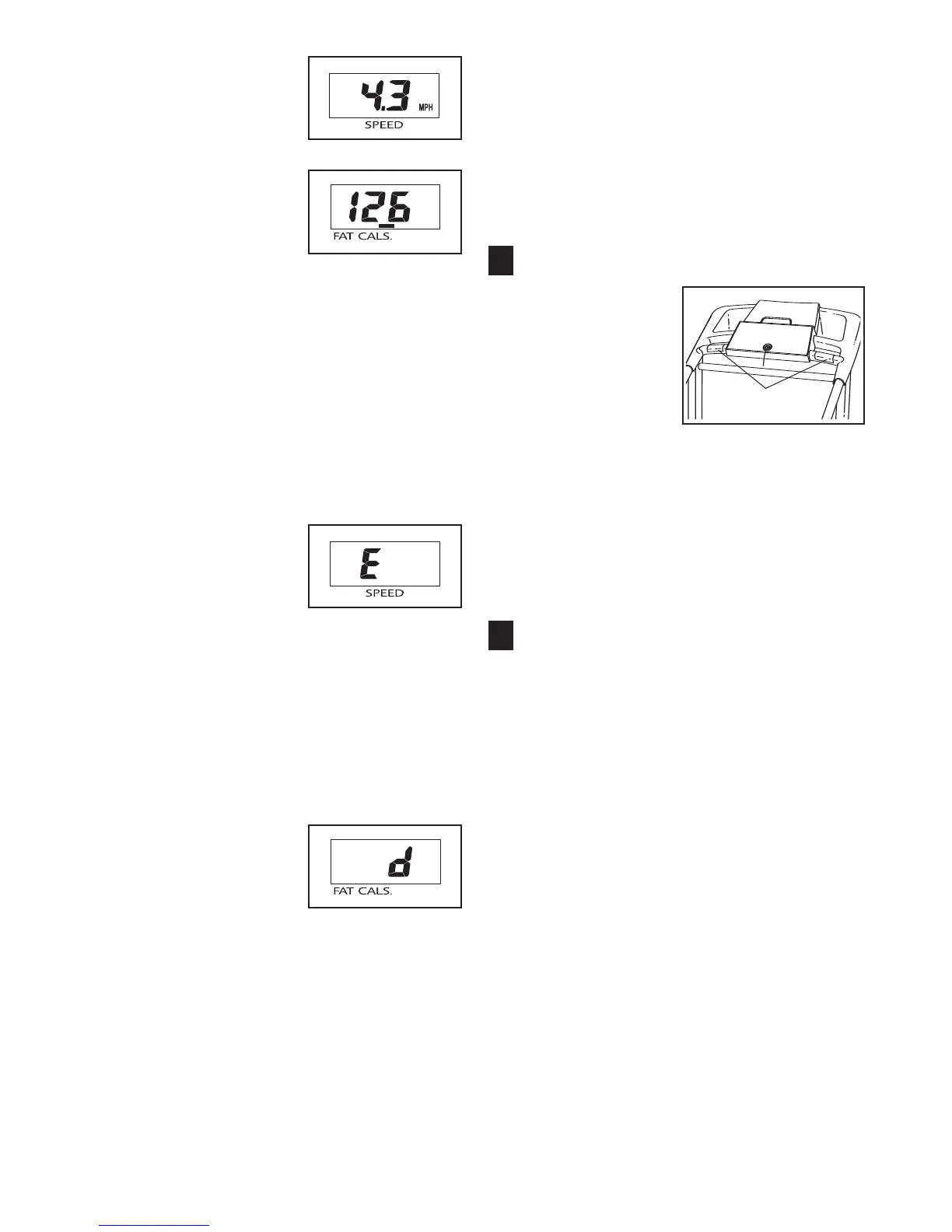
Speed display—This
display shows the speed
o
f the walking belt.
Fat/Cals display—This
display shows the ap-
proximate numbers of
fat
calories
and
calories
you
have burned (see FAT
BURNING on page 25).
The display will alternate between one number
and the other every few seconds, as shown by the
indicators in the display. The display will also
show your heart rate when you use the pulse sen-
sor (see step 6).
Note: The console can display speed and dis-
tance in either miles or kilometers. The letters
“MPH” or “Km/H” will appear in the Speed display
to show which unit of measurement is selected.
To change the unit of measurement, first select
the console’s information mode by holding down
the Stop button, inserting
the key into the console,
and then releasing the
Stop button. An “E” for
English miles or an “M”
for metric kilometers will
appear in the Speed dis-
play. Press the Speed increase button to change
the unit of measurement.
While the information mode is selected, the
Time/Incline display will show the total number of
hours that the treadmill has been used, and the
Distance/Laps display will show the total number
of miles or kilometers that the walking belt has
moved.
Important: If the letter
“d” appears in the
Fat/Cals display, the
“demo” mode is selected.
This mode is intended to
be used only when a
treadmill is displayed in a store. When the demo
mode is selected, the power cord can be plugged
in, the key can be removed from the console, and
the displays and indicators on the console will au-
t
omatically light in a preset sequence. The buttons
on the console will not function. If a “d” appears
i
n the display while the information mode is
selected, press the Speed decrease button.
To exit the information mode at any time, remove
the key and then reinsert it.
Measure your heart rate if desired.
Before using the
handgrip pulse
sensor, remove the
sheets of clear
plastic from the
metal contacts. In
addition, make sure
that your hands are
clean. Next, hold
the handgrip pulse sensor with your palms resting
on the metal contacts;
avoid moving your hands.
When your pulse is detected, the heart-shaped in-
dicator in the Fat/Cals display will flash each time
your heart beats, one or two dashes (– –) will ap-
pear, and then your heart rate will be shown. For
the most accurate heart rate reading, continue
to hold the contacts for about 15 seconds.
When you are finished exercising, remove the
key.
Step onto the foot rails, press the Stop button, and
adjust the incline of the treadmill to the lowest
level. The incline must be at the lowest level
when the treadmill is raised to the storage po-
sition or the treadmill will be damaged. Next,
remove the key from the console and put the key
in a secure place.
When you are finished using the treadmill, move
the on/off switch to the “off” position and unplug
the power cord.
7
6
Pulse Sensor






 To Next Page