EasyManua.ls Logo

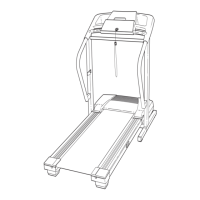
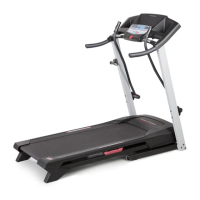
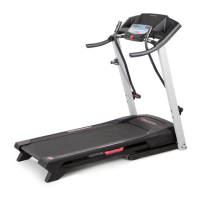
ProForm 395 P Treadmill - User Manual

ProForm 395 P Treadmill
34 pages
Print Icon
To Next Page IconTo Next Page
Loading...
Model No. PETL39905.1
S
erial No.
CAUTION
Read all precautions and instruc-
tions in this manual before using
this equipment. Save this manual
for future reference.
Serial Number
Decal
USER’S MANUAL
www.iconeurope.com
Visit our website at
QUESTIONS?
As a manufacturer, we are com-
mitted to providing complete
customer satisfaction. If you
have questions, or if there are
missing or damaged parts,
please call:
Or write:
ICON Health & Fitness, Ltd.
Unit 4
Revie Road Industrial Estate
Revie Road, Beeston
Leeds, LS11 8JG
UK
email: csuk@iconeurope.com
08457 089 009

Other manuals for ProForm 395 P Treadmill

Questions and Answers

  • B
    Bruce JohnsonJul 31, 2025
    What to do if my ProForm 395 P power turns off during use?
    • T
      Teresa HendrixJul 31, 2025
      If your ProForm Treadmill turns off during use, first, check the circuit breaker located on the treadmill frame near the power cord. If it has tripped, wait five minutes, and then press the switch back in to reset it. Also, ensure the power cord is securely plugged in; if it is, unplug it, wait five minutes, and plug it back in. Remove and reinsert the key from the console. Finally, verify that the on/off switch is in the 'on' position.
  • R
    Robert BryantAug 10, 2025
    Why won't my ProForm Treadmill turn on?
    • D
      David HutchinsonAug 10, 2025
      If your ProForm Treadmill isn't turning on, ensure the power cord is plugged into a properly earthed outlet. If using an extension cord, it should be a 3-conductor, 1 mm[2] (14-gauge) cord no longer than 1.5 m (5 ft.). Note that the treadmill is not compatible with GFCI-equipped outlets. Also, check that the key is inserted into the console and the on/off switch located on the treadmill frame near the power cord is in the 'on' position. Finally, check the circuit breaker; if it has tripped, wait five minutes before pressing the switch back in to reset it.
  • H
    Haley JimenezAug 20, 2025
    What to do if ProForm 395 P Treadmill walking belt is off-centre?
    • B
      Brent GarzaAug 20, 2025
      If the walking belt is off-centre, remove the key and unplug the power cord. If the belt has shifted to the left, use a hex key to turn the left rear roller bolt clockwise 1/2 turn. If it has shifted to the right, turn the bolt counter-clockwise 1/2 turn. Be careful not to overtighten the belt. Then, plug in the power cord, insert the key, and run the treadmill for a few minutes. If the walking belt slips when walked on, remove the key and unplug the power cord. Use the hex key to turn both rear roller bolts clockwise 1/4 turn. Ensure the belt remains centred. Plug in the power cord, insert the key, and carefully walk on the treadmill for a few minutes.

Summary

Product Information and Support

Contacting Customer Support

Provides contact details for customer support, including phone and email for inquiries.

Critical Safety Precautions

General Safety Guidelines for Operation

Essential precautions to reduce risks of injury, fire, or electric shock during operation.

Warning Decals and Placement

Decal Locations and Key Warnings

Illustrates decal placement and lists critical safety warnings for user awareness.

Getting Started with Your Treadmill

Treadmill Component Identification

Diagram and explanation of treadmill components for user familiarity before operation.

Treadmill Assembly

Unpacking and Initial Frame Setup

Steps for unpacking, preparing the treadmill, and attaching initial frame components.

Handrail and Extension Leg Installation

Instructions for connecting handrails and securing extension legs using bolts and screws.

Console and Wire Connections

Steps for mounting the console base and connecting electronic wires.

Final Assembly and Tightening

Completing assembly by attaching storage latch and ensuring all parts are securely tightened.

Treadmill Operation

Power Cord Connection and Safety

Detailed steps for safely connecting the treadmill's power cord to an electrical outlet.

Console Functions

Console Diagram and Features Overview

Diagram and explanation of the treadmill's console buttons and display functions.

Using the Treadmill Manually

Powering On and Manual Mode Operation

Guide to powering the treadmill and operating it in manual mode using console controls.

Preset Workout Programs

Executing Preset Workouts

Instructions on selecting and executing the treadmill's eight built-in preset workout programs.

Pulse Monitoring Workouts

Using Pulse Workout Programs

Guide to using pulse programs to maintain target heart rate during workouts.

iFIT.com Connectivity Options

Connecting Audio Devices for iFIT.com

Instructions for connecting MP3 players, CD players, and stereos to the treadmill for iFIT.com.

Using iFIT.com Video Programs

Guide to connecting a VCR and running iFIT.com video programs.

Web-Based iFIT.com Usage

Accessing Programs via the Internet

Steps to connect to the internet and use iFIT.com programs directly from the website.

Console Modes Explained

Information and Demo Mode Functions

Explanation of information mode for tracking usage and demo mode for display purposes.

Folding and Moving Procedures

Folding the Treadmill for Storage

Steps to safely fold the treadmill into its storage position.

Moving the Treadmill Safely

Guidance on tilting and moving the folded treadmill using its wheels.

Unfolding the Treadmill

Lowering for Operation

Instructions for safely unfolding the treadmill from its storage position for operation.

Troubleshooting Guide

Resolving Power and Display Issues

Solutions for issues like the treadmill not turning on or console displays not functioning.

Addressing Walking Belt Performance

Diagnosing and fixing issues with walking belt speed, centering, and slipping.

Exercise and Conditioning

Training Intensity and Workout Structure

Guidance on heart rate zones, workout phases, and exercise frequency for optimal results.

Flexibility and Stretching

Recommended User Stretches

Illustrations and instructions for performing beneficial stretches to improve flexibility.

Parts and Diagrams

Detailed Part List and Key Numbers

Comprehensive list of all treadmill parts with corresponding key numbers and quantities.

Exploded View Component Diagram

Visual representation of treadmill parts and their assembly order.

Ordering Replacement Parts

Procedure for Parts Replacement

Instructions on how to order replacement parts, including required product information.

ProForm 395 P Treadmill Specifications

General IconGeneral
Incline0-10%
DisplayLCD
Programs8 Workout Apps
Motor Power2.5 HP
User Weight Capacity250 lbs
Heart Rate MonitoringYes
FoldingYes

Related product manuals