13
15
16
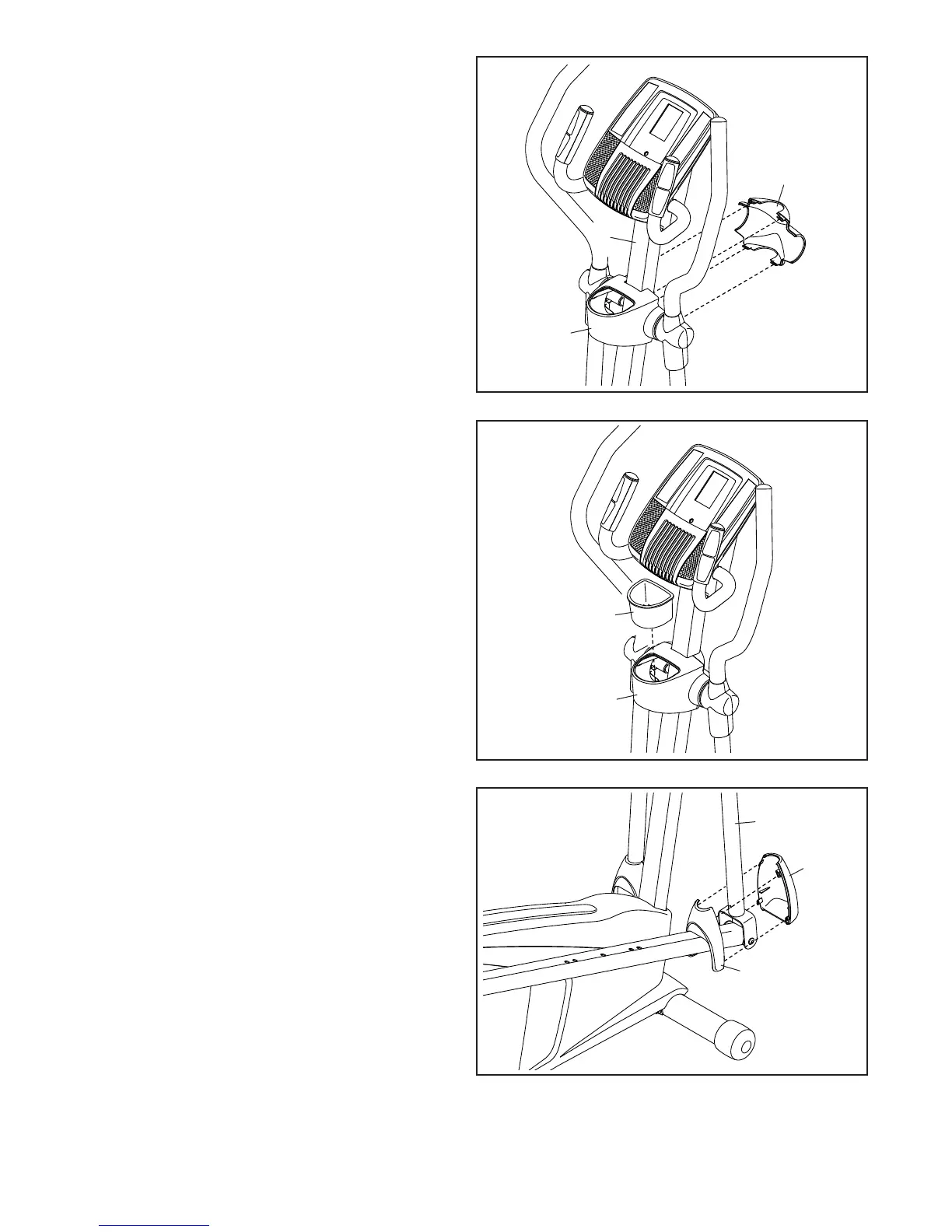
15. Orient the Front Upright Cover (16) as shown.
Attach the Front Upright Cover (16) around the
Upright (2) by pressing the hooks on the Front
Upright Cover onto the tabs on the Rear Upright
Cover (3).
16. Insert the Accessory Tray (5) into the Rear
Upright Cover (3).
3
3
16
5
2
17
17. Attach a Front Leg Cover (20) and a Rear Leg
Cover (21) around the right Upper Body Leg (6)
by pressing the hooks on the Front Leg Cover
onto the tabs on the Rear Leg Cover.
Repeat this step on the other side of the
elliptical.
6
20
21




 To Next Page