EasyManua.ls Logo

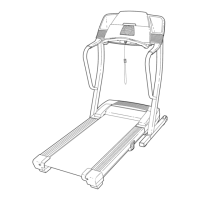
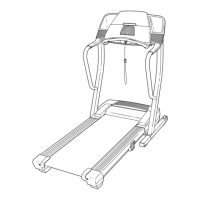
ProForm 540s - User Manual

ProForm 540s
34 pages
Print Icon
To Next Page IconTo Next Page
Loading...
H artRateControl
Model No. 831.294052
Serial No.
Write the serial number in the space
above for future reference.
Serial Nu_
= Assembly
= Operation
= Maintenance
= Part List and Drawing
TREA iLL E
User's
SE
Manual
Sears, Roebuck and Co., Hoffman Estates, IL 60179
Question and Answer IconNeed help?

Do you have a question about the ProForm 540s and is the answer not in the manual?

Summary

Important Safety Precautions

General Usage and Environmental Safety

Covers user responsibility, placement, environment, user limits, and attire.

Electrical Safety and Usage Restrictions

Details surge suppressor use, cord safety, and operational restrictions.

Continued Safety Precautions

Advanced Features and Maintenance Safety

Details iFIT.com usage, regular inspection, and unplugging procedures.

User Injury Prevention and Product Care

Highlights key warnings for safe operation and product longevity.

Getting Started

Assembly Instructions

Assembly Requirements and Hardware

Details two-person assembly, lubricant notes, and lists required hardware with visuals.

Step 1: Installing Extension Legs and Wheels

Guides attaching extension legs and wheels to the treadmill frame using specific bolts and nuts.

Assembly Steps

Step 2: Attaching Handrails

Details connecting wire harnesses and securing handrails to the uprights using bolts.

Step 3: Connecting Console Assembly

Explains how to connect the wire harness and mount the console using bolts and washers.

Assembly Completion

Treadmill Operation Basics

Power Connection and Belt Maintenance

Details safe power cord connection, grounding, surge protection, and belt lubrication.

Console Features and Programs

Console Modes Overview

Overview of console functions including manual, preset, heart rate, and iFIT.com modes.

Manual Mode Operation

Using the Manual Mode

Using Preset Programs

Preset Program Control

Using Heart Rate Programs

Heart Rate Program Setup

Details selecting programs, entering age, maximum speed, and target heart rate.

Heart Rate Program Execution

Program Adjustment and Monitoring

Explains how the treadmill adjusts to target heart rate and handling pulse detection.

Using iFIT.com Programs

iFIT.com Program Control

Using Web-Based Programs

Folding and Moving the Treadmill

Lowering Treadmill for Use

Troubleshooting - Power and Console

Power and Console Display Issues

Addresses problems like no power, intermittent power, and non-functional console displays.

Troubleshooting - Belt Issues

Walking Belt Performance

Solutions for the walking belt slowing down, being off-center, or slipping.

Exercise Guidelines

Exploded Diagram - Part 1

Service and Warranty Information

Summary

Important Safety Precautions

General Usage and Environmental Safety

Covers user responsibility, placement, environment, user limits, and attire.

Electrical Safety and Usage Restrictions

Details surge suppressor use, cord safety, and operational restrictions.

Continued Safety Precautions

Advanced Features and Maintenance Safety

Details iFIT.com usage, regular inspection, and unplugging procedures.

User Injury Prevention and Product Care

Highlights key warnings for safe operation and product longevity.

Getting Started

Assembly Instructions

Assembly Requirements and Hardware

Details two-person assembly, lubricant notes, and lists required hardware with visuals.

Step 1: Installing Extension Legs and Wheels

Guides attaching extension legs and wheels to the treadmill frame using specific bolts and nuts.

Assembly Steps

Step 2: Attaching Handrails

Details connecting wire harnesses and securing handrails to the uprights using bolts.

Step 3: Connecting Console Assembly

Explains how to connect the wire harness and mount the console using bolts and washers.

Assembly Completion

Treadmill Operation Basics

Power Connection and Belt Maintenance

Details safe power cord connection, grounding, surge protection, and belt lubrication.

Console Features and Programs

Console Modes Overview

Overview of console functions including manual, preset, heart rate, and iFIT.com modes.

Manual Mode Operation

Using the Manual Mode

Using Preset Programs

Preset Program Control

Using Heart Rate Programs

Heart Rate Program Setup

Details selecting programs, entering age, maximum speed, and target heart rate.

Heart Rate Program Execution

Program Adjustment and Monitoring

Explains how the treadmill adjusts to target heart rate and handling pulse detection.

Using iFIT.com Programs

iFIT.com Program Control

Using Web-Based Programs

Folding and Moving the Treadmill

Lowering Treadmill for Use

Troubleshooting - Power and Console

Power and Console Display Issues

Addresses problems like no power, intermittent power, and non-functional console displays.

Troubleshooting - Belt Issues

Walking Belt Performance

Solutions for the walking belt slowing down, being off-center, or slipping.

Exercise Guidelines

Exploded Diagram - Part 1

Service and Warranty Information

ProForm 540s Specifications

General IconGeneral
Programs18 Workout Apps
FoldingSpaceSaver Design
Motor2.5 CHP Mach Z™ Commercial Motor
Incline0-10%
Speed0-10 MPH QuickSpeed

Related product manuals