EasyManua.ls Logo

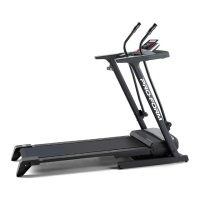
ProForm CX 18i PFTL64505.0 - User Manual

ProForm CX 18i PFTL64505.0
30 pages
Print Icon
To Next Page IconTo Next Page
Loading...
Serial Number Decal
Model No. PFTL64505.0
Serial No.
CAUTION
Read all precautions and instruc-
tions in this manual before using
this equipment. Save this manual
for future reference.
QUESTIONS?
As a manufacturer, we are com-
mitted to providing complete
customer satisfaction. If you
have questions, or if parts are
damaged or missing, PLEASE
CONTACT OUR CUSTOMER
SERVICE DEPARTMENT
DIRECTLY.
CALL TOLL-FREE:
1-888-533-1333
Mon.–Fri., 6 a.m.–6 p.m. MST
ON THE WEB:
www.proformservice.com
Visit our website at
www.proform.com
new products, prizes,
fitness tips, and much more!
V
USER'S MANUAL

Questions and Answers

  • J
    julie83Jul 30, 2025
    What to do if ProForm Treadmill turns off during use?
    • D
      Daniel MillerJul 30, 2025
      If the ProForm Treadmill's power turns off during use, first check the reset/off circuit breaker. If tripped, wait five minutes before pressing the switch back in. Ensure the power cord is securely plugged in; if it is, unplug it, wait five minutes, and plug it back in. Also, remove and reinsert the key from the console.
  • S
    Sarah IbarraAug 5, 2025
    How to fix ProForm Treadmill if the power does not turn on?
    • D
      Dr. Michael LynchAug 5, 2025
      To troubleshoot a ProForm Treadmill that won't turn on, ensure the power cord is plugged into a surge suppressor, and the surge suppressor is plugged into a grounded outlet, using a single-outlet surge suppressor. Also, make sure the key is fully inserted into the console. Check the reset/off circuit breaker located on the treadmill frame near the power cord. If the switch protrudes, the circuit breaker has tripped. To reset it, wait five minutes, then press the switch back in.
  • J
    jacksonnicoleAug 11, 2025
    What to do if ProForm CX 18i PFTL64505.0 walking belt is off-center?
    • R
      rachael71Aug 11, 2025
      If the walking belt on your ProForm Treadmill is off-center or slips, first remove the key and unplug the power cord. If the belt has shifted left, turn the left rear roller bolt clockwise 1/2 turn. If it has shifted right, turn the bolt counterclockwise 1/2 turn. If the belt slips, turn both rear roller bolts clockwise 1/4 turn. Ensure the belt isn't too tight—you should be able to lift each side 2 to 3 inches. Plug in the power cord, insert the key, and walk on the treadmill for a few minutes. Repeat until corrected.
  • A
    Ann SolomonAug 16, 2025
    How to recalibrate incline on ProForm CX 18i PFTL64505.0?
    • J
      Jennifer NguyenAug 17, 2025
      To recalibrate the incline system on your ProForm Treadmill, insert the key into the console and press one of the Incline buttons. While the incline is changing, remove the key. After a few seconds, re-insert the key. The treadmill will automatically rise to the maximum incline level and then return to the minimum level.
  • B
    Brian LiuAug 23, 2025
    Why does ProForm CX 18i PFTL64505.0 Treadmill walking belt slows when walked on?
    • D
      Daniel ConleyAug 23, 2025
      If the walking belt on your ProForm Treadmill slows down when you walk on it, use a single-outlet surge suppressor. If the walking belt is overtightened, remove the key and unplug the power cord. Turn both rear roller adjustment bolts counterclockwise 1/4 of a turn. When correctly tightened, you should be able to lift each side of the walking belt 2 to 3 inches off the platform. Plug in the power cord, insert the key, and run the treadmill for a few minutes. Repeat until the belt is properly tightened.

Summary

Important Precautions

Before You Begin

Assembly

Operation and Adjustment

How to Plug in the Power Cord

Instructions and warnings regarding plugging in the power cord and using a surge suppressor.

Console Diagram

Features of the Console

How to Turn on the Power

How to Use the Manual Mode

How to Use a Preset Program

How to Create Custom Programs

How to Use Custom Programs

How to Connect the Treadmill to Use iFIT.COM Programs

How to Connect Your MP3 Player or CD Player

Instructions for connecting MP3 players or CD players via audio cables.

How to Connect Your Portable Stereo

Guides for connecting portable stereos using different audio output types.

How to Connect Your Home Stereo

How to Connect Your Computer

How to Connect Your VCR

How to Use an iFIT.COM MP3, CD, or Video Program

How to Use an iFIT.com Program Directly From Our Web Site

The Information Mode;Demo Mode

The Optional Chest Pulse Sensor

How to Fold and Move the Treadmill

How to Fold the Treadmill for Storage

Step-by-step guide to properly fold the treadmill for compact storage.

How to Move the Treadmill

Instructions for safely moving the folded treadmill to a new location.

How to Lower the Treadmill for Use

Steps to safely unfold the treadmill from its storage position back to operational use.

Troubleshooting

Problem: The power does not turn on

Solutions for issues where the treadmill fails to power on.

Problem: The power turns off during use

Solutions for problems causing the treadmill to shut off unexpectedly during operation.

Problem: The incline of the treadmill does not change correctly

Steps to fix issues with the treadmill's incline system not functioning properly.

Conditioning Guidelines

Exercise Intensity

How to determine and adjust exercise intensity using heart rate zones for fat burning and aerobic goals.

Workout Guidelines

Recommendations for structuring workouts, including warm-up, training zone exercise, and cool-down.

Exercise Frequency

Guidelines on how often to exercise for maintaining or improving fitness levels.

Suggested Stretches

Part List-Model No. PFTL64505.0

Part Identification Chart

Exploded Drawing-Model No. PFTL64505.0

Ordering Replacement Parts

Limited Warranty

ProForm CX 18i PFTL64505.0 Specifications

General IconGeneral
Running Area18" x 50"
DisplayLCD
Dimensions70" L x 33" W x 56" H
Programs18
Speed Range0-10 mph

Related product manuals