14
17
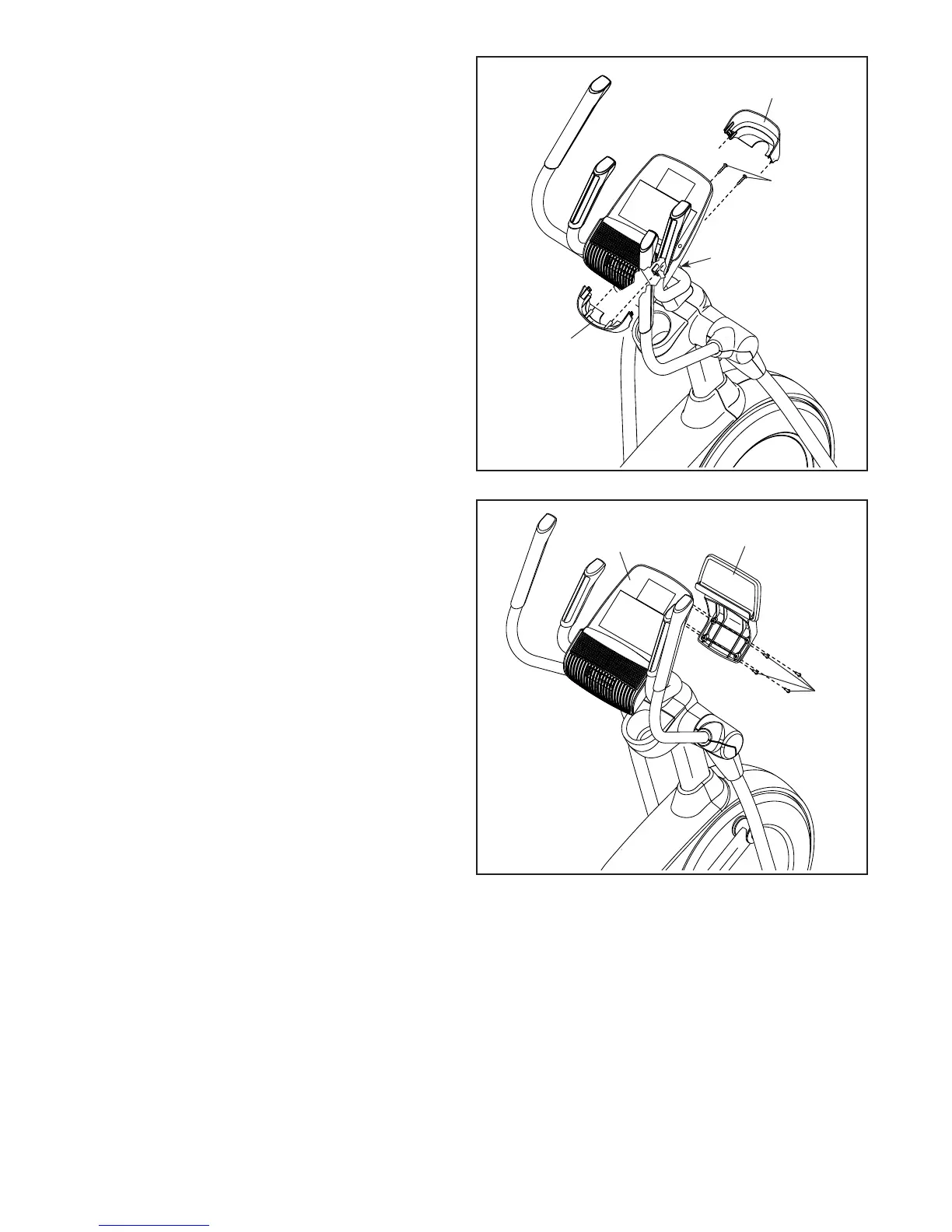
17. Orient the Rear Console Cover (80) as shown.
Attach the Rear Console Cover (80) to the
Upright (4) with two M4 x 16mm Screws (101).
Next, orient the Front Console Cover (79) as
shown.
Attach the Front Console Cover (79) around the
Upright (4) by pressing the hooks on the Rear
Console Cover (80) onto the tabs on the Front
Console Cover.
79
4
80
101
121
9
18
18. Attach the Tablet Holder (121) to the Console
(7) with four #8 x 12mm Screws (9); start all the
Screws, and then tighten them.
7




 To Next Page