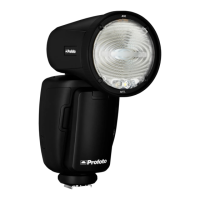
A1 AirTTL
22
www.profoto.com
Modeling light
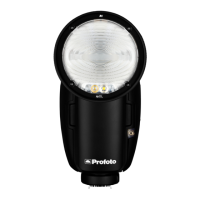
The modeling light is a constant light source positioned in the flash
head. The angle of the light (light spread) will follow the zoom setting
on the flash. Use the modeling light to analyze shadows or as a help to
position your subject in relation to the flash.
The model setting is used to select how the A1 modeling light intensity
should correspond with the flash light output.
There are three setting options for the A1 modeling light:
• MIN: The A1 modeling lamp gets the half intensity, regardless of
the selected energy level (light output).
• MAX: The A1 modeling lamp gets the maximum intensity,
regardless of the selected energy level (light output).
• PROP: The A1 modeling light intensity is automatically adjusted
to be proportional to the selected light output (energy level).
Ready
Ready signaling is used to indicate when the A1 flash is fully recycled.
There are four ready signaling options:
• BEEP: The A1 unit beeps when it is ready to flash again after
recharging. This option will also enable key sound.
• DIM: The A1 modeling light turns off after flashing and turns on
when the A1 unit is ready to flash again.
• BEEP DIM: The A1 modeling light turns off after flashing. The A1
modeling light turns on and the A1 unit beeps when it is ready to
flash again.
• OFF: No ready signal.
The test button [12] always comes off after flashing and comes on
again when the A1 flash is fully recycled.


 To Next Page