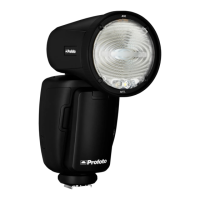
A1 AirTTL
23
www.profoto.com
Sync
The selected sync setting (camera sync setting) is shown in the top of
the display [9].
There are three sync options:
• 1st: The flashes fire when the first shutter curtain is fully open.
• 2nd: The flashes fire just before the second curtain starts
traveling.
• Hi-S: HSS (High Speed Sync/Auto FP) mode is selected.
• X-Sync: Maximizes frame rates per second in continues
shooting. All communication except sync signal is disabled
between the flash and the camera and because of this the flash
will only operate in manual mode.
HSS enables shooting with flash at a faster shutter speed than the
fastest external flash sync speed (x-sync) of the camera, all the way
down to 1/8000s (may differ between camera models). This option
can be extremely useful to limit the influence of ambient light when
shooting in bright conditions.
Note:
The sync setting (1st, 2nd and Hi-S) works slightly different for Canon and Nikon. In
Canon you can change the setting in both camera and on flash unit. On Nikon, the sync
settings are only done in camera. Refer to the camera’s user guide for how to change
sync settings in camera.
The A1 unit can be used on other camera brands in X-sync mode if the camera has a hot
shoe with a central positioned sync contact. This is standard for most cameras today. In
this mode the camera will be a full manual flash without TTL- or HSS compatibility. Other
functions that are controlled from the camera will also be disabled.
Group
The group setting (A-F) applies to the A1 flash.
The selected group is shown in the top of the display [9].


 To Next Page