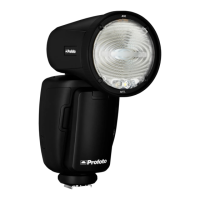
A1 AirTTL
24
www.profoto.com
Channel
The channel setting (1-8) applies to the A1 control unit and the A1 flash.
The selected channel is shown in the top of the display [9].
Air
The Air setting is used to activate/deactivate the built-in Profoto Air
transceiver.
• ON: The A1 can be used to trigger and/or control Profoto Air flash
units and generators, including the A1 flash.
• OFF: The A1 can only be used to control the A1 flash.
Head
The head setting is used to activate/deactivate the A1 flash head. By
doing this the flash will not fire when it receives a sync signal. This
function works both on -and off-camera.
Backlight
The backlight of the display [9] has an impact on the battery time.
There are three backlight options:
• MIN
• MEDIUM
• MAX
Standby
There are three standby options:
• 2 min: Standby mode is entered after 2 minutes of inactivity.
• 30 min: Standby mode is entered after 30 minutes of inactivity.
• OFF: Standby mode is disabled. This setting also disables the
auto power off function.


 To Next Page