Manual Profound VIBRA-series, version 2.00
27
Frequency Display
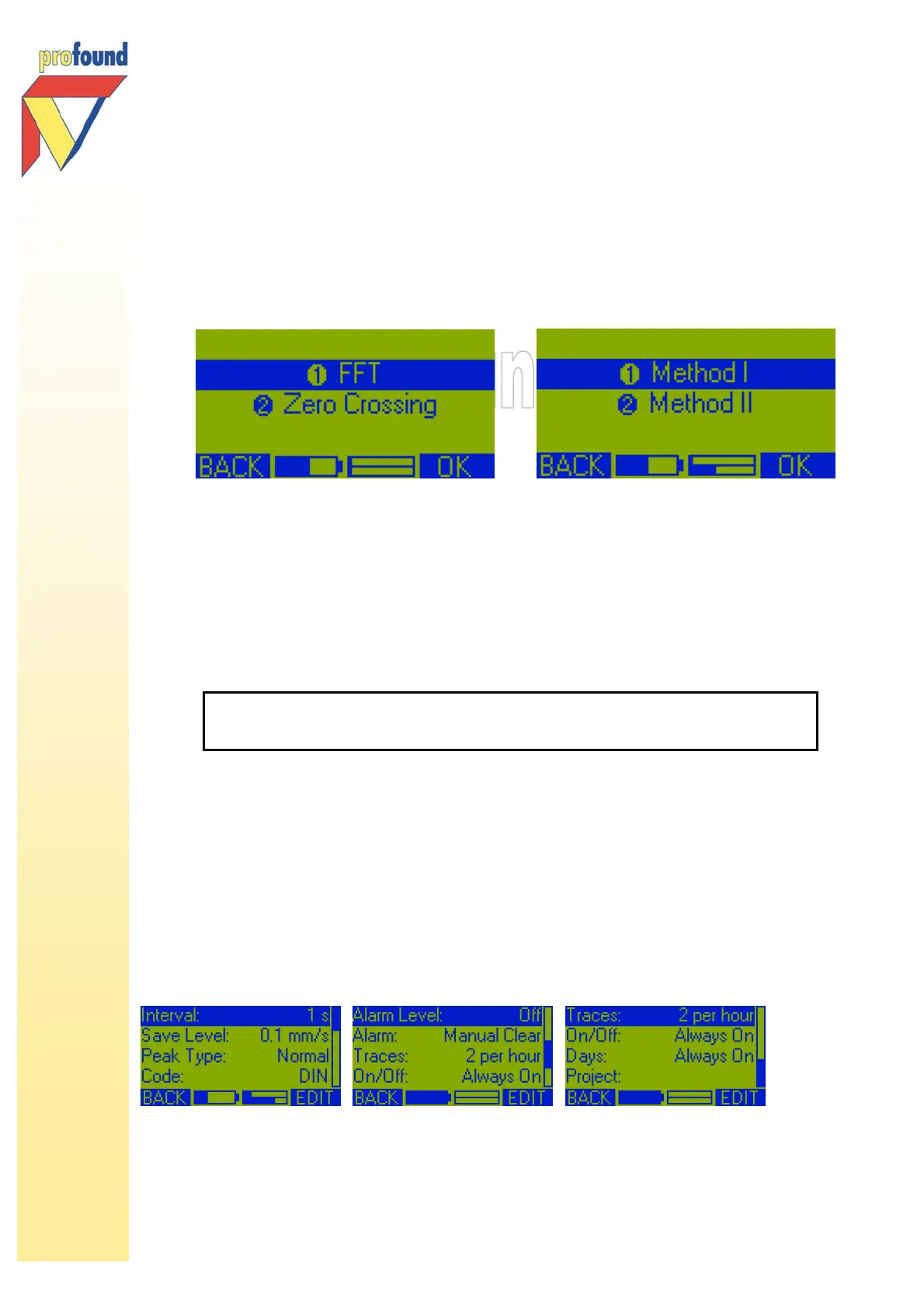
Select Frequency to change the displayed Frequency method (VIBRA
+
only):
• according to DIN, FFT or Zero Crossing method
• according SBR, Method I or II.
The preferred Frequency Method is FFT/Method I. At the start of each new measurement the system will
therefore use this setting as default. Please find more information about frequency measurement in
paragraph 4.3.
5.3 Option 'Change Settings'
After entering this option, the first 4 options of the submenu will appear on the screen. With the options in
this submenu it is possible to adapt the settings of the VIBRA to suit your requirements.
The submenu Change Settings has, depending on the type of VIBRA, the following options:
• Interval
• Save Level
• Peak Type (VIBRA
+
and VIBRA-sbr only)
• Code (VIBRA
+
only)
• Alarm Level
• Alarm
• Traces
• On/Off (Timer function)
• Days (VIBRA
+
only)
• Project
You can also program the VIBRA with the VIBRA PC software.
See paragraph 6.4 of this manual for a description.



 To Next Page