Manual Profound VIBRA-series, version 2.00
22
5.0 Description of the menu options
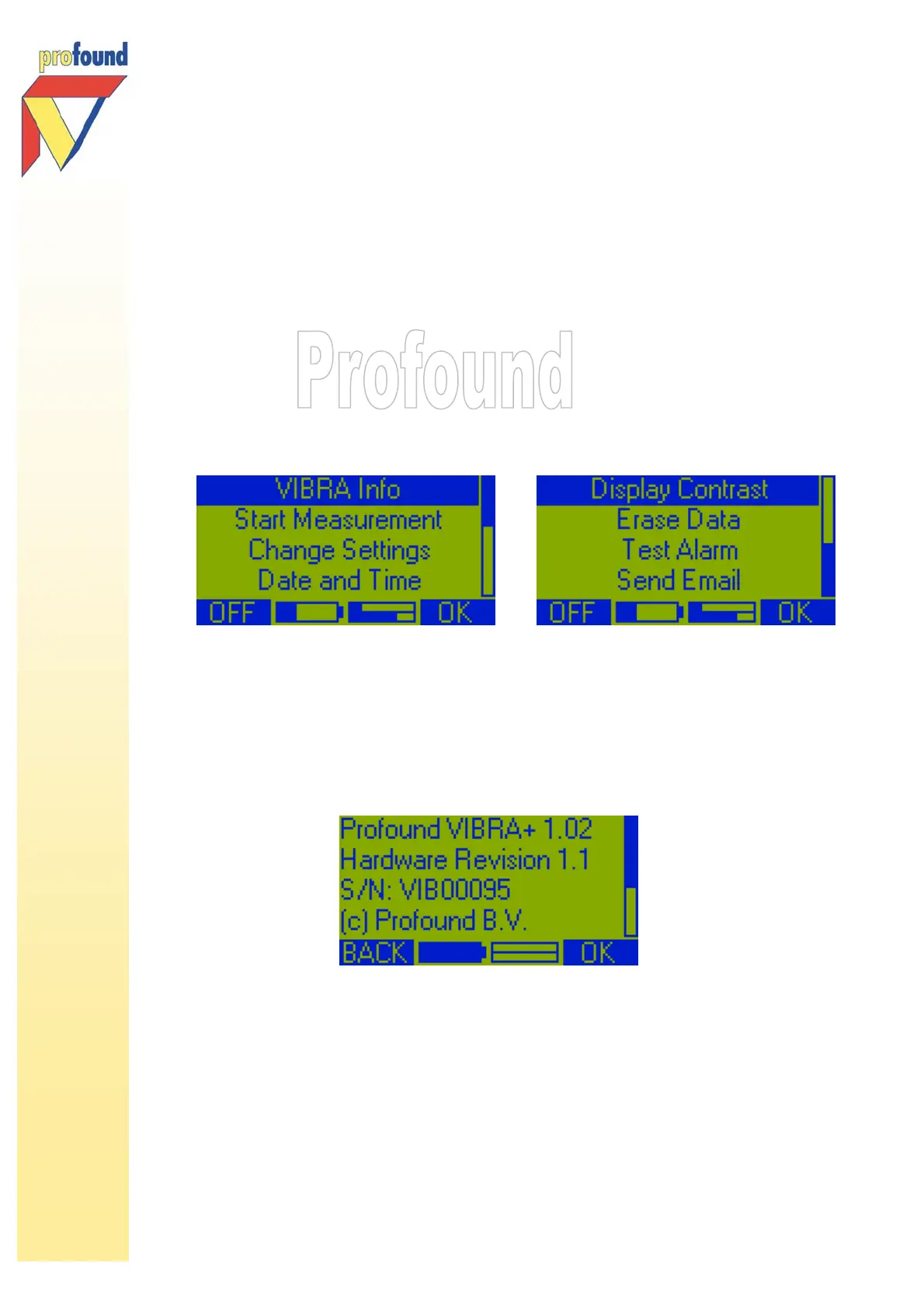
In this chapter the 8 options of the Main Menu are described in detail:
• VIBRA Info
• Start Measurement
• Change Settings
• Date and Time
• Display Contrast
• Erase Data
• Test Alarm
• Send E-mail
5.1 Option 'Vibra Info'
Immediately after switching on the system this option is highlighted. Press 2-key, OK to show the digital
ID-data of the VIBRA. With the /-keys you can look up the information saved, like VIBRA model, version,
serial number, calibration date.
During the measurement the VIBRA Info option in the sub measuring menu not only shows the ID-data of
the VIBRA but also of the geophone connected to the system.
5.2 Option 'Start Measurement'
Use the -key to select Start Measurement in the Main Menu, then press 2-key, OK. The system checks
whether the geophone has been properly connected to the VIBRA. The following messages are shown on
screen: Detecting Geophone, followed by Initializing Geophone and Reading Digital ID. Then the display
shows the serial number of the geophone, the three measuring channels with the notice OK.



 To Next Page