Manual Profound VIBRA-series, version 2.00
58
Step 3:
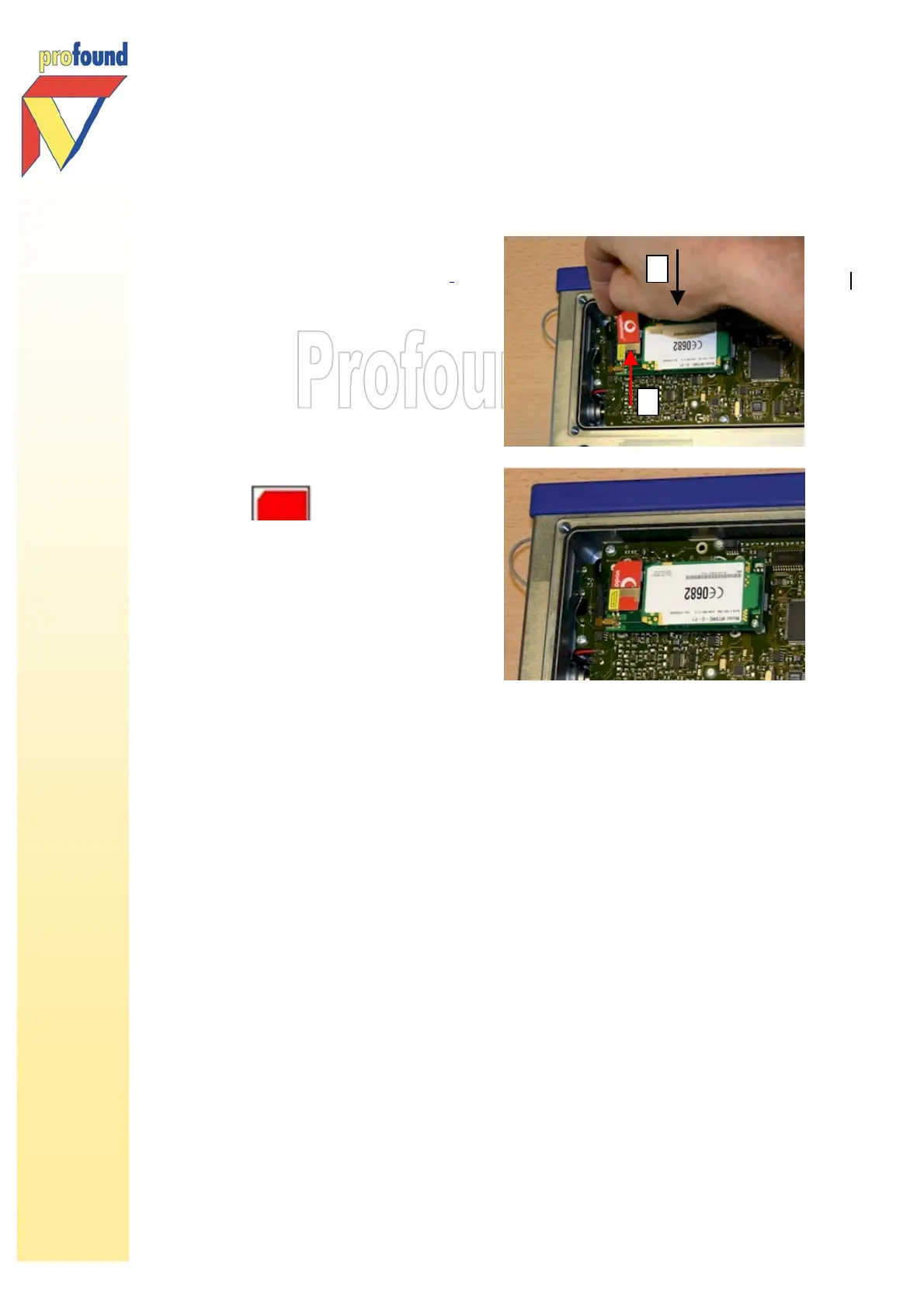
The modem is now clearly visible.
The SIM-card should be placed
at the left side of the modem..
1. Modem
2. SIM-card holder
Place the SIM-card with the notch
positioned at the top left, as
shown:
Step 4:
Check the black rubber sealing in the VIBRA
+
. Remove any dirt. Replace and screw
the cover on the VIBRA
+
. You have now successfully installed the SIM card.
To remove the SIM-card, follow the above-described steps. In step 4 remove the SIM-card instead of
placing it in the VIBRA
+
.
7.2 Activating the mobile subscription: e-mail and GPRS settings
After the installation of the SIM card, the data transfer by GPRS internet to your e-mail account can be
activated:
2
1



 To Next Page