Document # MAN0001 Issue 4.29 Page 10 of 34
Quick Start Guide
To quickly set up and test your controller follow this procedure.
Wiring
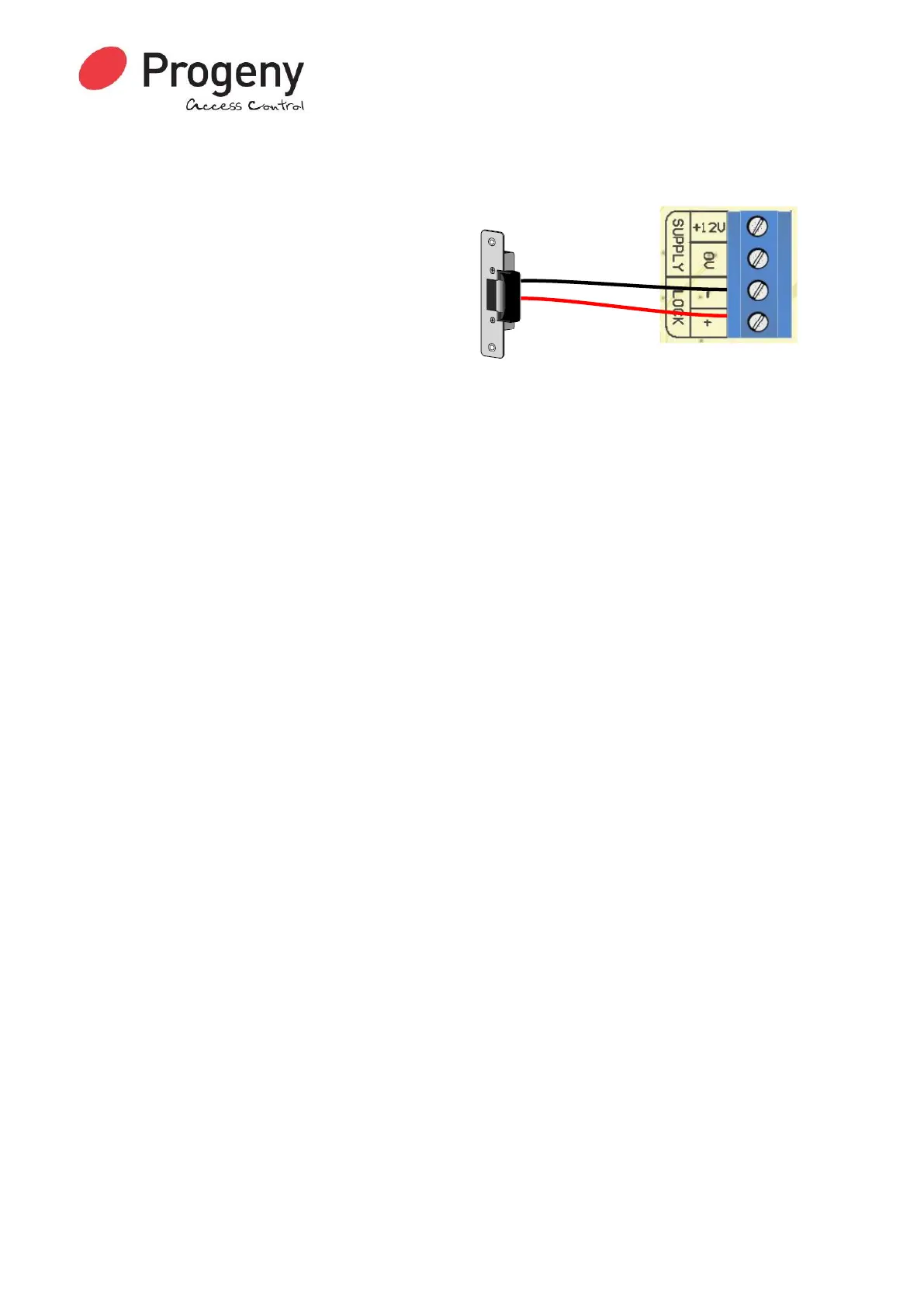
Connect the locking device to the controller. Note
if you are connecting to a magnet or any other fail
open device you will need to set the “Lock Drive
Mode” to 1. See Engineers function 14.
1. Connect the Lock
2. Connect a 12V DC supply to the controller
3. Switch on the supply
Setting the Access Code
Once all the connections are made, the following procedure will get access using an access code
7890.
1. Use the Access Code menu (see Page 14): * 6 5 4 3 2 1 * 0 1
2. Enter the new access code 7 8 9 0 #
3. Press the # key to finish.
Adding Credentials
Once all the connections are made, the following procedure will allow you to test a Credential.
1. Use the Adding Credentials menu (see Page 15): * 6 5 4 3 2 1 * 0 4
2. Now present the required Credentials to the reader one after the next.
3. Press the # key to finish.
Testing
Now test by presenting the Credential you enabled to the reader: The reader LED will turn green
and the lock output will operate for 3 seconds.
Other Quick Starts
Other quick tests you can try are:
Request to Exit
Temporarily short the RQE input to 0V. This simulates a Request to Exit Button Push and will
operate the lock output for 3 seconds
Quick Programming Tips
Key Switch
A key switch can be connected to allow quick access code change. This is very helpful if you have
to change the code on a regular basis.
User Admin Credential
The user menu functions can all be accessed using a pre-defined administration credential. This
takes the place of entering the User Menu Password. See “User Function 10” for more details


 To Next Page