English - 22 -
Contrast/ Brightness/ Sharpness/ Colour/
Hue
By pressing “ ” or “ ” button, select the desired
Option.
Press “
” or “ ” button to set the level.
Hint: Hue is displayed in picture menu when the TV
receives an NTSC signal.
Colour Temp
• By pressing “ ” or “ ” button select Colour Temp.
• Press “
” or “ ” to choose from one of these
options:
Cool, Normal and Warm.
Noise Reduction
By pressing “ ” or “ ” button select Noise Reduc-
tion
. Press “ ” or “ ” to choose from one of these
options:
Low, Medium, High or Off.
Film Mode
Films are recorded at a different number offrames
per second to normal television programmes.
By pressing “
” or “ ” button, select Film Mode.
Press “
” or “ ” button to set this feature On or Off.
Turn this feature on when you are watching films to
see the fast motion scenes clearly.
Picture Zoom
By pressing “ ” or “ ” button select Picture Zoom.
Use “
” or “ ” buttons, to change picture zoom to
Auto, 16:9, 4:3, Panaromic, 14:9 Zoom, Cinema,
Subtitle, or Zoom.
Reset
By pressing “ ” or “ ” button, select Reset. Press
“
” or “OK” button to reset the picture modes to fac-
tory default settings.
Store
• By pressing “ ” or “ ” button select Store.
• Press “
” or “ ” or “OK” button to store the adjust-
ments. “
Stored” will be displayed on the screen.
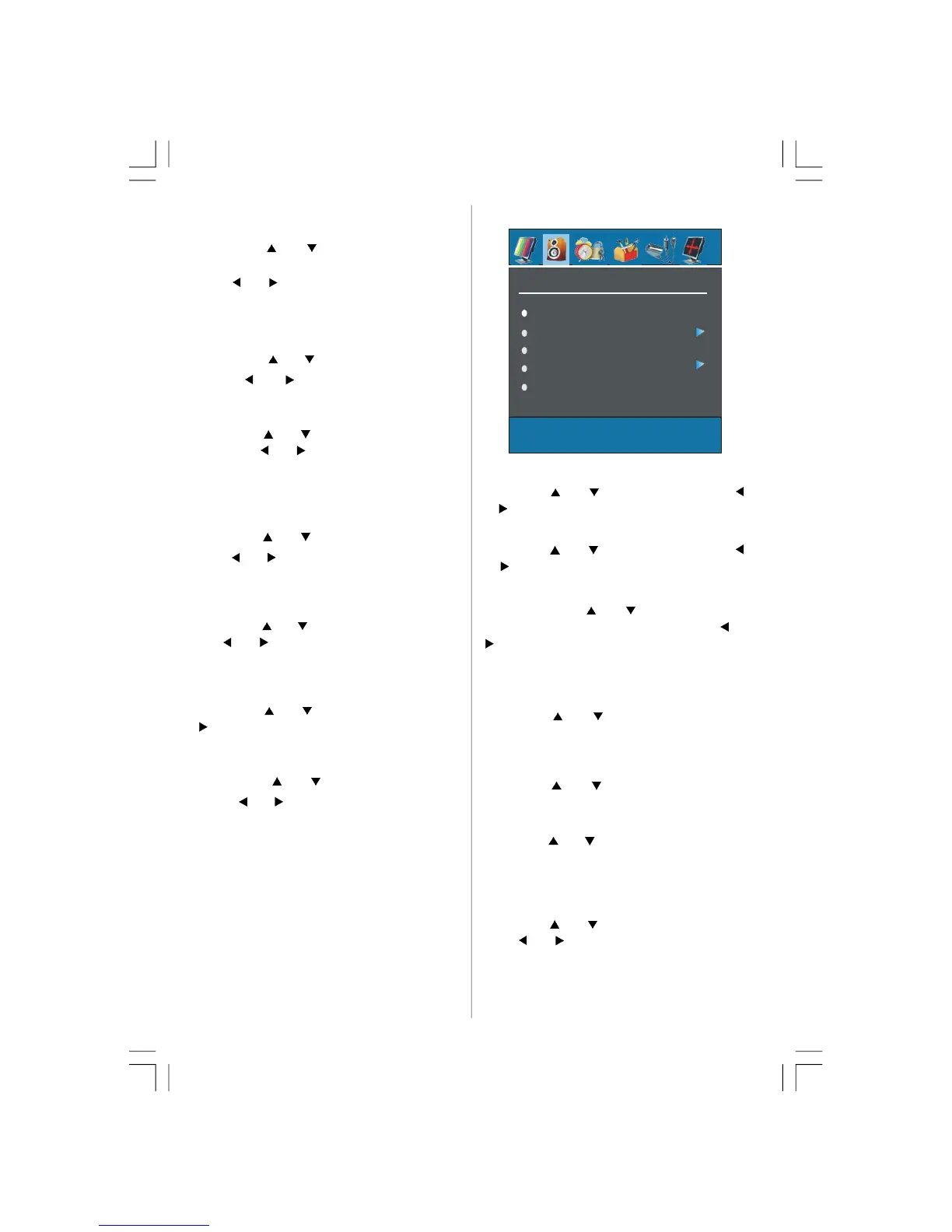
Sound Menu
SOUND
Volume
Equalizer
Balance
Headphone
Volume
By pressing “ ” or “ ” select Volume . Press “ ”
or “
” button to change the level of the Volume.
Equalizer
By pressing “ ” or “ ” select Equalizer.Press “ ”
or “
” button to change the Equalizer setting. In
equalizer menu, the mode can be changed to
Pop,
Rock, Jazz, Flat, Classic or User. Select the de-
sired frequency by “
” or “ ” button and increase
or decrease the frequency gain by pressing “
” or
“
” button.
Note: Equalizer menu settings can be altered only
when the Equalizer Mode is in User.
Balance
By pressing “ ” or “ ” select Balance.Press “
” button to change the level of the balance.Balance
level can be adjusted between -32 and 31.
Headphone
By pressing “ ” or “ ” button, select Headphone.
Press “
” button to enter hedphone menu.
volume
By pressing “ ” or “ ” button, select Volume. Press
“
” button to increase hp volume level. Press “
” but-
ton to decrease hp volume level. Headphone volume level
can be adjusted between 0 and 63.
sound mode
By pressing “ ” or “ ” button, select Sound Mode.
Press “
” or “ ” button to change sound mode.
Sound mode is used to identify sound mode of the
headphone and can be set to mono, stereo, dual I or
dual II according to the transmission.
02-ENG-32735W-1055UK-32 INCH MB32-(WO PIP)(SUBW)-50116142.p65 14.09.2007, 09:5522


 To Next Page