Connect
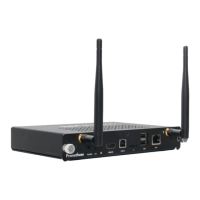
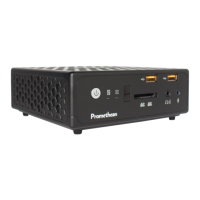
About your device
Modelnumber:PRM-ACON1-01
WelcomeandthankyouforchoosingClassFlowConnect,your
wireless classroom collaboration system.
You can use your device to:
•
Connect to your ClassFlow account – Deliver content
directly from your ClassFlow drive without using a computer.
•
Wirelessly mirror content – Project digital learning resources
from mobile devices to the primary classroom display.
•
Share and interact – Students can use their mobile device to
receive, send, draw, or interact with digital lesson content.
•
Control the lesson from anywhere in the classroom –
Manage and control your lesson using any mobile device.
•
Capturework–Captureallannotationsmadeduringthe
lesson and automatically save them to your ClassFlow Drive.
Box contents
•
1xActivConnectdevice
•
1xWallmount
•
1xWiFiantenna
•
4 x Mounting screws
•
3xPowerleads(USA,EU,UK)
•
4 x Rubber pads
•
1xACtoDCpoweradapter
Manufacturer: Delta Electronics Inc
Model No: ADP-40KDBB
Input:
100-240V 1.2A50-60Hz
Output:
19V 2.1A
6 ClassFlow Connect Installation & User Guide


 To Next Page