Connect
ClassFlow Connect at a glance
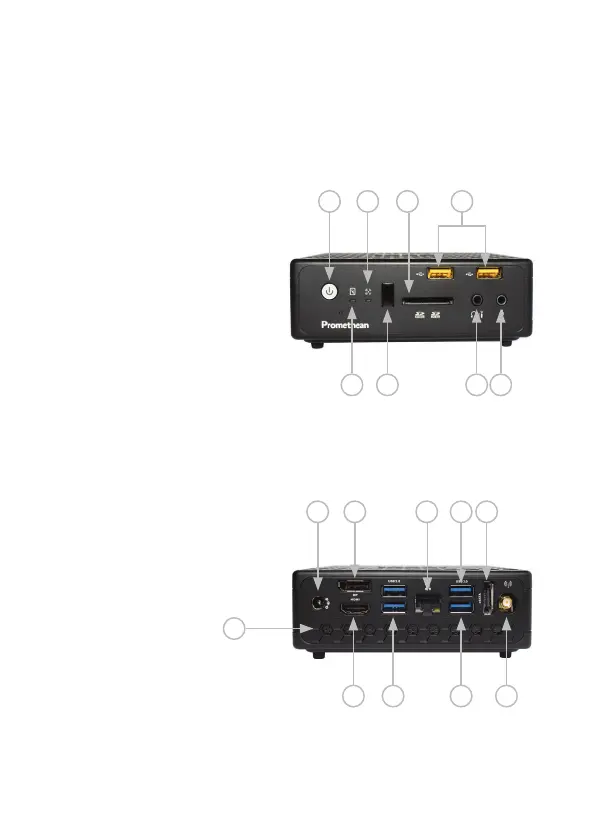
Front of device
1.Powerswitch
2.Harddiskstatusindicator
3.WiFistatusindicator
4. Infrared receiver
5. Memory card slot
6. Headphone/S/PDIF audio
outputjack
7.USB2.0ports
8.Microphonejack
Rear of device
9.Powerinput(19VDC2.1A)
10.HDMIoutput
11.DisplayPort
12.USB3.0ports
13.Ethernetport
14.eSATAport
15.WiFiantennaconnector
16.Ventilationarea
17.USBportforinteractivesurface
1 3 5 7
2 4 6 8
9
11 141713
10 12 12 15
16
ClassFlow Connect Installation & User Guide 7


 To Next Page