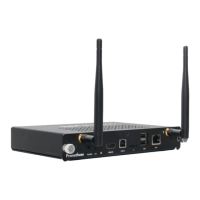
Connect
What you need
To start using your ClassFlow Connect device you will need:
•
Panel, display, interactive whiteboard or projector.
•
HDMIorDisplayPort(DP)cabletoconnectthedeviceto
your projector or display.
•
USB cable to activate touch functionality between the
device and your touch display, if you have one.
•
StandardaudiojackcableifnotusinganHDMIcable.
•
VGA to HDMI or VGA to DP converter if you only have a VGA
compatible display or projector.
•
80211a,b,gornWiFiwirelessnetworkand/or10/100Base-T
ethernetnetwork.
•
Broadband Internet connection.
•
Yourwirelessnetworknameandpassword.
•
ClassFlow user account to deliver your ClassFlow content
and to save your screenshots.
•
USBkeyboardandmousearehelpfulintheinstallationand
congurationprocess(optional).
8 ClassFlow Connect Installation & User Guide


 To Next Page