ProMinent
®
Page 12
Controller
4.3.2 Starting a Wiper Cycle
When the system is in operation and after the preset wiper interval has elapsed, a wiper cycle
commences. Additional wiper cycles can be started manually by pressing the enter key.
During the wiper cycle, an arrow indicating the direction of the wiper appears on the display
(if the arrow is pointing to the right, the wiper is moving towards the motor, if the arrow is
pointing to the left, the wiper is moving away from the motor).
The amount of time that has elapsed since the wiper cycle began is also displayed.
The warning and safety thresholds are not monitored during the wiper cycle. While the wiper is
near the UV sensor, a drop in the UV sensor signal should be observed.
If the wiper cycle is not completed within a preset time, a fault is reported. The system will
continue to run but no additional wiper cycles will commence.
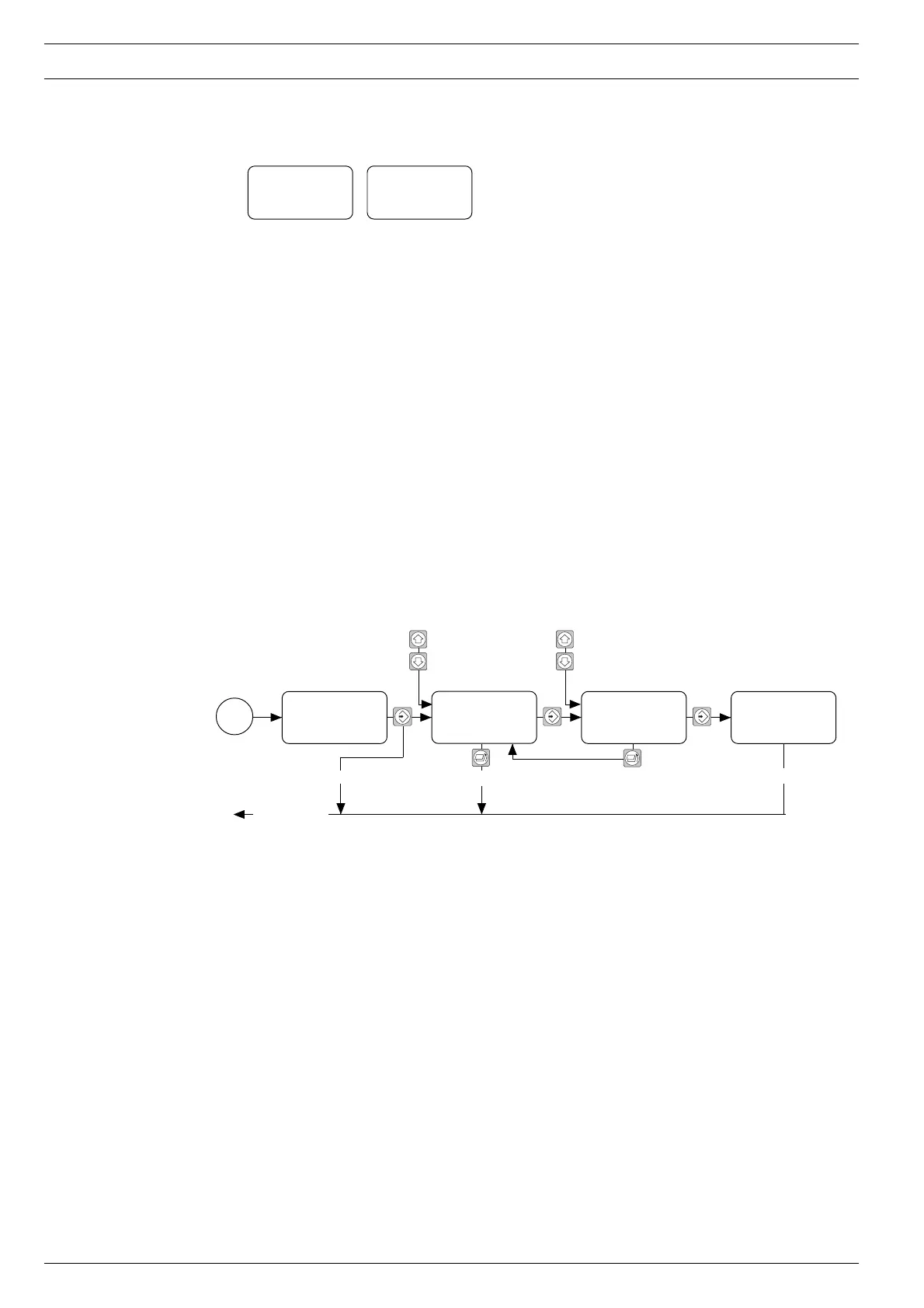
4.3.3 Changing the Access code
There is an access code for the programming mode to prevent any unauthorized changes to the
control system settings. The operator has a free choice of code. After the access code has been
changed, access to the programming mode will remain blocked. The new access code must be
entered before access can be granted.
NOTE
Make a note of the access code. The correct access code must be entered before
parameters can be set.
The default access code does not guarantee protection against unauthorized changes.
Default setting 5000
Start wiper circle?
100 %
ℜ
Time: x:xx
Display during the
wiper circle
Changes are saved
Incorrect access code Changes are not saved
Return to
request
“Change
Access code”


 To Next Page