ProMinent
®
Page 11
Controller
NOTE
If the access code has been entered correctly once, it will not be necessary to enter it
again for further programming. When the ENTER key is pressed, the flashing numbers or
settings will be displayed immediately.
If none of the keys are pressed for 5 minutes or if the display returns to the trend or
standard display, the access code will be cleared automatically.
4.3.1 Trend display
Operating mode control off Control on
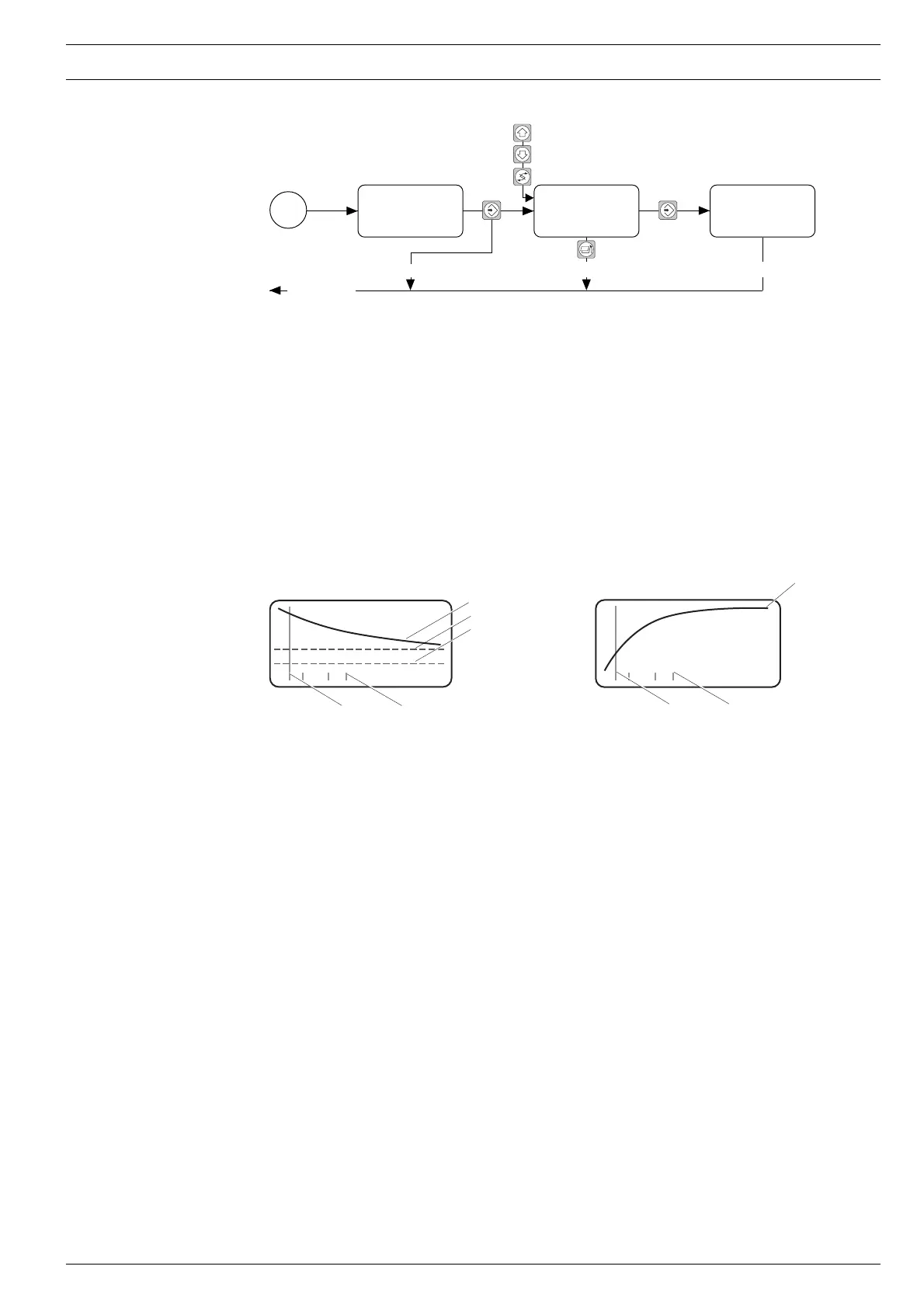
The trend display enables the user to monitor the lamp for signs of ageing or its protective tube
for evidence of a coating and highlights any changes in water quality.
It displays the progress of the UV sensor signal in a time window. Horizontal lines indicate the
safety threshold and warning threshold. The short vertical lines show the points at which the
UV system has been switched on. The UV sensor signal display ranges from 0 % (or W/m
2
) to
the value assigned to the analogue output value of 20 mA (see section 4.3.11). The time
window can be adjusted (see section 4.3.8) and ensures a continuous display: after a preset
period of time has elapsed, the oldest value is deleted and the new value displayed.
With a controlled system, the radiation output is displayed as the relative value instead of the
probe signal.
The warning and safety threshold is not indicated
NOTE
A full vertical line is shown in the trend display for each calibration of the UVC sensor.
Default setting Time window 100 days
Maximum sensor signal value 120 %
Programming instructions
Incorrect access
Changes are not saved Changes are saved
Returns to
display window
UV sensor signal
Warning threshold
Safety threshold
Calibration On/Off
Radiation
output
Calibration On/Off


 To Next Page